


A large OLED ultrawide with a fast refresh rate usually sits in the expensive end of the gaming monitor market. That is why the LG 39GX90SA-W stands out when it appears around the $749.99 mark, a price that puts it far below its launch-era positioning and makes it worth a closer look for buyers who have been waiting for a serious discount.
This is not a small desktop upgrade. The LG 39GX90SA-W is a 39-inch curved UltraGear OLED monitor with a 21:9 ultrawide panel, a 3,440 x 1,440 resolution, and a 240Hz refresh rate. It is aimed at people who want an immersive PC gaming display, not just a bigger office screen.
The deal is appealing, but the buying decision is not as simple as “big OLED equals good.” A 39-inch ultrawide at 3,440 x 1,440 gives you a lot of physical screen space, strong gaming specs, and OLED contrast, but it also has tradeoffs in pixel density, desk fit, and long-term OLED care. If you are comparing it with a 34-inch ultrawide, a 32-inch 4K OLED, or a 45-inch OLED gaming monitor, those differences matter.
OLED Monitor Options Compared
| Image | Product | Best fit | Link |
|---|---|---|---|
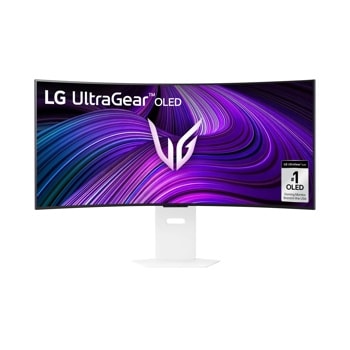 |
LG 39GX90SA-W 39-Inch UltraGear OLED | The LG 39GX90SA-W is the article’s featured pick for buyers who want a large 21:9 OLED gaming monitor with a 240Hz refresh rate. Check the current listing carefully, since the value case depends heavily on the discounted price. | Check Price on Amazon |
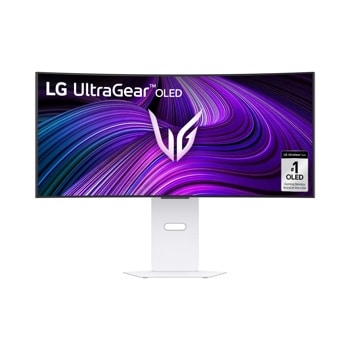 |
LG 34GX90SA-W 34-Inch UltraGear OLED | A 34-inch OLED ultrawide keeps the same common 3,440 x 1,440 resolution in a smaller screen size, which can make text and UI elements look sharper. It is a better comparison point for shoppers who like ultrawide gaming but are unsure about a 39-inch panel. | Check Price on Amazon |
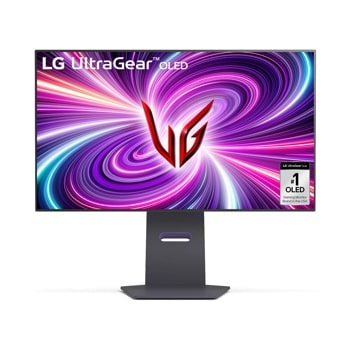 |
LG 32GS95UE-B 32-Inch UltraGear OLED 4K | The LG 32GS95UE-B is a stronger fit if sharp text, console compatibility, and a standard 16:9 4K layout matter more than ultrawide immersion. It also needs more GPU power to drive demanding games at high frame rates in 4K. | Check Price on Amazon |
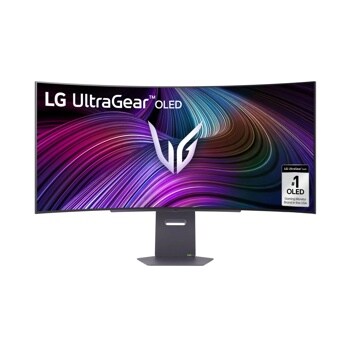 |
LG 45GX90SA-B 45-Inch UltraGear OLED | The LG 45GX90SA-B pushes the same OLED ultrawide idea into a larger, more enveloping format. It is worth comparing only if you have the desk depth and are comfortable with an even bigger screen at this class of resolution. | Check Price on Amazon |
As an Amazon Associate I earn from qualifying purchases.
What the LG 39GX90SA-W Offers
The LG 39GX90SA-W is built around a 39-inch OLED panel with an 800R curve. That is a fairly aggressive curve, designed to wrap the wide screen more closely around the viewer. For gaming, especially racing games, flight sims, RPGs, and atmospheric single-player titles, that can make the display feel much more involving than a flat monitor of similar width.
The monitor uses a WQHD ultrawide resolution of 3,440 x 1,440. That gives you more horizontal room than a standard 16:9 1440p display, while remaining easier to drive than a 4K or 5K2K panel. For PC gamers, that middle ground is important: a high-end graphics card can push strong frame rates more realistically at this resolution than it can at 4K in demanding games.
The headline gaming spec is the 240Hz refresh rate. Paired with OLED’s very fast pixel response, this makes the monitor a strong fit for fast shooters, competitive games, and any title where motion clarity matters. LG lists a 0.03ms gray-to-gray response time, which is typical of modern OLED gaming panels and much faster than most LCD monitors.
LG also advertises peak brightness of up to 1,300 nits, but that figure should be read carefully. OLED brightness numbers often depend on test window size and picture mode, so it does not mean the entire 39-inch screen will hold that brightness in normal desktop use. Still, for highlights in HDR content, the specification is notable for an OLED monitor in this class.
Key Specs at a Glance
| Feature | LG 39GX90SA-W | Why it matters |
|---|---|---|
| Screen size | 39 inches | Large enough for immersive ultrawide gaming and multitasking |
| Panel type | OLED | Excellent contrast, true blacks, and very fast response |
| Resolution | 3,440 x 1,440 | Wider than standard 1440p, easier to drive than 4K |
| Refresh rate | 240Hz | Useful for high-frame-rate gaming |
| Response time | 0.03ms GtG | Helps reduce motion blur and ghosting |
| Curve | 800R | Creates a more wrapped, cockpit-like view |
| Adaptive sync | AMD FreeSync Premium and NVIDIA G-SYNC Compatible support | Helps smooth out frame-rate variation |
| Connectivity | HDMI, DisplayPort, USB-C, USB-A, headphone, Ethernet | Flexible enough for a PC, consoles, and accessories |
| Warranty | Limited two-year warranty | Worth noting for an OLED display purchase |
Why This Deal Is Worth Considering
The main reason to look at this monitor is value. A 39-inch OLED ultrawide with 240Hz refresh would normally be a premium purchase. When it drops into the mid-hundreds instead of the four-figure range, it becomes a more realistic option for buyers who were previously choosing between a smaller OLED monitor and a larger LCD ultrawide.
For gaming, the combination is strong. OLED’s black levels and contrast can make dark scenes look cleaner and more cinematic than they do on most IPS or VA monitors. The 240Hz refresh rate gives competitive players headroom, and adaptive sync support helps keep games smooth when frame rates fluctuate.
The ultrawide format is also useful outside games. A 39-inch 21:9 monitor can replace a two-monitor setup for some desks, especially if you spend time with large timelines, wide spreadsheets, coding layouts, or several windows open at once. You get a broad workspace without the bezel break of two separate displays.
That said, this is still a gaming-first monitor. Anyone buying mainly for text-heavy productivity should think about OLED subpixel rendering, pixel density, and burn-in management before assuming it is the best office display.
The Tradeoffs Buyers Should Check
The biggest practical question is whether 3,440 x 1,440 is enough resolution at 39 inches. On a 34-inch ultrawide, that resolution is common and generally sharp enough for many users. Stretch it to 39 inches, and the pixels are larger. That can make games look big and cinematic, but text and fine UI elements may not look as crisp as they would on a smaller ultrawide or a 4K OLED.
The 800R curve is another point to consider. Some gamers will love it because it helps the screen feel more enveloping. Others may find it too aggressive for design work, document editing, or shared viewing. If you regularly sit back from your monitor or use it for tasks where straight lines matter, the curve deserves real attention.
OLED care is also part of the ownership cost. LG includes OLED Care tools intended to reduce the risk of image retention and burn-in, but the panel still benefits from sensible use. Static taskbars, bright fixed UI elements, and long desktop sessions are worth managing. This does not make the monitor unsuitable for everyday use, but it does mean it is not as carefree as a typical LCD.
Buyers should also check the exact retailer listing before ordering. Deal prices can move quickly, and discounts on monitors often vary by seller, color, region, and stock level. The price that makes this model attractive is the discounted one; at a much higher price, competing OLED monitors may become more compelling.
Who Should Buy It
The LG 39GX90SA-W makes the most sense for someone who wants a large, immersive gaming screen and already has enough GPU power to take advantage of 3,440 x 1,440 at high refresh rates. It is especially appealing if you play games that benefit from a wide field of view and deep contrast.
It is also a reasonable pick for a hybrid gaming and media setup. The OLED panel, ultrawide format, and smart monitor features make it more flexible than a plain PC-only display, although buyers should still treat it primarily as a monitor rather than a TV replacement.
- Best for: PC gamers who want a big OLED ultrawide at a discounted price.
- Also good for: users replacing a dual-monitor setup with one wide display.
- Think twice if: you need very sharp text, do mostly productivity work, or dislike aggressive curves.
- Check before buying: current price, return policy, warranty terms, and available desk space.
How It Compares With Other Monitor Choices
A 34-inch ultrawide OLED will usually look sharper at the same 3,440 x 1,440 resolution because the pixels are packed into a smaller screen. That can be the better choice if you sit close, read a lot of text, or want a more conventional ultrawide size.
A 32-inch 4K OLED gives you a sharper image and a more standard 16:9 format. It may be better for console use, video work, and mixed productivity. The downside is that 4K gaming is harder on the GPU, and you lose the wraparound width of a 21:9 display.
A 45-inch OLED ultrawide goes even bigger, but it can make the same resolution feel softer unless the panel uses a higher pixel count. The 39-inch LG sits between those worlds: larger and more immersive than a 34-inch model, but not as physically huge as a 45-inch display.
| Option | Strength | Main compromise |
|---|---|---|
| 39-inch LG 39GX90SA-W | Large OLED ultrawide with 240Hz gaming specs | Resolution may feel less sharp at this size |
| 34-inch ultrawide OLED | Sharper feel at the same common ultrawide resolution | Less immersive screen size |
| 32-inch 4K OLED | High sharpness and standard 16:9 versatility | Harder to drive at high frame rates |
| 45-inch OLED ultrawide | Maximum immersion | Requires more desk space and may look softer depending on resolution |
Verdict: A Strong Deal for the Right Setup
At a steep discount, the LG 39GX90SA-W is a serious candidate for anyone shopping for a large OLED gaming monitor. Its 39-inch curved panel, 240Hz refresh rate, fast OLED response, adaptive sync support, and broad connectivity make it a feature-rich display for PC gaming.
The cautions are just as important as the specs. This is a big 3,440 x 1,440 screen, so buyers who care most about text sharpness may prefer a smaller ultrawide or a 4K monitor. The curve is immersive but not subtle. OLED care is manageable, but it is still part of owning the display.
If your priority is an enveloping ultrawide gaming experience and the discounted price is available when you check out, this LG deal is easy to understand. If your priority is crisp productivity work or a safer all-day office monitor, compare carefully before buying.