


External SSDs are convenient for everyday backups. They are fast, small enough to throw in a drawer, and easy to use with a laptop or desktop. For working files, photo libraries, video projects, and quick transfers, that convenience is hard to beat.
Long-term archiving is a different problem. A drive that feels dependable in daily use is not automatically the best place to leave important files untouched for years. SSDs store data in NAND flash memory, and offline retention depends on the drive, its age, wear level, NAND type, and storage conditions. That does not mean an SSD is doomed if it sits unplugged, but it does mean it should not be treated as a permanent vault by itself.
That is where optical media still has a narrow but useful role. DVD-R and DVD-RW discs are not fashionable, and they are not the most efficient storage option by capacity. Still, for certain kinds of personal archives, they offer a useful mix of low cost, offline separation, and forced selectivity.
DVDs are useful when you want an offline copy, not your only copy
The strongest case for DVDs is not that they replace SSDs, hard drives, cloud storage, or a proper backup routine. They work best as one more layer. A sensible backup plan usually keeps more than one copy, ideally on more than one type of media, with at least one copy separated from the machine you use every day.
A burned DVD can help with that last part. Once written and stored, it is offline. It is not sitting on a powered system, not exposed to accidental deletion during normal file cleanup, and not waiting to be overwritten by a sync mistake. That makes it a decent fit for finished documents, scanned records, exported photos, tax files, writing projects, and other material that rarely changes after you archive it.
The limits matter. A standard single-layer DVD holds about 4.7 GB, which is tiny compared with modern SSDs and hard drives. That makes DVDs a poor choice for massive video libraries, full system images, or large RAW photo archives unless you are prepared to manage a lot of discs. For smaller curated archives, though, the limited space can be a feature rather than a flaw.
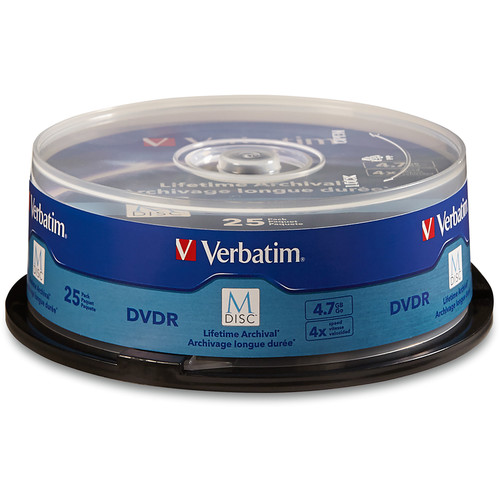
Verbatim M-Disc DVD-R discs
Archival DVD-R media fits the article’s advice for files that are finalized and unlikely to change. Check that your DVD burner supports the disc type before buying.
As an Amazon Associate I earn from qualifying purchases.
The friction is part of the appeal
DVD archiving is slower than dragging a folder onto an SSD. You need a burner, blank discs, labeling, and some kind of storage case. You also need to verify the disc after writing it, because a backup you have not checked is more of a hope than a backup.
That friction can be useful. It makes you decide what deserves a permanent copy. Instead of dumping an entire Downloads folder onto another drive, you are more likely to sort, rename, and group files before burning them. For anyone with years of digital clutter, that extra step can make an archive easier to understand later.
DVD-R and DVD-RW also serve different purposes:
- DVD-R: better for final archives you do not expect to change.
- DVD-RW: useful for temporary sets, rotating backups, or files you may replace later.
- Archival-grade DVD media: worth considering for records you expect to keep for many years, provided your burner supports it.
For permanent files, write-once media has a practical advantage: once it is finalized, you cannot accidentally revise the contents in the same way you might overwrite a folder on a reusable drive.
Optical discs can last, but storage conditions matter
Optical media is not magic. Discs can scratch, delaminate, suffer dye degradation, or become hard to read if they are stored badly. Heat, humidity, direct sunlight, cheap sleeves, and rough handling all shorten the useful life of a disc. Rewritable media generally should not be treated as the longest-lasting option.
Still, good discs stored properly can remain readable for a long time, especially compared with storage devices that include electronics, controllers, moving parts, or batteries. Archival-grade optical media is designed with longevity in mind, while ordinary bargain discs are more variable.
A practical DVD archive should include a few habits:
- Use reputable blank media rather than the cheapest spindle available.
- Store discs vertically in cases, away from heat and sunlight.
- Label discs with a soft marker made for optical media.
- Verify every burn before trusting it.
- Refresh important archives periodically by copying them to newer media.
The last point is easy to overlook. Long-term preservation is not a one-time purchase. It is a maintenance routine. A disc that reads perfectly today should still be checked occasionally, especially if the files matter.
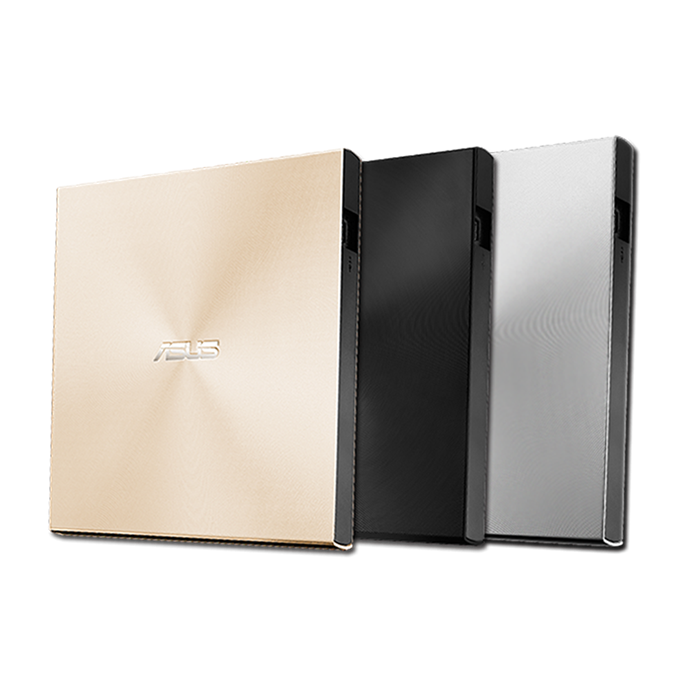
ASUS ZenDrive external DVD burner
A slim external DVD writer lets modern laptops burn and verify archive discs without built-in optical hardware. Look for compatibility with your ports and the media type you plan to use.
As an Amazon Associate I earn from qualifying purchases.
DVDs beat Blu-ray for compatibility in some setups
Blu-ray offers much higher capacity, and for large archives it can be a better optical format. The tradeoff is hardware. DVD drives and DVD-readable external burners are still common and inexpensive. Blu-ray burners are available, but they cost more, and not every older PC, external drive, or household machine will read writable Blu-ray discs.
That makes DVD a practical middle ground for smaller archives. It has far more space than a CD, lower hardware friction than Blu-ray, and enough capacity for carefully selected file sets. If the goal is to archive a folder of documents, scans, exports, or family photos, a few DVDs can be simpler than building a full Blu-ray workflow.
Here is the realistic comparison:
| Storage option | Best use | Main drawback |
|---|---|---|
| External SSD | Fast working backups and frequent transfers | Not ideal as the only long-term offline archive |
| External HDD | Large local backups at a lower cost per gigabyte | Moving parts and drive aging still matter |
| DVD-R | Small write-once archives | Limited capacity |
| DVD-RW | Reusable temporary optical backups | Usually less attractive for permanent archives |
| Blu-ray | Larger optical archives | More expensive hardware and media |
The best reason to use DVDs is discipline
There is also a simple human reason DVDs still appeal: they feel intentional. Burning a disc, labeling it, and putting it in a case makes an archive feel finished in a way that another anonymous folder often does not.
That does not make DVDs the best backup medium for everyone. They are slow, low-capacity, and increasingly dependent on external drives as laptops drop optical hardware. But for people who want a cheap, offline, selective archive alongside SSDs, hard drives, or cloud storage, DVD-R and DVD-RW still have a place.
The smart approach is to treat DVDs as part of a layered backup plan. Keep the fast drive for daily work. Keep another copy somewhere else. Use optical discs for the files that are finished, small enough to fit comfortably, and important enough to preserve deliberately.
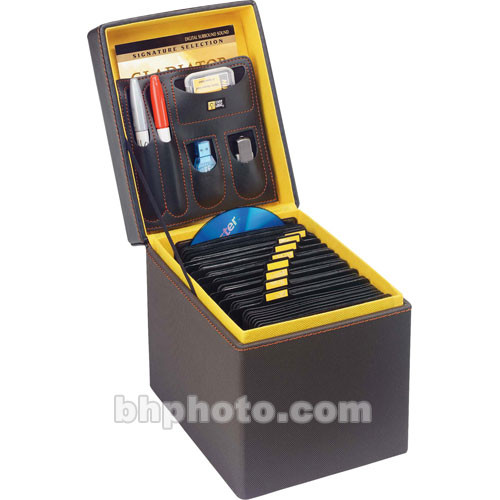
Case Logic 72-disc media storage box
A storage box keeps burned DVDs organized and reduces handling damage compared with loose sleeves or desk drawers. Label the discs and keep the case in a cool, dry place.
As an Amazon Associate I earn from qualifying purchases.