

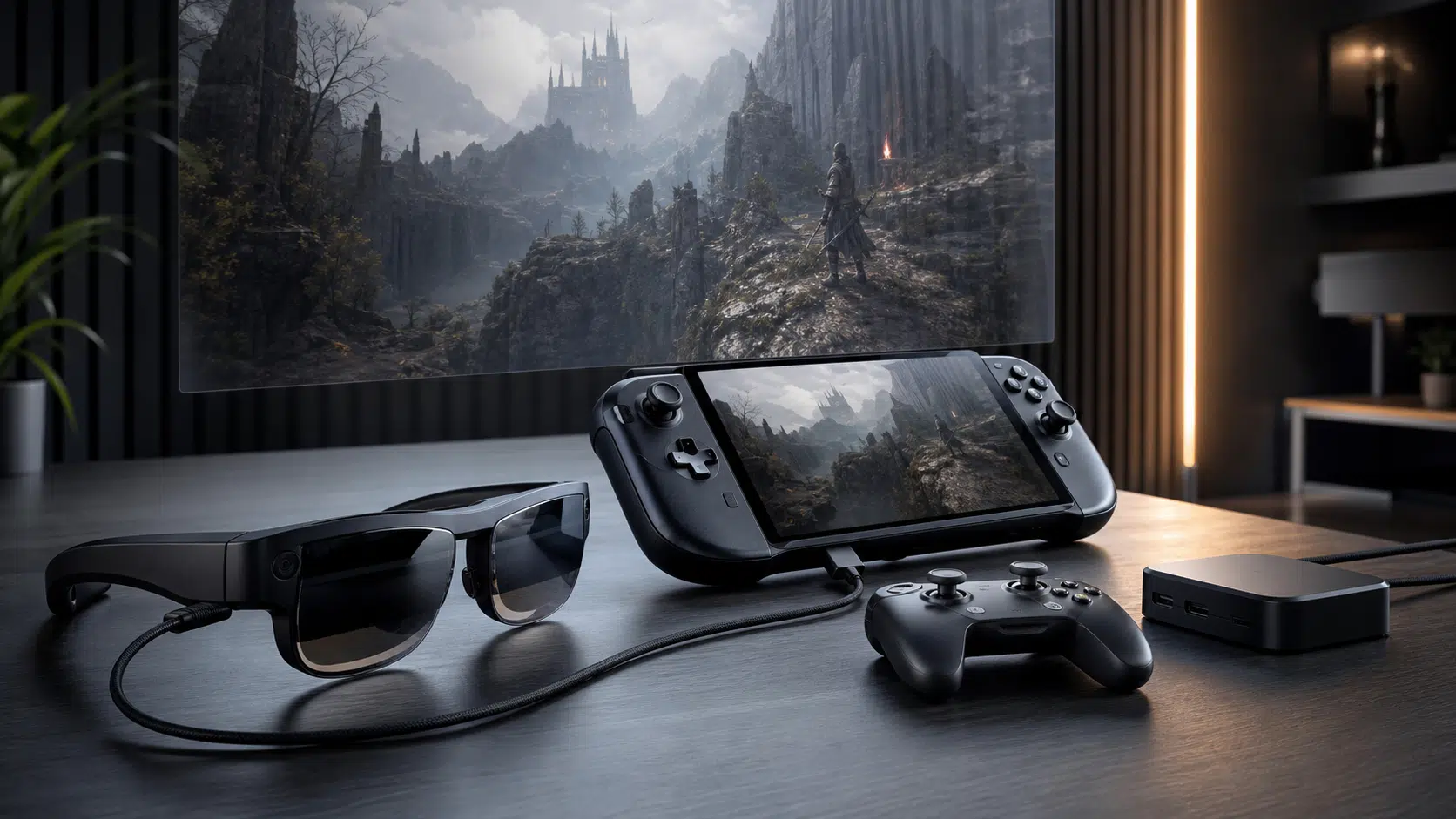

Asus and Xreal’s ROG Xreal R1 AR glasses are now positioned for buyers who want a wearable gaming display rather than a standard monitor, TV, or VR headset. The headline spec is the one Asus wants gamers to notice first: a claimed 240Hz Micro-OLED display system in a pair of glasses designed for PC, console, and handheld play.
The price is just as important. Asus lists the ROG Xreal R1 at $849, putting it well above most entry-level display glasses and into the territory where buyers should think carefully about how often they will actually use it. Preorders opened through Best Buy on May 15, 2026, with Asus and Xreal also pointing to direct availability through Xreal’s store beginning May 17.
That makes the R1 less of an impulse gaming accessory and more of a premium display decision. It may appeal to players who travel often, use a handheld gaming PC, share a living room TV, or want a large private screen without adding another physical display. For everyone else, the key question is whether the glasses solve a real setup problem or simply duplicate a screen you already have.

ASUS ROG XREAL R1 Gaming AR Glasses
The ROG XREAL R1 is the model covered here, aimed at players who want a wearable high-refresh gaming display for compatible handhelds, PCs, and consoles. Before ordering, confirm your source device supports the required video output or that your setup includes the needed dock path.
As an Amazon Associate I earn from qualifying purchases.
What the ROG Xreal R1 Is Trying to Be
The ROG Xreal R1 is not a standalone VR headset. It is better understood as a wearable external display with spatial features. You connect it to a compatible device, put on the glasses, and see a large virtual screen in front of you while still using your existing controller, keyboard, mouse, console, phone, tablet, or handheld.
Asus says the glasses use 0.55-inch Sony Micro-OLED panels with up to 700 nits of brightness, a 240Hz refresh rate, and a 0.01ms response time. Those figures are aimed directly at gaming buyers, especially because many consumer AR-style display glasses have topped out at lower refresh rates. The company’s pitch is clear: this is meant to feel closer to a fast gaming monitor than a casual media-viewing accessory.
The virtual screen claim is also aggressive. Asus describes the experience as a 171-inch screen viewed from roughly four meters away, with a 57-degree field of view. The company also says that field of view covers up to 95% of the user’s focused viewing area, though that kind of comfort and immersion claim will depend heavily on fit, eyesight, content, and individual tolerance. It is a spec worth noting, but not one buyers should treat as a guaranteed personal experience without trying the glasses or reading hands-on testing.
Key Specs and Buyer-Relevant Details
For buyers comparing the ROG Xreal R1 against AR glasses, portable monitors, or a dedicated gaming display, the most useful specs are the ones that affect comfort, compatibility, and perceived smoothness.
| Feature | ROG Xreal R1 details | Why it matters |
|---|---|---|
| Price | $849 list price | Premium accessory pricing; buyers should have a clear use case |
| Display type | Micro-OLED panels | Important for contrast, size, and wearable display quality |
| Refresh rate | Asus claims up to 240Hz | Targets fast gaming and motion clarity |
| Virtual screen | Asus describes a 171-inch image at about 4 meters | Useful for private big-screen play, especially away from a TV |
| Field of view | 57 degrees, according to Asus | Affects how large and natural the image feels |
| Spatial tracking | Native 3DoF support through the X1 spatial chip | Lets the display anchor or follow head movement, depending on mode |
| Audio | Bose-tuned onboard speakers | Reduces the need for separate headphones, though privacy may vary |
| Light control | Electrochromic dimming with multiple levels, according to Asus | Helps block outside light without separate plastic shades |
The built-in X1 spatial processor is another major part of the package. Asus says it enables native 3DoF behavior on the glasses, including modes that can keep the virtual display fixed in space or allow it to move with your view. The company also ties the chip to lower latency and smoother spatial interaction, but those are areas where real-world testing matters. A headset or glasses display can have strong panel specs and still feel uncomfortable if latency, fit, or image placement does not work for a particular user.
Compatibility: PC, Console, Handheld, and Mobile
The ROG Xreal R1’s usefulness depends heavily on what you plan to plug into it. Asus is aiming for a broad gaming audience, but buyers should pay attention to ports and accessories before ordering.
The glasses can connect directly to devices that support video output over USB-C DisplayPort Alt Mode. That should make them relevant for many modern phones, tablets, laptops, and handheld gaming PCs, but USB-C alone is not enough. The source device needs to send display video over that port.
Asus also highlights support for the ROG Ally ecosystem, which makes sense given the product branding. A handheld PC is one of the more natural fits for glasses like these: you keep the portable controls and computing hardware, but trade the small built-in screen for a much larger virtual display.
Console support appears to depend on the ROG Control Dock. Asus says the dock includes HDMI and DisplayPort inputs for connecting systems such as a PC, Xbox Series X/S, PlayStation 5, and Nintendo Switch. It also includes USB-A ports for peripherals such as a mouse and keyboard. For living-room console users, the dock may be the difference between the R1 being a convenient display and being another adapter-heavy setup.
- Best fit: handheld PC owners, frequent travelers, dorm-room players, and people who want a private large screen.
- Possible fit: console players who are willing to use the ROG Control Dock.
- Weaker fit: desktop gamers who already own a high-quality monitor and rarely need a private or portable screen.
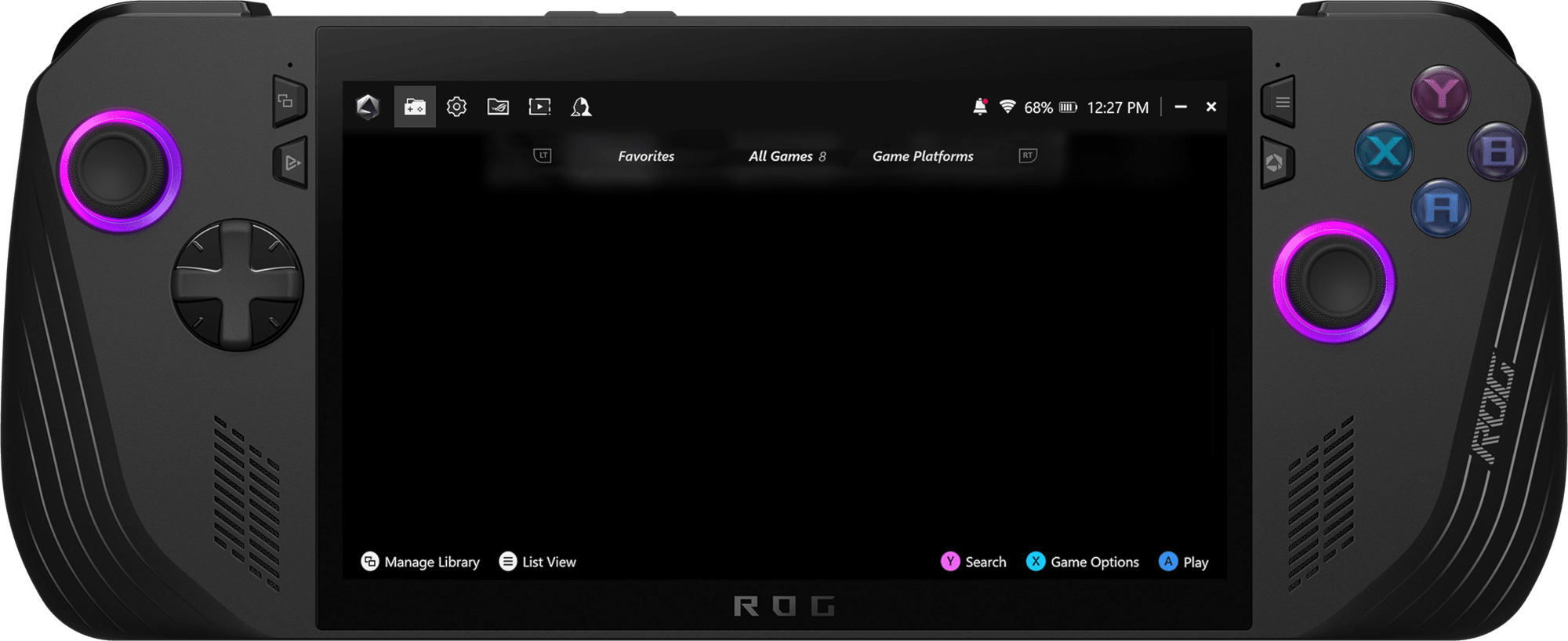
ASUS ROG Ally X Gaming Handheld
A ROG Ally-style handheld is one of the clearest use cases for AR display glasses: the handheld stays in your hands while the glasses provide the larger screen. Check port support and power needs before building the setup around glasses.
As an Amazon Associate I earn from qualifying purchases.
The Buying Question: Is $849 Sensible?
At $849, the ROG Xreal R1 needs to be judged differently from a cheaper pair of media glasses. The panel speed, spatial chip, ROG branding, and dock compatibility make it more ambitious, but the price also puts it close to high-end monitors, OLED TVs on sale, full VR headsets, and premium handheld gaming hardware.
That does not automatically make it a poor value. It means the value is narrow. A buyer who regularly plays on a handheld during travel may get more practical use from wearable display glasses than from a 32-inch monitor at home. Someone who wants to play PS5 or Xbox without occupying a shared TV may also see the appeal, especially if the dock setup works cleanly. But a desktop PC player chasing competitive performance may still prefer a conventional monitor with known latency, adjustable ergonomics, and no fit concerns.
The R1’s 240Hz claim is the most gamer-specific feature, but it should not be the only reason to buy. To benefit from that refresh rate, the connected device and game need to output high frame rates, and the experience still depends on latency, sharpness, comfort, and how the virtual image feels over longer sessions. Buyers who mostly play 30fps or 60fps console games may care more about comfort, image quality, and setup simplicity than the maximum refresh figure.
Who Should Consider Preordering?
The ROG Xreal R1 looks most compelling for buyers who already know they want wearable display glasses and have been waiting for a more gaming-focused option. The combination of a high refresh-rate Micro-OLED display, 3DoF support, ROG Ally compatibility, and optional dock connectivity gives it a clearer gaming identity than many general-purpose AR glasses.
It is harder to recommend as a blind preorder for people who have never used display glasses before. Fit, eye comfort, prescription support, perceived sharpness, and tolerance for a virtual screen vary from person to person. The source-backed specs are strong, but they cannot fully answer whether the R1 will feel natural after an hour of gaming.
A practical preorder checklist looks like this:
- Your main device supports USB-C DisplayPort output, or you plan to use the ROG Control Dock.
- You have a clear reason to prefer a wearable display over a monitor, TV, or portable screen.
- You play enough high-frame-rate content for the 240Hz pitch to matter.
- You are comfortable spending premium monitor money on a personal display accessory.
- You can return or exchange the glasses if fit, comfort, or compatibility does not work for you.
For the right buyer, the ROG Xreal R1 could be a serious portable gaming display rather than a novelty. For everyone else, the $849 price makes patience reasonable. Waiting for full reviews, compatibility tests, and longer comfort impressions may be the smarter move before treating these glasses as a monitor replacement.

XREAL Hub USB-C Charging Adapter
A USB-C AR glasses hub can help with setups where the source device needs to charge while sending video to glasses. Confirm compatibility with your exact glasses, handheld, phone, or tablet before relying on it for travel or console-adjacent play.
As an Amazon Associate I earn from qualifying purchases.