

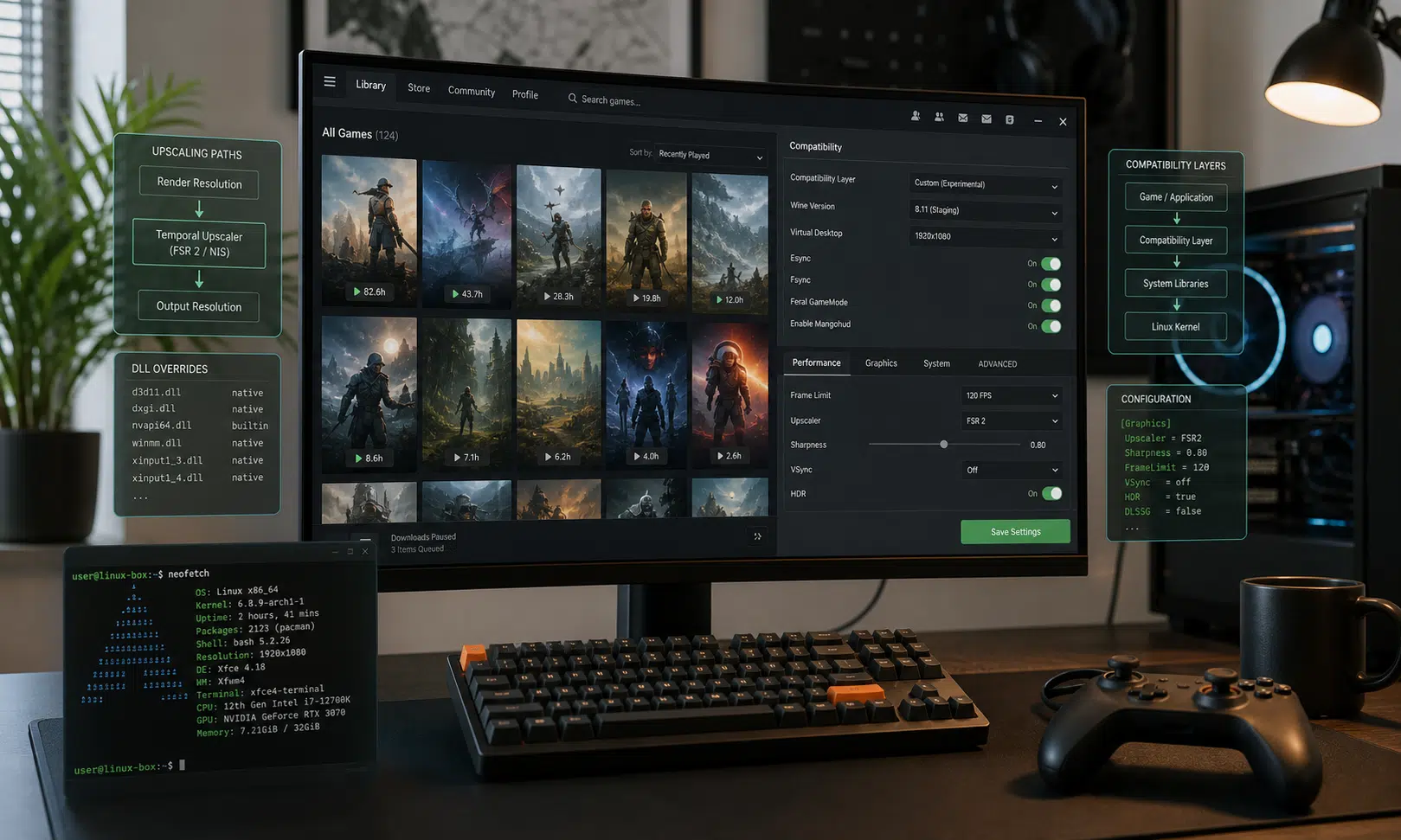

CachyOS Proton’s latest listed changes are most relevant to Linux gamers who already experiment with custom Proton builds, OptiScaler, and upscaling paths. The key item is a reported change to PROTON_USE_OPTISCALER: according to the supplied release text, it can download DLSS DLL files by default so OptiScaler has the DLSS inputs needed for FSR4 redirection.
That detail has not been independently verified here, so it should be treated as release-note-level information rather than a confirmed benchmark or compatibility guarantee. Still, if accurate, it matters for a specific group of users: people trying to make FSR4 work through OptiScaler in games that expect DLSS-style hooks.
Verdict: Useful for Experimenters, Not a Mainstream Upgrade Path
This is not a reason for most players to change their Linux gaming setup by itself. It is more of a quality-of-life change for users already comfortable with Proton environment variables, custom compatibility tools, and per-game troubleshooting.
For that audience, the appeal is straightforward. If OptiScaler needs DLSS-related files or paths to expose the right upscaling options, having Proton-CachyOS handle more of that setup could reduce the manual work. It does not mean every game will behave correctly, and it does not turn FSR4-through-OptiScaler into an official or guaranteed path.
A practical way to read the update is this: it may reduce setup friction, but it does not remove the need to test each game carefully.
What the OptiScaler Change Is Supposed to Do
The supplied release material says PROTON_USE_OPTISCALER now downloads DLSS DLLs by default. The stated purpose is to expose DLSS inputs for FSR4 through OptiScaler, which can matter in games where the upscaler path is routed through a DLSS-compatible entry point.
Earlier OptiScaler support was described as being controlled through PROTON_USE_OPTISCALER=1, with another variable available for selecting the injected DLL name. The new behavior appears to build on that earlier approach by automating more of the supporting file setup.
For users, the difference is less about headline performance and more about fewer moving pieces. Instead of manually arranging every required file and variable, the custom Proton build may handle part of the OptiScaler path itself.
OptiScaler Configuration Gets a New Variable
The release text also lists PROTON_OPTISCALER_CONFIG, described as an environment variable for writing settings into OptiScaler.ini. This should be treated carefully because the same notes describe real limits.
- Only existing OptiScaler.ini options are said to be changeable through the variable.
- Changes are described as persistent until OptiScaler is upgraded, downgraded, manually edited, or changed again through the variable.
- The notes warn that using the variable removes comments from OptiScaler.ini, so a backup is sensible before testing.
That last point is easy to overlook. If you keep notes or explanations in the INI file, this workflow may strip them. For anyone maintaining per-game OptiScaler settings, the safer approach is to back up the file first and test one title at a time.
Who Should Consider This Build
This update is mainly for players who want to test upscaling behavior on Linux and are already comfortable recovering from broken game launches or bad compatibility settings. It is not positioned like a plug-and-play retail feature.
| User type | How this update fits |
|---|---|
| FSR4 and OptiScaler testers | Potentially useful, because the listed DLSS DLL handling may reduce setup work. |
| Steam users who only use official Proton | Probably not relevant unless they already plan to try a community Proton build. |
| Players chasing guaranteed performance gains | Not enough evidence here. The notes describe configuration behavior, not measured gains. |
| Users with older Vulkan support | The listed DXVK-Sarek behavior may be worth watching, but it still needs per-system testing. |
Other Listed Proton-CachyOS Changes
Beyond OptiScaler, the supplied changelog mentions several Linux gaming fixes and compatibility adjustments. These should be read as reported release notes, not independently verified test results.
- Wine Wayland improvements imported from Proton-EM.
- Fixes related to unmanaged windows and server-side decorations.
- A WOW64 regression fix for Wine Wayland.
- A keyboard focus fix involving keyboard hooks.
- Automatic HDR detection and enablement, with DXVK_NO_HDR=1 listed as an option to disable HDR.
- A note that GNOME does not yet expose HDR automatically.
- Video playback fixes listed for Mega Man Legacy Collection 2.
- An upside-down video fix listed for The Legend of Heroes: Trails in the Sky FC.
- Crash fixes listed for Unravel and Unravel Two.
- Fixes for some games crashing or failing to connect to servers.
- Automatic DXVK-Sarek use when the primary GPU lacks Vulkan 1.3 support.
- PROTON_DXVK_SAREK=1 and PROTON_DXVK_SAREK=0 options for forcing or disabling DXVK-Sarek.
For buyers or builders choosing hardware, the DXVK-Sarek item is the most relevant note outside OptiScaler. If a GPU lacks Vulkan 1.3 support, automatic fallback behavior may help some older systems stay usable. That does not make old hardware a better purchase by default, but it could matter for people maintaining an existing Linux gaming PC.
What CachyOS Proton Is, and Why the Distinction Matters
CachyOS is described in the supplied material as a performance-focused Arch-based Linux distribution, and Proton-CachyOS is presented as its custom Proton build for Steam and umu-launcher. Proton itself is Valve’s compatibility layer for running many Windows games on Linux through Wine.
The important buyer-aware distinction is that Proton-CachyOS is not the same thing as Valve’s official Proton build. It is a community-maintained option with extra patches and experimental gaming features. That can be valuable, but it also means users should expect more hands-on troubleshooting than they would with the default Steam compatibility choices.
Bottom Line
If the listed changes behave as described, the main benefit is convenience. Proton-CachyOS may make FSR4-through-OptiScaler testing less manual by downloading DLSS DLLs when PROTON_USE_OPTISCALER is used, while PROTON_OPTISCALER_CONFIG gives advanced users another way to manage OptiScaler.ini settings.
That is useful, but narrow. Treat this as an experimental compatibility update for Linux gaming testers, not a universal recommendation. Back up configuration files, test per game, and avoid assuming that easier setup will automatically mean better image quality, higher frame rates, or broader game support.