


The Dell 24 AIO is not trying to be an iMac killer, and that is probably the right way to look at it. This is a simple all-in-one desktop for people who want a clean desk, a built-in display, a keyboard and mouse in the box, and enough performance for everyday work.
That makes it a different kind of machine from a high-end creative desktop. It is better judged as a practical home-office or student computer than as a system for video editing, modern games, or heavy multitasking. In that role, the Dell 24 AIO makes more sense.
The main appeal is convenience. The computer and monitor are built into one unit, setup is straightforward, and the port selection is more useful than you might expect from a compact all-in-one. The speakers and webcam also help it feel ready for common daily tasks, especially video calls and streaming.
The trade-offs are just as important. The display is only a 24-inch FHD-class panel, brightness is a weak point in the reviewed testing, and the performance ceiling arrives quickly once you move beyond basic productivity. The bundled keyboard may also leave some buyers reaching for a replacement.

Dell 24 All-in-One Desktop
This is the natural pick for readers who want the same kind of simple, space-saving Windows desktop discussed in the review. Compare configurations carefully, since display, memory, storage, and graphics options can vary.
As an Amazon Associate I earn from qualifying purchases.
Dell 24 AIO at a glance
The Dell 24 AIO is best understood as a space-saving Windows desktop for basic work. It puts the PC hardware behind the display, so the whole setup needs far fewer pieces than a traditional tower-and-monitor arrangement.
For a dorm room, shared family desk, kitchen workstation, or modest home office, that matters. You do not have to find room for a separate desktop tower, and you do not have to run as many cables across the desk. Plug in the power adapter, connect the included accessories, and the system is mostly ready to go.
The reviewed configuration included a 24-inch FHD touch display, USB-A and USB-C connectivity, HDMI input and output, Ethernet, a headphone jack, and a power adapter port. Dell sells multiple configurations, so pricing and exact specs can vary by model, retailer, and promotion. Because of that, it is smarter to treat any listed price as configuration-specific rather than universal.
| Category | What to know |
|---|---|
| Best fit | Basic productivity, schoolwork, web browsing, video calls, streaming, and light household use |
| Less suited for | Demanding games, intensive photo or video editing, and heavier creative workloads |
| Display | 24-inch FHD-class touch display in the reviewed configuration |
| Ports | USB-A, USB-C, HDMI in, HDMI out, Ethernet, headphone jack, and power input were noted in the reviewed setup |
| Notable strengths | Compact design, useful connectivity, strong built-in audio for the category, and a capable webcam |
| Main drawbacks | Limited performance headroom, dimmer display performance in testing, fixed stand, and underwhelming keyboard feel |
Design and setup
The strongest argument for the Dell 24 AIO is the form factor. A conventional desktop can be more flexible and more powerful, but it also means more hardware on or under the desk. This Dell keeps things simpler by combining the screen and computer into a single unit.
That makes the setup feel approachable. There is no separate tower to position, and the included keyboard and mouse mean the system can work out of the box without forcing an immediate accessory purchase. For someone buying a computer for school, remote work, bills, browsing, or family use, that simplicity is part of the value.
The design is clean rather than flashy. The white chassis and minimal profile help it blend into a room instead of dominating it. It looks appropriate for a home office, bedroom desk, or shared workspace where a bulky tower might feel out of place.
There is one physical limitation worth calling out: the stand. In the reviewed experience, the stand allowed tilt adjustment but did not offer height adjustment or swivel. That may not sound serious at first, but it matters in daily use. Height control helps with ergonomics, and swivel makes rear ports easier to reach. Without those options, some users may need a riser or a more carefully arranged desk.
The speaker placement is a better design decision. The audio system faces forward, which is usually preferable to rear-firing speakers that bounce sound off a wall. That helps the Dell 24 AIO feel more polished for video calls, music, and streaming than some basic all-in-one desktops.
Everyday performance
For routine work, the Dell 24 AIO appears to be in its comfort zone. The original testing described smooth performance while writing, managing email, filling out spreadsheets, browsing the web, and keeping multiple tabs open. That is the kind of workload this desktop is built around.
It is important not to overstate that. Basic productivity performance does not mean the system has the same headroom as a high-end all-in-one or a dedicated desktop tower. It means the Dell 24 AIO should be considered for ordinary computing first: documents, web apps, school portals, streaming services, video meetings, and household tasks.
The benchmark numbers in the source review pointed in the same general direction, though they should be treated as results from a specific tested configuration rather than a guarantee for every model. Single-core performance was reported as strong enough for lighter daily work. Multi-core performance, by comparison, trailed the more powerful all-in-one systems mentioned in the review.
That distinction matters because many everyday tasks still depend heavily on short bursts of performance. Opening browser tabs, writing in a document, managing email, and using common productivity apps do not always require the same sustained horsepower as rendering video, compiling large projects, or running a modern game.
For buyers, the practical takeaway is simple: the Dell 24 AIO is a reasonable match if your day mostly happens in a browser, office apps, email, video calls, and streaming services. If your day includes Adobe Creative Cloud projects, large media files, or software that pushes every CPU core hard, this is where the machine starts to look less convincing.
Where the Dell 24 AIO struggles
The Dell 24 AIO is not positioned as a performance desktop, and the review experience made that limitation clear. The source testing described trouble with games and demanding creative apps. Rather than treating it as a gaming PC or workstation, it is better to see it as a general-purpose household desktop.
That does not make it a bad computer. It does mean buyers need to be honest about what they plan to do with it. A student writing papers, joining video calls, and watching lectures has a very different need from someone editing 4K footage or playing newer games.
- For web browsing and documents, the Dell 24 AIO fits the job.
- For video meetings, streaming, and light media use, the built-in webcam and speakers add value.
- For modern gaming, intensive editing, or demanding creative projects, a more powerful desktop or a higher-end all-in-one is the safer choice.
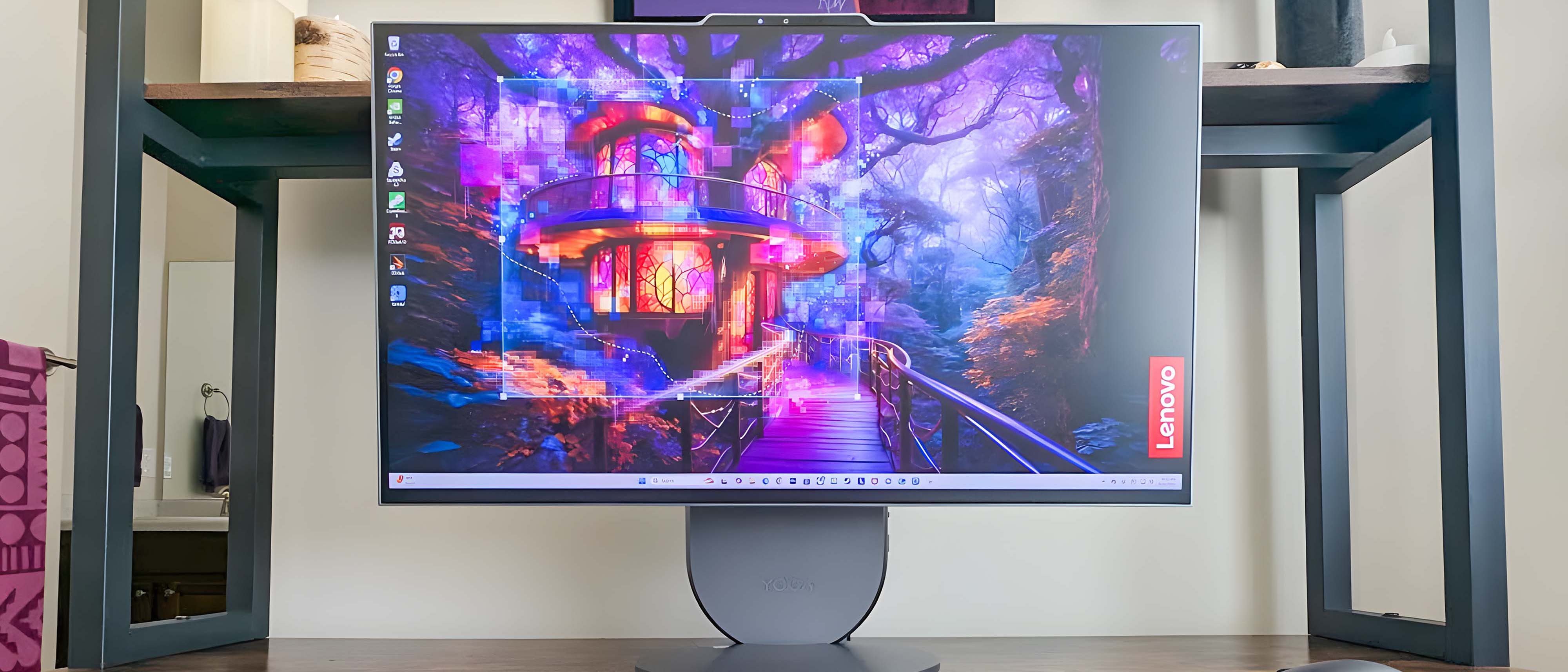
Lenovo Yoga AIO 27
Readers who like the all-in-one format but want a larger display and stronger everyday performance should compare the Dell with a 27-inch option like the Lenovo Yoga AIO 27. It is a better fit for heavier multitasking and light creative work, though it is still not a true gaming workstation.
As an Amazon Associate I earn from qualifying purchases.
The iMac comparison is useful only up to a point. Apple’s all-in-one is a more premium machine with a different operating system, different display expectations, and stronger appeal for certain creative workflows. The Dell 24 AIO is more about Windows convenience and desk simplicity. If you are cross-shopping the two, the decision should come down to workload, software needs, and budget rather than brand alone.
Display quality
The Dell 24 AIO display is one of the more mixed parts of the package. The reviewed panel was a 24-inch FHD-class touch screen, which is adequate for everyday work but not especially sharp by modern premium all-in-one standards.
Color accuracy was described positively in the source testing, with the Dell reported close to the comparison systems named in that review. That is encouraging if you care about a natural-looking image for browsing, documents, and casual media.
Brightness is the bigger issue. The review reported an average brightness of 228.8 nits for the Dell 24 AIO, compared with higher figures for the Lenovo Yoga AIO 27 and M4 iMac in the same article. Those numbers should be read as test results from that review environment, but the conclusion is still useful: this is not the display to buy if you want a bright, high-impact panel.
| Display test noted in source review | Dell 24 AIO | Lenovo Yoga AIO 27 | M4 iMac |
|---|---|---|---|
| Delta-E color result | 0.22 | 0.21 | 0.22 |
| Average brightness | 228.8 nits | 352.6 nits | 450 nits |
In normal use, that can show up as a screen that feels a little dim, especially in a bright room. The FHD resolution also limits how crisp fine details look on a 24-inch panel. Text and everyday apps should still be usable, but image editors, designers, and people who are picky about display quality may notice the limits quickly.
For casual streaming, schoolwork, and office documents, the display is serviceable. For creative work where sharpness, brightness, and panel quality are part of the job, it is one of the clearest reasons to look elsewhere.
Speakers, webcam, and ports
The Dell 24 AIO does better with its supporting hardware. Built-in speakers on all-in-one desktops are often forgettable, but the reviewed system was described as surprisingly full and clear. The front-facing design helps, and Dolby Atmos support gives the audio system a more substantial feel for movies, music, and calls.
That matters because many buyers of an all-in-one want less clutter. If the built-in speakers are good enough, you may not need external desktop speakers right away. That keeps the setup cleaner and preserves the main benefit of the all-in-one design.
The webcam is another practical advantage. The reviewed unit included an 8MP webcam, which was described as clear for video calls and useful for facial recognition sign-in. For remote workers, students, and family video chats, that may matter more than a small difference in benchmark scores.
The port selection is also stronger than the compact design might suggest. The source review noted multiple USB ports, HDMI in and out, Ethernet, and a headphone jack. HDMI input is especially useful because it can let the all-in-one act as a display for another device, while HDMI output can support an additional monitor.
- USB ports help with accessories, storage, webcams, and other peripherals.
- Ethernet is useful for a more stable wired internet connection.
- HDMI in can make the built-in display more flexible with another computer or source device.
- HDMI out can help extend the workspace to a second screen.
For a basic desktop, that flexibility is welcome. A student could connect a laptop when needed. A remote worker could add a second monitor. A family could use wired internet in a room where Wi-Fi is inconsistent.
Keyboard and accessories
The included keyboard and mouse are convenient, but the keyboard was one of the weaker parts of the review experience. The source described the keyboard as usable in size and layout but unsatisfying in feel, with soft feedback that slowed typing.
Keyboard preference is personal, so this should not be treated as a universal dealbreaker. Some people are less sensitive to key feel, especially if they are coming from a basic office keyboard. Others will notice it immediately.
The practical point is that buyers who type for hours each day may want to budget for a better keyboard. That slightly reduces the out-of-box value, but it is an easy fix. A good keyboard can also improve the overall experience more than many people expect, especially on a desktop used for school or work.
Who should buy the Dell 24 AIO?
The Dell 24 AIO makes the most sense for people who value a tidy setup and do not need high-end power. It is a computer for ordinary work, not a specialist machine.
Good fits include students, remote workers with light workloads, families that need a shared desktop, and anyone replacing an aging home computer. It also makes sense for buyers who want a Windows all-in-one with a decent webcam, usable speakers, and enough ports to avoid immediate adapter frustration.
It is a weaker fit for gamers, video editors, photographers with demanding workflows, and anyone who expects a premium display. Those buyers are likely to run into the performance and screen limitations faster.
Verdict
The Dell 24 AIO is a practical all-in-one desktop with clear limits. Its strengths are the things many everyday buyers actually notice: easy setup, a clean footprint, useful ports, good built-in audio for the category, and a webcam that suits video calls.
Its weaknesses are just as clear. It is not built for demanding games or heavy creative work, the display lacks the brightness and sharpness of more premium systems, and the included keyboard may disappoint frequent typists.
For the right buyer, those trade-offs are acceptable. If you need a simple Windows desktop for basic work, school, browsing, streaming, and calls, the Dell 24 AIO is worth considering. If you want an all-in-one that can handle serious creative workloads or stand closer to an iMac on display and performance, this is probably not the machine to buy.