
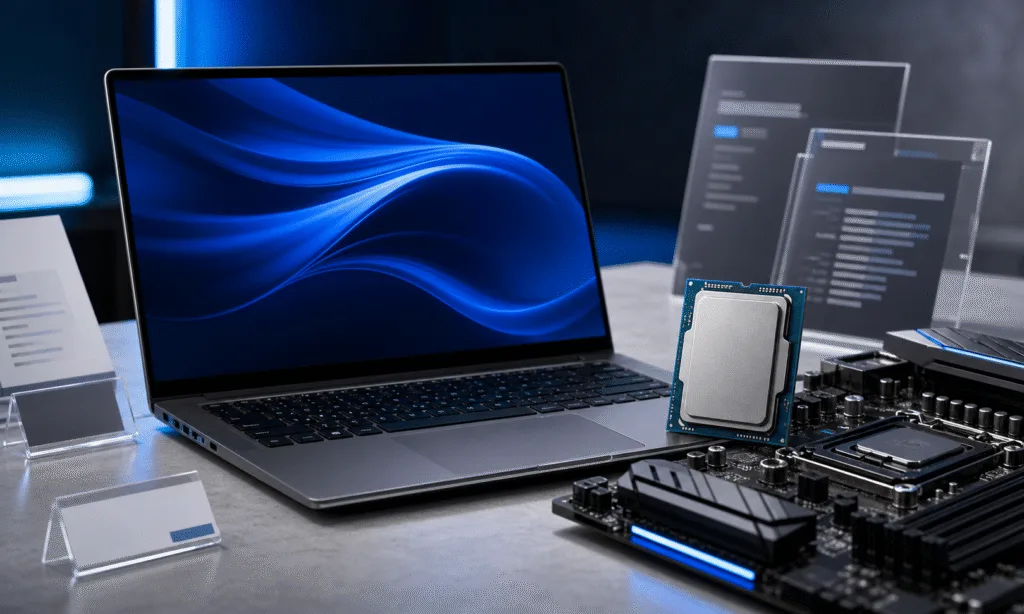
Intel is reportedly leaning on notebook and desktop PC makers to adopt more of its newer 18A-based processors as supply of older Intel 7-based chips tightens. For buyers, the immediate issue is not just which CPU is faster. It is whether upcoming systems will become more expensive, more premium, or harder to find in familiar budget and midrange configurations.
According to a Nikkei Asia report cited by industry coverage, Intel has told some PC manufacturers in the U.S., China, and Taiwan that additional supply of older consumer processors is constrained, while supply of newer 18A parts is comparatively healthier. The reported message to OEMs is practical and blunt: build more systems around 18A-based chips or risk missing out on CPU allocations.
Intel has not publicly confirmed that it is forcing manufacturers to redesign products around 18A. The company has described its newer Core Series 3 products as important to its client strategy, but the specific supply-allocation claims come from unnamed industry sources and should be treated as reported, not confirmed.
What Is Reportedly Changing
The pressure centers on Intel’s newer Panther Lake and Wildcat Lake families. Intel has officially positioned Core Ultra Series 3, formerly Panther Lake, as its first client platform built on Intel 18A. Wildcat Lake, sold as Core Series 3, is also being described in industry reporting as part of the same 18A transition for more affordable systems.
The supply problem appears to involve older Intel 7-based processors that still matter across the PC market. Raptor Lake-era chips remain common in consumer notebooks and desktops, and some reports also point to Intel 7 capacity being pulled toward higher-margin server, industrial, or enterprise demand. That broader allocation picture has not been independently verified in every detail, but Intel has previously acknowledged capacity constraints affecting its ability to meet demand across parts of its product portfolio.
For PC brands, the reported shortage creates an awkward product-planning problem. Many manufacturers build laptops around known pricing bands, thermal designs, motherboards, displays, and launch windows. If a CPU family becomes harder to source, an OEM may have to redesign the machine rather than simply swap in another chip.
That matters because a newer premium CPU often brings a chain reaction. A manufacturer may pair it with a better screen, more memory, improved sensors, a larger battery, or a more expensive chassis to make the final product feel coherent at its new price. The result can be better hardware, but also fewer low-cost configurations.
PC Options To Compare Before Paying More For A New Intel System
| Image | Product | Best fit | Link |
|---|---|---|---|
![]() |
Acer Swift Go 16 AI with Intel Core Ultra 7 355 | A newer Intel Core Ultra laptop can make sense when the display, memory, battery, ports, and warranty improve along with the processor. Compare the full configuration against discounted older Intel systems before paying a premium. | Check Price on Amazon |
![]() |
ASUS Vivobook S14 with AMD Ryzen AI 9 HX 370 | A Ryzen AI laptop is a practical comparison point when Intel configurations are scarce or priced higher than expected. Look closely at RAM capacity, OLED panel quality, cooling, and port selection. | Check Price on Amazon |
![]() |
Dell XPS 13 with Snapdragon X Elite | Snapdragon X Elite laptops are worth comparing for battery-focused shoppers and thin-and-light buyers. Check app compatibility, external display needs, and driver support before switching platforms. | Check Price on Amazon |
![]() |
Minisforum UM890 Pro Mini PC | A Ryzen mini PC can be a simpler alternative when older Intel desktop parts or motherboard pricing make a build less attractive. Confirm memory, storage expansion, display outputs, and warranty coverage. | Check Price on Amazon |
As an Amazon Associate I earn from qualifying purchases.
Buyer Impact: Prices, Availability, And Model Mix
For shoppers, the clearest near-term risk is a thinner selection of cheap or familiar Intel-based systems. If OEMs receive fewer older chips and move more designs to 18A, the market could tilt toward newer models with higher starting prices. That does not automatically make those PCs bad buys, but it changes the comparison.
A buyer who planned to pick up a discounted Raptor Lake laptop may see fewer attractive configurations, especially if retailers run through existing inventory. A buyer shopping for an AI PC, premium ultrabook, or business laptop may see more Panther Lake and Wildcat Lake options as manufacturers redirect design work toward the chips Intel wants them to use.
| Buyer type | What to watch | Practical takeaway |
|---|---|---|
| Budget laptop buyers | Fewer older Intel configurations or weaker discounts | Compare AMD and ARM options before paying more for a refreshed Intel model |
| Premium laptop buyers | More Core Ultra Series 3 systems with upgraded displays or AI features | Judge the whole system, not only the CPU name |
| Desktop buyers | Unclear availability for some older Intel parts | Check real retail pricing and motherboard costs before choosing a platform |
| Business buyers | Potential shift toward newer Intel platforms in fleet refreshes | Validate docking, manageability, image support, and lead times early |
The key point is that a CPU transition can look like a product upgrade while also functioning as a supply workaround. If a 2026 laptop costs more than the model it replaces, buyers should check whether the price increase is matched by meaningful gains in battery life, performance, display quality, memory, storage, or warranty terms.
How To Compare New 18A PCs Against Older Intel Systems
A reported supply push does not mean buyers should avoid 18A systems. Panther Lake and Wildcat Lake machines may be the right choice if they deliver better efficiency, stronger integrated graphics, improved AI acceleration, or longer platform support. The issue is value.
Before buying, compare systems on the parts that affect daily use:
- CPU generation and exact model number, not just the Core or Core Ultra brand.
- Memory capacity and whether the RAM is upgradeable or soldered.
- Battery size and independent battery-life results once reviews are available.
- Display resolution, refresh rate, brightness, and panel type.
- Port selection, docking support, webcam quality, and wireless standards.
- Total platform cost, including charger, warranty upgrades, and storage configuration.
If a new 18A laptop is only slightly more expensive than an older Intel 7 machine and comes with a better screen, more memory, and stronger battery life, it may be the better buy. If the price jump is large and the rest of the spec sheet is unchanged, an older Intel laptop, an AMD Ryzen system, or an ARM-based PC may offer better value.
The OEM Problem Behind The Shelf Price
The report also highlights how difficult this transition could be for manufacturers. Some industry sources claimed that earlier 18A designs were limited and built partly to support Intel’s launch plans rather than because demand was already proven at scale. That claim has not been independently confirmed, but it fits the normal risk of adopting a new process and product family: OEMs need time to validate thermals, firmware, power behavior, drivers, and component compatibility.
One source cited in the original report claimed that redesigning more systems around newer silicon could take at least three months. Treat that as an industry estimate rather than a universal rule, since timelines vary by product class. Thin-and-light laptops, gaming notebooks, business fleets, and mini PCs all have different validation needs.
The margin question is also important. Reports suggest Intel has more incentive to reserve constrained older-node capacity for server or industrial customers, where pricing can be stronger than in consumer PCs. The exact margin comparisons cited by unnamed executives have not been independently verified, but the business logic is clear enough: when capacity is limited, chipmakers prioritize the products and customers that best support revenue, margins, and strategic goals.
Bottom Line For PC Buyers
This is not a reason to panic-buy an older Intel laptop. It is a reason to be more careful with 2026 PC comparisons. If Intel’s supply mix is pushing manufacturers toward 18A, the next wave of laptops and desktops may not line up neatly with last year’s prices or product tiers.
Buyers should expect more Core Ultra Series 3 and Core Series 3 systems, possibly with higher-end surrounding components. That can be good if the total package improves. It can be frustrating if the market loses some cheaper, familiar configurations before the new models prove their value.
The practical move is simple: compare finished PCs, not just CPU roadmaps. Look at real pricing, review data, battery life, thermals, upgradeability, and the alternatives sitting next to them. Intel’s reported allocation pressure may shape what manufacturers build, but buyers still get the final vote at checkout.


