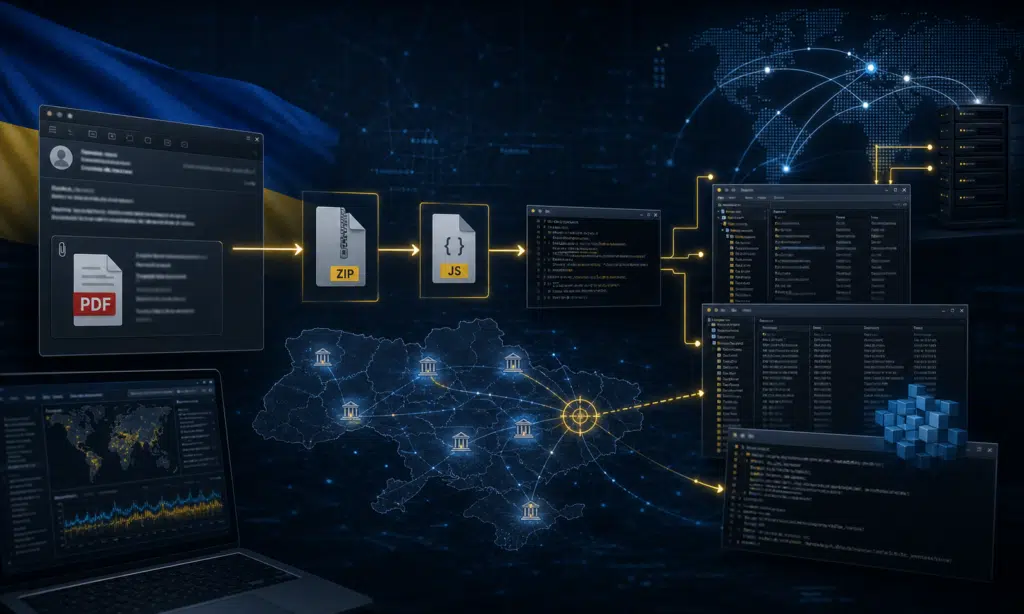
A now-patched flaw in Digital Knowledge’s KnowledgeDeliver learning management system was exploited as a zero-day in attacks that used the Godzilla web shell and later pushed Cobalt Strike Beacon to users.
The vulnerability, tracked as CVE-2026-5426 with a CVSS score of 7.5, affected KnowledgeDeliver deployments prior to February 24, 2026. The issue came from hard-coded ASP.NET machineKey values in a standardized web.config file. Those keys are used by ASP.NET to protect data such as ViewState, and once the values are known, an attacker can craft malicious ViewState payloads that the server may accept and deserialize.
For organizations running internet-facing LMS platforms, the point is direct: this was not only a patching problem. It was a shared-secret problem. If multiple deployments use the same cryptographic material, one exposed configuration can put other installations at risk.
How the KnowledgeDeliver attack worked
KnowledgeDeliver is used in Japan for online learning and training environments. In the observed activity, an unknown threat actor abused the vulnerable configuration to gain unauthenticated remote code execution against affected servers.
The initial access path centered on ASP.NET ViewState. ViewState helps preserve page state between requests. When the machineKey is secret and unique, it helps prevent tampering. When that key is hard-coded and shared across deployments, an attacker who obtains it can prepare a payload that passes validation and causes the server to deserialize attacker-controlled data.
After exploitation, the attackers deployed Godzilla, also known as BLUEBEAM, as a web shell. That gave them a way to run commands on the compromised web server and place additional payloads.
Reported post-exploitation activity included commands intended to expand control over the web application directory, including changing permissions so that the “Everyone” group had broad access. The attacker then modified an application JavaScript file so visitors saw a fake security warning telling them to install a supposed “security authentication plugin.”
At the same time, the altered site loaded a malicious script from an attacker-controlled domain. That script pushed users toward a fake installer, which ultimately delivered Cobalt Strike Beacon.
Why shared machine keys are dangerous
The KnowledgeDeliver case shows why deployment templates should never ship with reusable secrets. A machineKey is not a harmless configuration default. In ASP.NET applications, it can decide whether signed or encrypted state data can be trusted.
When the same key appears across customer environments, the failure mode changes. Attackers do not need to break each server separately. If they can recover or learn the shared value from one place, they may be able to reuse it elsewhere against the same software family.
That risk is especially serious for LMS platforms, which often sit between internal users, students, employees, contractors, and administrators. A compromised training portal can become both a server-side foothold and a delivery point for workstation malware.
What defenders should check now
Organizations that used KnowledgeDeliver before February 24, 2026 should treat this as an incident-response and hardening issue, not just a software update task. The most important checks are practical and evidence-driven:
- Confirm whether the KnowledgeDeliver deployment was updated after the vendor fix became available.
- Review web.config and related ASP.NET configuration for hard-coded or reused machineKey values.
- Generate unique machine keys for each deployment rather than reusing vendor-supplied values.
- Inspect IIS logs for suspicious ViewState-related POST requests and unusual request sizes.
- Look for unexpected .aspx, .ashx, JavaScript, or installer files in web application directories.
- Compare application JavaScript files against known-good versions from backups or vendor media.
- Check endpoint and network telemetry for signs of Cobalt Strike Beacon activity.
Teams should also review file permissions on the web application path. Permission changes that grant broad write access can help attackers persist, modify application code, or stage additional tools.
Buyer-aware takeaway for security teams
For security leaders evaluating LMS risk, this incident is a reminder to ask vendors about deployment secrets, not only CVE response times. The right questions are concrete: whether each customer deployment receives unique cryptographic material, whether keys are rotated during upgrades, whether default configuration files contain secrets, and whether integrity monitoring covers application scripts.
A vulnerability scanner may flag CVE-2026-5426, but it may not prove whether attackers already changed JavaScript files, dropped a web shell, or pushed a fake installer to users. That is where file integrity monitoring, endpoint detection, web server logging, and tested recovery procedures matter.
The flaw has been patched, but affected organizations should still verify exposure windows and hunt for signs of compromise. In this case, the dangerous part was not only remote code execution on the LMS. It was the attacker’s ability to turn a trusted learning site into a malware delivery channel.