

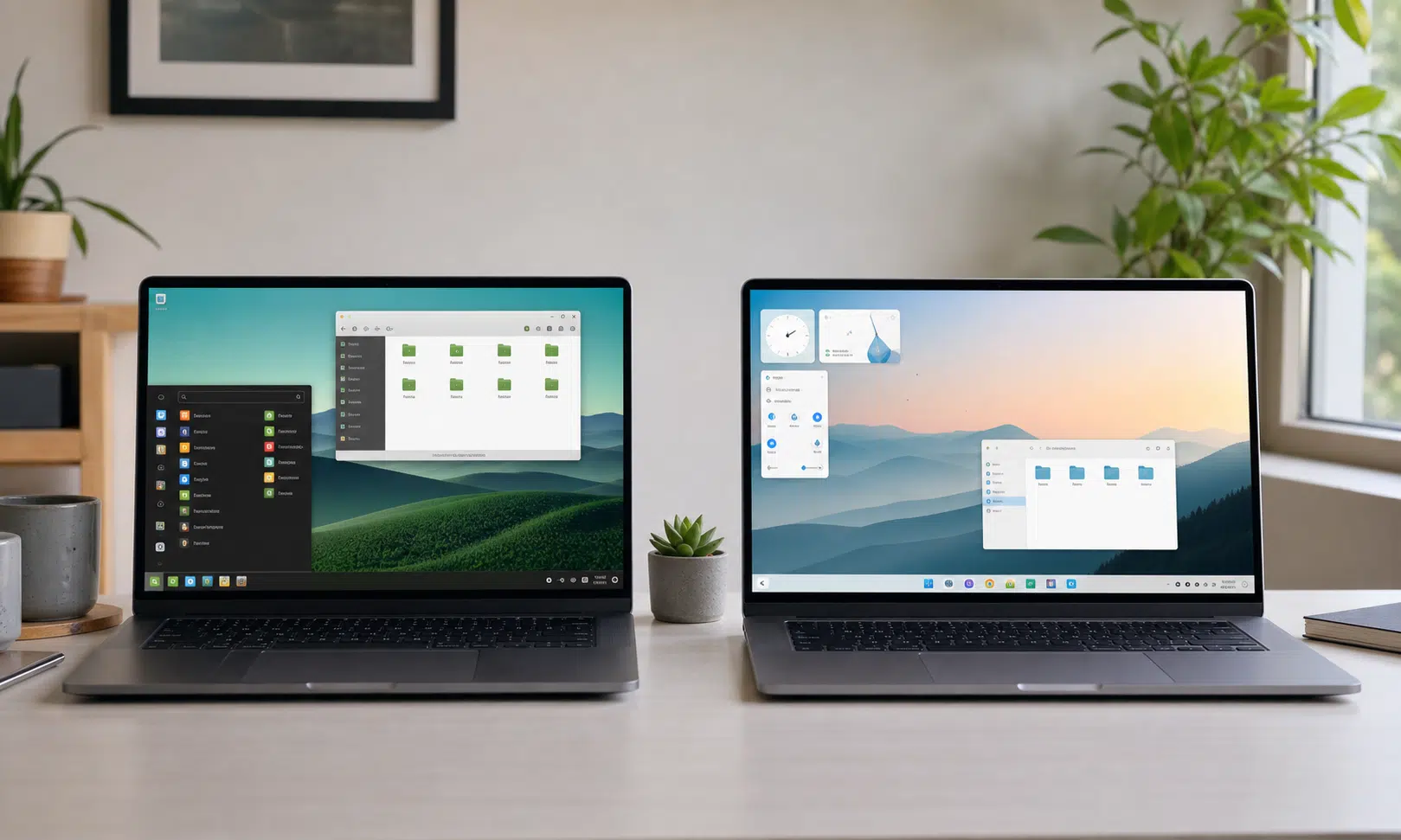

Linux Mint vs RefreshOS is the kind of comparison that sounds simple until you actually sit with both desktops.
Linux Mint has long been treated as the safe recommendation for people who want to try Linux without turning their computer into a weekend project. It looks familiar, behaves predictably, and puts the most important setup tools in plain sight. RefreshOS, by contrast, feels like a newer challenger: more visually modern, built around KDE Plasma, and tuned for users who want something approachable without giving up flexibility.
That makes this less of a fight over which distribution is “better” in the abstract and more of a practical question: which one should a new Linux user install first?
The short answer is that Linux Mint remains the easier default recommendation for people who want the least friction. RefreshOS, though, makes a strong case if design, desktop customization, and a more expansive first impression matter to you.
The quick verdict
Both distributions are aimed at making Linux feel less intimidating, but they approach that goal from different directions.
Linux Mint is the more conservative pick. Its Cinnamon desktop sticks closely to the classic desktop layout: a panel, an application menu, a system tray, clickable desktop icons, and a workflow that should feel recognizable to anyone coming from Windows or older desktop environments. That matters. New users do not need to learn a new computing model before they can open a browser, install an app, or find system settings.
RefreshOS is the more stylish and flexible pick. It uses KDE Plasma, which can be simple on day one but much more customizable once a user starts poking around. RefreshOS also leans harder into visual polish, with a cleaner, more modern presentation than many beginner-friendly Linux distributions.
If you want the most predictable transition into Linux, choose Linux Mint. If you want a beginner-friendly desktop that also feels more modern and more adaptable, RefreshOS is the more interesting choice.
Linux Mint: the dependable beginner option
Linux Mint’s biggest advantage is that it does not try to surprise you. That may sound faint, but for a first Linux install, it is a real strength.
The Cinnamon desktop gives Mint a traditional structure. The app menu lives where many users expect it. System indicators are easy to find. Windows behave in familiar ways. The desktop is not trying to reinvent multitasking, launchers, or settings. It is trying to get out of the way.
That design choice makes Mint feel comfortable quickly. A new user can install it, connect to Wi-Fi, open Firefox, write a document in LibreOffice, adjust basic settings, and install more apps without feeling as if they have to decode the operating system first.
Mint also has one of the clearest onboarding flows in the Linux desktop world. Its Welcome app gives users a guided path through common first steps, including appearance settings, system snapshots, additional drivers, updates, system settings, software installation, and firewall setup. It also points users toward documentation and help resources.
That kind of first-run experience matters because Linux can expose choices that Windows and macOS often hide. Mint does not remove every decision, but it organizes the early ones well enough that they feel manageable.
Where Mint feels strongest
Mint is at its best when the goal is simple: replace Windows with something that feels familiar, stable, and low-maintenance.
The default software selection covers the basics. Firefox handles browsing. LibreOffice handles documents, spreadsheets, and presentations. Media tools are available for everyday playback. The Software Manager gives users a graphical way to find more apps, and Flatpak support expands the catalog with many popular desktop applications.
Mint’s Cinnamon desktop is also relatively light. That can make it a good fit for older hardware, especially compared with heavier or more animated desktop environments. It is not the only lightweight Linux option, but it does a good job balancing performance with a full desktop experience.
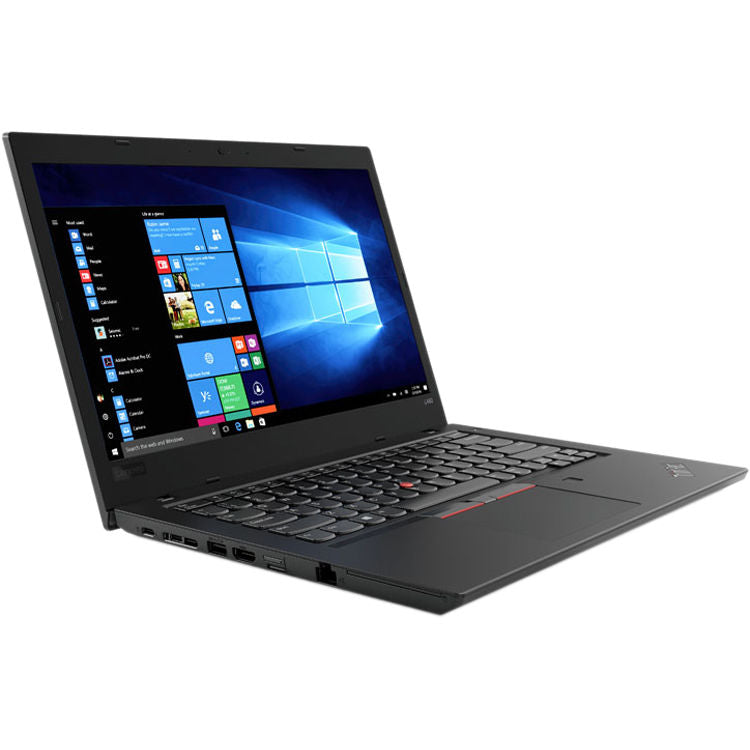
Refurbished Lenovo ThinkPad T480
A refurbished ThinkPad T480 is a sensible Linux test machine for readers who want a durable, inexpensive laptop before committing their main computer. Look for an SSD, at least 8GB of RAM, and a return policy in case hardware condition varies.
As an Amazon Associate I earn from qualifying purchases.

SanDisk Ultra Flair 128GB USB 3.0 Flash Drive
A 128GB USB 3.0 flash drive gives readers enough room to create a bootable Linux installer and keep a few recovery files or ISO images nearby. USB 3.0 support helps make writing and testing installers less sluggish.
As an Amazon Associate I earn from qualifying purchases.
The tradeoff is that Mint can feel deliberately plain. That is not a flaw for the audience it serves. For many users, plain is exactly the point. But if your first impression of an operating system is shaped by visual refinement and customization, Mint may feel more practical than exciting.
RefreshOS: the polished challenger
RefreshOS makes a different first impression. Instead of leaning on a classic, almost Windows-like desktop formula, it uses KDE Plasma and wraps it in a more visually polished presentation.
That gives RefreshOS a real advantage for users who care about how their desktop looks and feels. KDE Plasma has become one of the most capable Linux desktop environments for people who want both accessibility and control. It can behave like a straightforward desktop for beginners, but it also offers deep customization for users who eventually want to change panels, menus, themes, window behavior, and workflow details.
RefreshOS version 3.0 pairs that Plasma base with a more refined look, including light and hybrid theme options. The result is a desktop that feels less utilitarian than Mint and more like a modern consumer operating system.
That matters more than some Linux veterans like to admit. A first Linux experience is not only about package managers and update policies. It is also about confidence. If the desktop looks coherent, responds quickly, and feels designed rather than assembled, new users are more likely to keep using it.
The RefreshOS desktop experience
RefreshOS uses the Reload Menu instead of KDE Plasma’s default launcher. Its most useful trick is the ability to pin the menu open, which can reduce extra clicks when opening several apps in a row. The menu also supports app categories and favorites, so it still behaves like a recognizable application launcher rather than a novelty interface.
RefreshOS does not have the same kind of custom first-run Welcome app that Mint offers. KDE Plasma includes its own welcome experience, and the desktop itself is approachable, but Mint still has the clearer hand-holding for someone who has never installed Linux before.
That is the biggest reason this comparison stays close. RefreshOS may look more elegant, but Mint still does a better job turning the first boot into a checklist of useful next steps.
RefreshOS also ships with a broad set of desktop applications. Brave is the default browser rather than Firefox, which may appeal to users who prefer a privacy-oriented browser out of the box. LibreOffice, GIMP, Thunderbird, multimedia tools, and audio and video utilities are part of the broader package described here, while Flatpak support and KDE Discover make app installation feel familiar and graphical.
Feature comparison
| Category | Linux Mint | RefreshOS |
|---|---|---|
| Base | Ubuntu-based | Debian-based |
| Default desktop | Cinnamon | KDE Plasma 6.3.6 |
| Beginner feel | Traditional and predictable | Modern and flexible |
| Onboarding | Strong custom Welcome app | KDE Plasma welcome experience |
| Default browser | Firefox | Brave |
| App installation | Software Manager with Flatpak support | KDE Discover with Flatpak support |
| Best fit | Users who want the easiest transition | Users who want polish and customization |
Which one is easier for new Linux users?
Linux Mint is still the easier recommendation for most first-time Linux users because it minimizes novelty. Its desktop metaphor is familiar, its onboarding is stronger, and its defaults are built around getting a normal computer set up quickly.
That does not mean RefreshOS is difficult. It is not. KDE Plasma can be very approachable, and RefreshOS benefits from presenting it in a clean, attractive way. But Plasma also has a lot of depth. That depth is useful once a user is comfortable, though it can also create more places to wander.
Mint’s strength is focus. It gives new users enough control without making the desktop feel like a project. RefreshOS gives users more room to grow, especially if they enjoy changing the look and behavior of their system.
A simple way to frame the choice:
- Choose Linux Mint if you want the most familiar, low-friction Linux desktop.
- Choose RefreshOS if you want a polished KDE Plasma experience that still feels friendly to newcomers.
- Choose Linux Mint for older hardware where simplicity and lightness are priorities.
- Choose RefreshOS if visual design and customization are part of the appeal.
The app situation
Neither distribution leaves a new user staring at an empty desktop.
Linux Mint provides the essentials for browsing, office work, media playback, system configuration, and software discovery. Its Software Manager is one of its more important beginner-facing tools because it keeps app installation inside a familiar graphical interface.
RefreshOS feels a little more expansive out of the box. The inclusion of Brave, LibreOffice, GIMP, Thunderbird, and multimedia tools gives it a broad starting lineup, and KDE Discover is a polished app store-style interface for finding more software.
Flatpak support is important on both systems because it gives users access to many desktop apps without forcing them to understand traditional Linux packaging right away. For a new user, the practical benefit is simple: more software can be installed with fewer command-line detours.
Performance and stability
Both distributions are positioned as everyday desktop operating systems rather than experimental playgrounds.
Mint’s Cinnamon desktop has a reputation for being responsive without demanding unusually powerful hardware. It is a sensible choice for people reviving an older laptop or moving a family computer away from Windows.
RefreshOS benefits from KDE Plasma’s modern performance improvements. Plasma is far from the heavy desktop it was sometimes perceived to be years ago, and on typical modern hardware it can feel quick while still offering richer visual options than Cinnamon.
The base matters too. Mint builds from Ubuntu, while RefreshOS builds from Debian. Both foundations are widely used in the Linux world and support a practical desktop experience. The difference most new users will feel is less about the base distribution and more about the desktop layered on top.
The real deciding factor is the desktop
The Linux Mint vs RefreshOS decision ultimately comes down to how much you value familiarity versus flexibility.
Cinnamon makes Mint feel like a computer you already know how to use. That is the whole pitch, and it remains a strong one. The desktop is calm, direct, and easy to explain. For a user who wants to stop thinking about operating systems and start using their computer, Mint is hard to argue against.
KDE Plasma makes RefreshOS feel more ambitious. It can be simple, but it is not limited to simple. The same desktop that works for a newcomer can later be reshaped into something much more personal. That gives RefreshOS a longer runway for users who expect to tinker once they settle in.
Neither approach is wrong. They just serve slightly different versions of the “new Linux user.”
Some beginners want their operating system to disappear. Others want the first install to feel fresh, modern, and worth exploring. Mint is better for the first group. RefreshOS is better for the second.
Final verdict
Linux Mint remains the safer beginner recommendation. Its Welcome app, traditional Cinnamon desktop, broad software basics, and predictable workflow make it one of the easiest Linux distributions to hand to someone who has never used Linux before.
RefreshOS deserves serious attention because it makes the beginner Linux experience feel more visually polished and more flexible. Its KDE Plasma desktop gives users a clean starting point and plenty of room to customize later, while its default app selection makes the first boot feel complete.
If this is your first Linux install and you want the least amount of adjustment, start with Linux Mint. If you are comfortable with a slightly more configurable desktop and want something that looks sharper out of the box, RefreshOS may be the more rewarding choice.
The crown is close. Mint wins on onboarding and familiarity. RefreshOS wins on polish and future flexibility. For many new users, that makes Linux Mint the practical first stop and RefreshOS the one to watch.