Taylor Clemons reported near-complete DCI-P3 color-gamut coverage from Samsung and Alienware 5K monitors in testing conducted with lab director Matthew Murray. The assessment examined Samsung’s Odyssey G80HF IPS display and Dell’s Alienware AW3926QW OLED, with differences in screen format, refresh rates and quoted prices shaping the comparison alongside the color results.
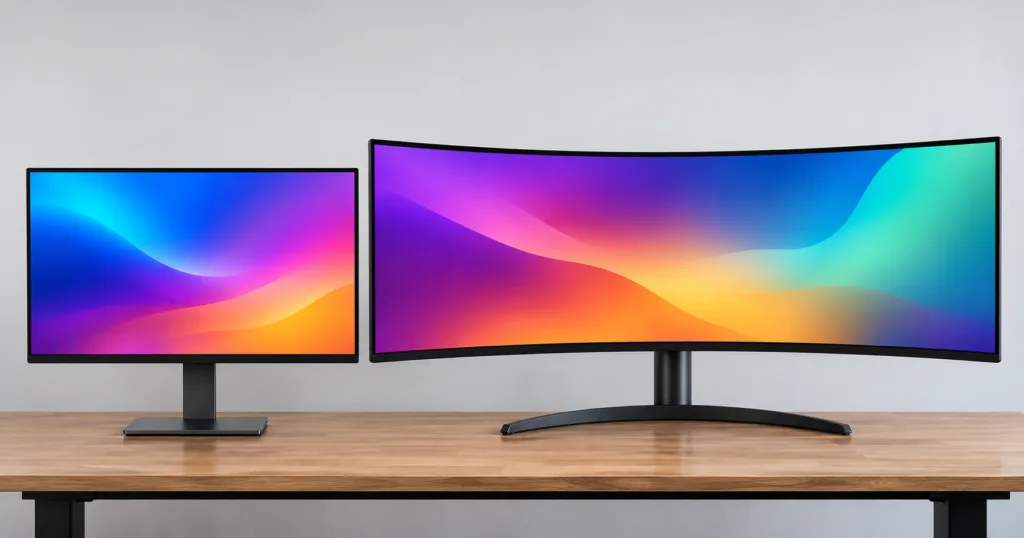
Samsung identifies the G80HF as a 27-inch, 16:9 monitor, while Dell lists the Alienware as a 39-inch-class, curved ultrawide with a 21:9 aspect ratio. Their shared 5K designation covers different resolutions and differently shaped workspaces.
Reported testing found broad color coverage
Clemons said the testing used Calman calibration software and a Klein K10-A instrument, with Murray participating in the measurements. Initial testing retained the monitors’ default picture settings to establish a baseline.
The Alienware covered nearly 100% of the DCI-P3 gamut in those reported measurements. Clemons described the Samsung as covering nearly the entire same gamut, despite its use of an IPS panel rather than OLED. These findings concern the range of colors displayed; gamut coverage alone does not establish equivalent contrast or color accuracy.
Clemons also reported deviations in the green and yellow portions of the color measurements on both screens. They did not give numerical color-error results for those deviations, leaving their magnitude unquantified.
Clemons said they used both monitors side by side for a month. Their visual observations favored the Alienware’s black levels and contrast for films, while describing the Samsung’s color reproduction as competitive. Those viewing impressions are separate from the reported gamut measurements.
Dell separately specifies 99% DCI-P3 coverage for the AW3926QW. That is a manufacturer rating, distinct from Clemons’ reported measurements. Broad gamut coverage by itself does not establish matching color reproduction across other screens or printed output.
Different resolutions behind the 5K label
Samsung’s technical documentation lists the G80HF’s native resolution as 5120 × 2880 pixels. Dell lists the AW3926QW at 5120 × 2160. Both have 5120 horizontal pixels, but Samsung’s conventional 16:9 format has more vertical pixels than Alienware’s wider 21:9 format.
Clemons highlighted the Alienware’s width for video and audio timelines, viewing rough cuts and arranging work across the screen. The Samsung provides a smaller physical display in a conventional shape, while the Alienware extends the workspace horizontally.
| Manufacturer-listed specification | Samsung Odyssey G80HF | Alienware AW3926QW |
|---|---|---|
| Screen class and panel | 27-inch IPS | 39-inch curved OLED |
| Aspect ratio | 16:9 | 21:9 ultrawide |
| Native-resolution mode | 5120 × 2880 at up to 180Hz | 5120 × 2160 at up to 165Hz |
| Higher-refresh mode | 2560 × 1440 at up to 360Hz | 2560 × 1080 at up to 330Hz |
The distinction also extends to Samsung’s model names. Its 32-inch G80HS is a separate 6K IPS monitor in the Odyssey G8 range. The G80HF discussed here is the 27-inch 5K model; the two names identify different models rather than size variants with identical specifications.
Clemons noted that games and other content do not always use the Alienware’s full width. Some titles preserve a narrower aspect ratio with black bars, so the panel’s physical width does not establish how much of a particular game will be displayed.
Higher refresh rates require different display modes
Samsung specifies up to 180Hz at the G80HF’s native 5K resolution and up to 360Hz through Dual Mode at QHD, or 2560 × 1440. Its maximum 360Hz refresh rate therefore applies at QHD.
Dell specifies up to 165Hz at the Alienware’s native 5120 × 2160 resolution. Its alternative mode raises the refresh rate to 330Hz at 2560 × 1080, retaining an ultrawide image.
The Samsung has the higher stated maximum refresh rate in both its native and reduced-resolution modes. The operating resolutions also differ, however, so these figures describe different pixel counts. Both manufacturers pair the highest refresh-rate option with fewer pixels than the respective native-resolution mode.
Response time is a separate specification. Dell rates the AW3926QW at 0.03 milliseconds gray-to-gray in Extreme Mode, while Samsung lists a 1-millisecond gray-to-gray response time for the G80HF. These manufacturer ratings describe pixel transitions.
They do not measure the complete delay between a mouse click or button press and an on-screen response. Consequently, the figures do not establish an input-latency comparison between the two monitors.
Ultrawide functions extend beyond screen width
Dell lists picture-in-picture, picture-by-picture and a built-in KVM switch for the AW3926QW. These features serve different functions when multiple computers are connected.
Picture-in-picture and picture-by-picture provide ways to view multiple sources on the panel. Dell says the KVM allows one keyboard and mouse to be used across two computers, providing shared peripheral access to the connected systems.
Clemons described the Alienware as capable of consolidating tasks otherwise spread across separate monitors. Its functions for displaying multiple inputs and sharing peripherals support that use, while individual applications determine how their content occupies the ultrawide screen.
Clemons quoted starting prices of $949 for the Samsung IPS model and $1,099.99 for the Alienware.