Apple TV 4K is set to become easier to use later this year, with Apple previewing accessibility upgrades that should matter well beyond the users who normally search for accessibility settings first.
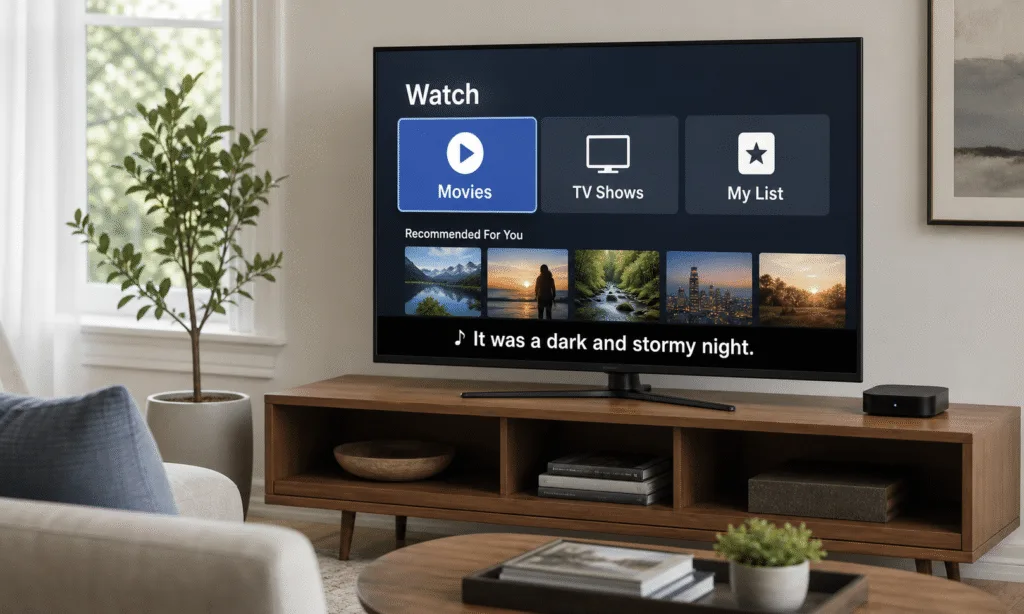
The most practical change for many living rooms is Larger Text support for tvOS. That should make menus, descriptions and other onscreen interface text easier to read from the sofa, especially on smaller TVs, wall-mounted screens or setups where the viewing distance is less than ideal.
Apple has also announced generated subtitles for uncaptioned video content across its device ecosystem, including Apple TV. That could be useful for older clips, personal videos or other content where captions are missing.
There is one important buying and usability caveat: how much you actually see these improvements inside third-party streaming apps may depend on app support. Services that build heavily customized interfaces or video players may not expose every system-level feature in the same way Apple’s own apps do.
What Apple has previewed for Apple TV 4K
Apple’s accessibility preview confirms that Larger Text support is coming to tvOS, allowing viewers with low vision to increase onscreen text size. In practice, that could also help anyone who finds Apple TV menus too small from across the room.
That matters because TV interfaces are often designed for clean visuals rather than long-distance readability. Movie descriptions, settings menus and search results can all become tiring if the text is just a little too small. A system-level text-size option should make Apple TV 4K feel more comfortable for more households, assuming the apps in question support it properly.
Generated subtitles are the other headline feature for Apple TV users. Apple says subtitles can be created for uncaptioned videos on iPhone, iPad, Mac, Apple TV and Apple Vision Pro. Apple describes this as using on-device speech recognition, which means the feature is designed around local processing rather than sending the video elsewhere for transcription.
That could be especially helpful for home videos, clips shared by family members or older files that never had caption tracks. It is not the same thing as a professionally captioned movie or TV episode, but it could fill a real gap when the alternative is no captions at all.
The app support question is the part to watch
The biggest uncertainty is not whether Apple is adding the features. It is how consistently they will work across the apps people actually use every night.
Apple TV’s best experience often comes when apps use Apple’s system frameworks and interface patterns. But major streaming services frequently build their own app layouts, playback controls and navigation systems. That can make an app look and behave more like the service’s interface on other platforms, but it can also mean system features are not always adopted immediately or completely.
For viewers, the practical takeaway is simple: do not assume every streaming app will support Larger Text or generated subtitles in the same way on day one. Apple’s own TV app and system menus are the most obvious places to expect the cleanest integration. Apps from Netflix, Prime Video and other large services may depend on how those companies update their Apple TV apps.
This is especially relevant if accessibility is one of the reasons you are choosing a streaming device. Apple TV 4K has long been one of the stronger options for users who care about polish, speed and accessibility settings, but third-party app behavior still matters because most households spend much of their time inside streaming services rather than the home screen.
Why this could matter even if you do not use accessibility settings now
These features are framed as accessibility improvements, but they solve common living-room problems. Text can be hard to read because the TV is far away. Dialogue can be difficult to follow because a video lacks captions, the mix is poor or someone is watching at a low volume. Those are everyday issues, not niche ones.
Larger Text could make Apple TV easier for guests, older family members or anyone using a secondary TV in a bedroom or kitchen. Generated subtitles could make personal videos and uncatalogued clips more usable. Hearing-aid improvements across Apple devices may also make Apple TV more convenient for users already invested in Made for iPhone hearing aids, though exact experiences can depend on device compatibility and software rollout timing.
Here is the practical breakdown:
- Larger Text: useful for menus, descriptions and interface readability on Apple TV.
- Generated subtitles: intended for video content that does not already include captions.
- Third-party app support: may vary depending on whether app developers adopt or expose the relevant Apple technologies.
- Timing: Apple has positioned these features as coming later this year as part of its broader software updates.
Should this affect an Apple TV 4K buying decision?
If you already own an Apple TV 4K, this looks like a useful software upgrade rather than a reason to replace your hardware immediately. The announced features are aimed at making the existing experience more readable and flexible.
If you are considering buying an Apple TV 4K, these upgrades strengthen the case for Apple’s box if accessibility, interface consistency and long software support are high priorities. The caution is that Apple cannot single-handedly guarantee identical behavior inside every streaming app.
That means buyers should think less in terms of “Apple TV will fix every caption and text-size problem” and more in terms of “Apple TV is adding stronger system tools, but app support will still matter.” For many people, that is still a meaningful improvement.
The real test will come when the next tvOS release arrives and major streaming apps begin updating around it. Larger, easier-to-read text and generated subtitles are exactly the kind of practical changes that can make a streaming device feel better in daily use. The only question is how evenly that improvement spreads across the apps people rely on most.