The Dell XPS 14 is aimed at buyers who want more than a basic ultraportable but do not want to carry a full-size workstation or gaming laptop. It sits in the premium 14-inch category, where small design choices matter: the screen needs to be sharp, the chassis needs to feel solid, battery life has to hold up away from a desk, and performance has to be strong enough for real work.
That balance is the main appeal of the current XPS 14. It is compact, light, and built around modern Intel Core Ultra hardware, with display options that range from a practical 2K LCD panel to a higher-end 2.8K OLED touchscreen. It is not the least expensive 14-inch laptop, and it is not trying to be a dedicated gaming machine. Instead, it is built for people who want a polished everyday laptop that can handle productivity, creative work, video calls, travel, and some lighter entertainment without feeling like a compromise in every direction.
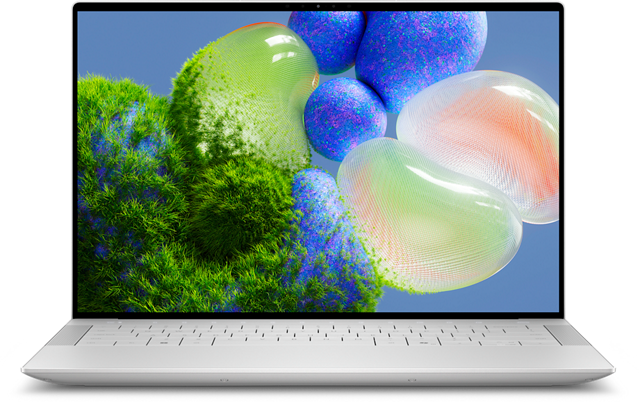
Dell XPS 14
The XPS 14 is the main laptop discussed here, so compare current configurations carefully before buying. Pay close attention to the display, processor, memory, and storage choices because they change the laptop’s value and battery-life trade-offs.
As an Amazon Associate I earn from qualifying purchases.
What the Dell XPS 14 is trying to be
The XPS 14 is best understood as a premium thin-and-light laptop with more headroom than a basic office notebook. Dell offers configurations based on Intel Core Ultra Series 3 processors, including lower-power options for everyday work and higher-end Core Ultra X chips for buyers who want stronger multitasking and integrated graphics performance.
The entry configurations are the practical choice for students, office users, frequent travelers, and anyone whose workload is mostly browser tabs, documents, video meetings, email, streaming, and light photo work. Higher-end versions make more sense if you regularly edit large media files, keep many demanding apps open, or want the better OLED display and stronger integrated graphics.
The design is also a major part of the pitch. The XPS 14 measures about 12.19 x 8.26 inches, with thickness listed at 0.58 inches for the OLED model and 0.60 inches for the LCD version. Starting weight is around 3 pounds. Those numbers put it firmly in travel-friendly territory, especially for a laptop with a 14-inch screen and premium materials.
The chassis uses CNC-machined aluminum, with Gorilla Glass 3 on the palm rest and Gorilla Glass Victus on the OLED touch cover glass. That does not make it indestructible, but it does help explain why the XPS line continues to feel more like a premium object than a budget laptop dressed up with a nicer screen.
Core specs at a glance
The exact configuration matters with the XPS 14 because display, memory, storage, and graphics can change the character of the machine. A lower-end LCD model is a long-lasting, efficient productivity laptop. An OLED model with a higher-end Core Ultra X chip is more of a compact creative machine.
| Feature | Dell XPS 14 details |
|---|---|
| Screen size | 14 inches |
| Display options | 2K non-touch LCD or 2.8K OLED touch display |
| Refresh rate | Up to 120Hz, with variable refresh behavior depending on panel |
| Processor family | Intel Core Ultra Series 3 options |
| Graphics | Integrated Intel graphics or Intel Arc graphics on higher-end configurations |
| Memory | LPDDR5X memory, configuration dependent |
| Storage | PCIe NVMe SSD options, configuration dependent |
| Battery | 70Wh, 3-cell battery |
| Ports | Three Thunderbolt 4 USB-C ports, audio jack, and Kensington lock support over USB-C |
| Weight | Starts around 3 pounds |
That spec list shows both the strengths and the trade-offs. The display choices, build quality, webcam, wireless support, and battery size are strong for the class. The port selection is slimmer than some buyers may want, especially if they still use USB-A accessories, HDMI monitors, or SD cards without a dock.
Performance: strong for a thin 14-inch laptop
The XPS 14 uses Intel Core Ultra Series 3 processors, with configurations that include 8-core Core Ultra 5 and Core Ultra 7 options, plus higher-end Core Ultra X7 models in some builds. Buyers should treat the processor choice as one of the most important decisions when configuring the laptop.
For general productivity, the lower Core Ultra models are the more sensible value. They should be well suited to everyday multitasking, web work, office apps, streaming, research, and video calls. They also pair with 16GB of LPDDR5X memory in commonly listed configurations, which is enough for many mainstream buyers but less flexible for heavier creative work over several years.
The higher-end Core Ultra X configurations are a better fit for people who want the XPS 14 to do more than routine productivity. Those models are positioned for heavier multitasking and casual content creation, though buyers should still remember that this remains a thin 14-inch laptop with integrated graphics rather than a mobile workstation with a discrete GPU.
The practical takeaway is simple: do not buy the cheapest configuration if your workload regularly involves large photo libraries, video editing timelines, software development environments, or lots of memory-heavy apps running at once. At the same time, do not overpay for the highest-end version if your work mostly lives in a browser and a handful of office apps.
Display choices: LCD for endurance, OLED for visual quality
The screen is one of the biggest reasons to consider the XPS 14. Dell offers a 14-inch 2K LCD panel and a 14-inch 2.8K OLED touch panel. Both are listed with 500-nit brightness, but they serve different types of buyers.
The 2K LCD is the more practical option. Its 1920 x 1200 resolution is sharp enough at 14 inches, and it should help the laptop last longer between charges. It also supports a variable refresh range from 1Hz to 120Hz, which lets the display slow down for static content and ramp up when smoother motion is useful.
The 2.8K OLED panel is the premium pick. Its 2880 x 1800 resolution gives text, photos, and video more detail, while OLED contrast makes dark scenes and creative work look richer. It also supports up to 120Hz, with a listed variable range starting at 20Hz. The trade-off is battery life: OLED panels usually draw more power, especially with bright content, touch input, and high-resolution workloads.
If you mostly write, research, travel, and work away from outlets, the LCD model is easier to justify. If you edit photos, watch a lot of video, care about contrast, or simply want the laptop to feel more premium every time you open it, the OLED upgrade is the more satisfying choice.

ASUS Zenbook 14 OLED
If the OLED screen is the main reason you are considering the XPS 14, the Zenbook 14 OLED is worth comparing. It gives readers another portable Windows option with an OLED-first pitch and a more conventional port mix on many configurations.
As an Amazon Associate I earn from qualifying purchases.
Is the Dell XPS 14 good for gaming?
The XPS 14 is not a gaming laptop, and buyers should not treat it like one. It does not have the cooling system, chassis size, or discrete graphics hardware found in dedicated gaming machines. That said, higher-end configurations with Intel Arc integrated graphics can handle some casual gaming better than older thin-and-light laptops.
Mainstream and lighter games are the realistic target. Titles such as Minecraft, Fortnite, older esports games, indie games, and less demanding PC releases are more appropriate than modern AAA games at high settings. For the best experience, expect to lower resolution or graphics settings, especially on the OLED model where the native 2880 x 1800 resolution is too demanding for integrated graphics in many games.
Intel XeSS support may help in compatible games, but it should be viewed as a useful bonus rather than a reason to buy the XPS 14 primarily for gaming. If gaming is a top priority, a laptop with a discrete Nvidia or AMD GPU will be a better match.
Portability and build quality
This is where the XPS 14 makes the strongest case for itself. At roughly 3 pounds, it is easy to carry in a backpack or work bag, and its compact footprint makes it a better travel companion than many performance-focused 14-inch laptops. The thin profile also helps if you move between classrooms, conference rooms, coffee shops, airports, or shared workspaces.
The materials matter here. A rigid aluminum body tends to age better than a cheaper plastic shell, especially if the laptop is carried daily. The glass-covered palm rest gives the XPS 14 a distinct feel, and Dell’s latest design also addresses some earlier XPS complaints by returning to more conventional physical function keys.
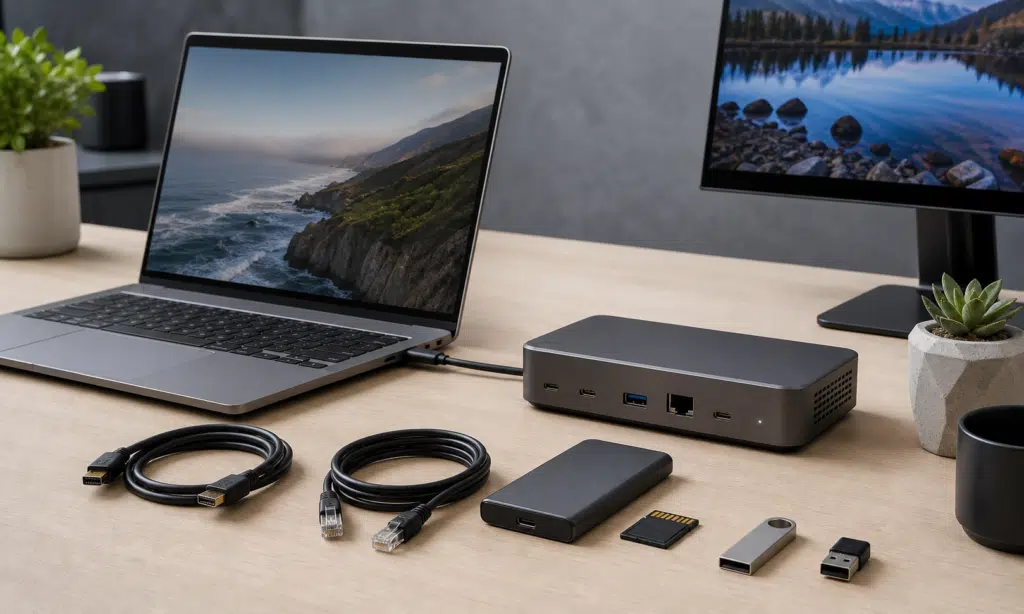
There are still compromises. The port selection is built around USB-C and Thunderbolt 4. That is clean and modern, but it means many users will need adapters or a dock. Anyone who presents from HDMI, imports camera media from SD cards, or uses older USB-A accessories should budget for that reality.
Battery life: configuration matters
Dell lists a 70Wh battery for the XPS 14, and the most efficient LCD configurations are the ones to consider if battery life is a top priority. Dell has promoted very long battery estimates for the LCD model under controlled video playback conditions, while OLED configurations are expected to draw more power.
Those controlled numbers are useful for comparing configurations, but they should not be treated as a guarantee for everyday use. Real battery life depends on screen brightness, browser workload, video calls, background apps, Wi-Fi conditions, keyboard backlighting, performance settings, and whether you choose the LCD or OLED panel.
For most buyers, the practical expectation should be this: the LCD model is the better travel laptop, while the OLED model trades some endurance for a better screen. Both use a 70Wh battery, but the display and processor configuration will have a meaningful effect on how long the laptop lasts away from a charger.
Dell also includes a 100W USB-C power adapter, and USB-C charging makes it easier to share chargers with other modern devices as long as the charger has enough output.
Who should buy the Dell XPS 14?
The Dell XPS 14 makes the most sense for buyers who want a premium Windows laptop that is easy to carry but still feels fast and polished. It is especially compelling if you care about screen quality, build materials, webcam quality, speakers, and a clean design.
- Choose the LCD model if battery life, lower cost, and everyday productivity matter most.
- Choose the OLED model if display quality is a priority for photo work, video, design review, or general visual comfort.
- Choose a higher-end processor and memory configuration if you regularly handle creative projects or heavy multitasking.
- Look elsewhere if you need lots of built-in ports, upgradeable memory, or serious gaming performance.

Lenovo Yoga Slim 7i Aura Edition 14
The Yoga Slim 7i Aura Edition is a relevant alternative for readers who like the XPS 14’s premium portable category but want to comparison-shop before choosing. It is especially useful as a table entry beside the XPS 14 and another OLED ultraportable.
As an Amazon Associate I earn from qualifying purchases.
The XPS 14 is not the universal answer for every buyer. Some people will get better value from a less expensive ultraportable. Others will need a thicker workstation or gaming laptop. But for someone who wants a compact, premium 14-inch Windows machine with strong everyday performance and a high-end feel, the XPS 14 belongs on the shortlist.