The mainstream smart home is convenient until it starts showing its limits. Alexa, Google Home, Apple Home, and brand-specific hubs can work well when your devices, internet connection, and cloud services are all cooperating. The trouble is that many homes are not built from one brand, one protocol, or one app.
That is where Home Assistant becomes interesting. It is not the easiest smart home platform to set up, and it is not the best fit for every buyer. But for people who want local control, deeper automations, mixed-device support, and fewer cloud dependencies, Home Assistant can solve problems that the major voice-assistant ecosystems often leave in place.
This is not a simple case of Home Assistant being better for everyone. Alexa and Google Home are easier to start with, especially if your goal is basic voice control. Home Assistant asks more from the owner. You may need to choose hardware, install integrations, learn some terminology, and occasionally troubleshoot a device that refuses to behave.
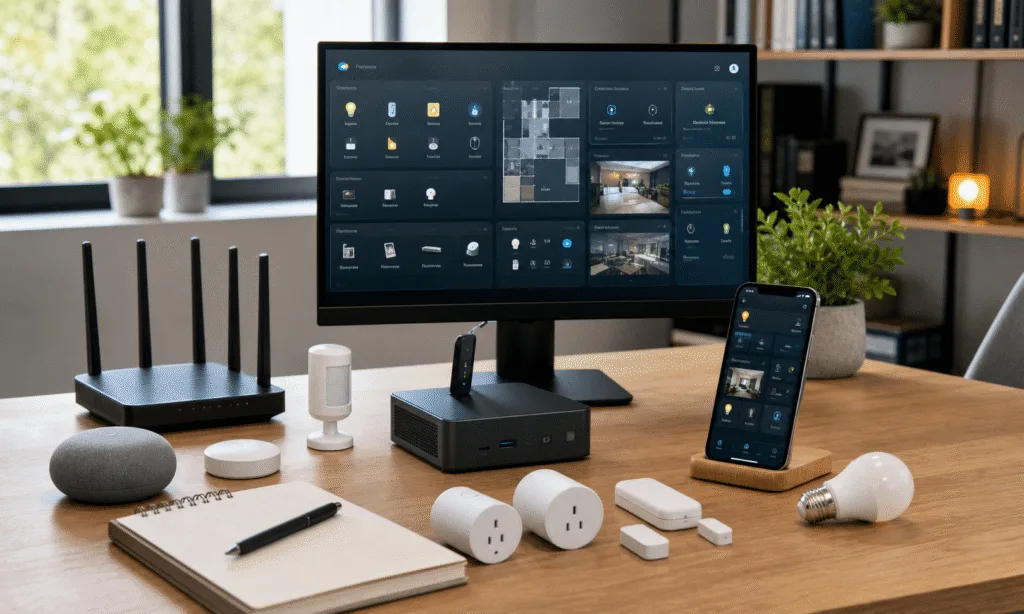
The payoff is control. A Home Assistant setup can bring lights, sensors, appliances, robot vacuums, media devices, servers, and energy monitoring into one dashboard. It can also keep many automations running locally, depending on the devices and integrations used. For buyers deciding whether to keep adding to a closed ecosystem or move toward a more self-managed smart home, that tradeoff matters.
The core difference is control, not voice commands
Alexa and Google Home are built around convenience. You buy a device with a compatible badge, connect it to an app, and control it by voice or routine. For simple tasks, that is still hard to beat. Turning on a lamp, setting a timer, or asking a speaker to run a routine should not require a weekend project.
Home Assistant approaches the smart home from a different direction. It acts more like a central control layer for devices and services you already own. Instead of assuming one manufacturer or cloud account should sit at the center of the house, it tries to connect many systems through integrations, local protocols, community projects, and user-built automations.
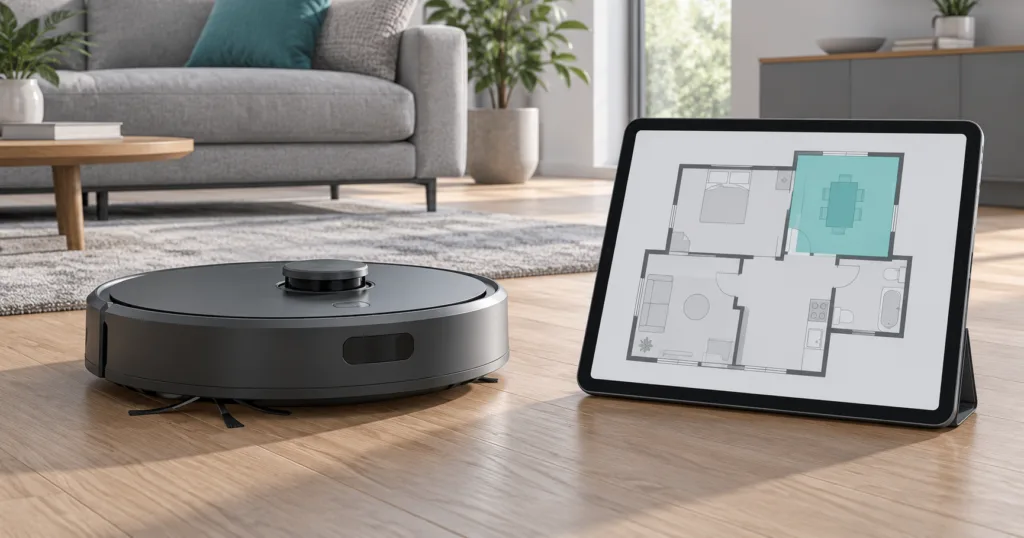
That difference becomes important once a home has grown beyond a few bulbs and speakers. Many people end up with a mix of Wi-Fi plugs, Zigbee sensors, Philips Hue lights, smart speakers, a robot vacuum, an Apple TV, cameras, a router, and maybe a NAS or home server. In a mainstream ecosystem, that can mean juggling several apps and accepting whatever automation limits each platform allows.
With Home Assistant, the appeal is that those devices can often be brought into one interface. Not every device will support full local control, and not every integration is equally polished, but the platform gives technically inclined users more ways to connect hardware that would otherwise live in separate islands.
| Decision point | Alexa or Google Home | Home Assistant |
|---|---|---|
| Ease of setup | Usually easier for basic devices and voice control | More setup work, especially with custom hardware or protocols |
| Local control | Depends heavily on device and platform support | Often possible when using local integrations, Zigbee, Z-Wave, MQTT, Matter, or ESPHome |
| Automation depth | Good for simple routines | Better suited to multi-trigger, conditional, and sensor-heavy automations |
| Device flexibility | Best inside supported ecosystems | Can combine many brands and protocols, with some setup effort |
| Best buyer | Someone who wants quick voice control | Someone who wants a customizable, local-first smart home |
Local control is the biggest reason to consider Home Assistant
Cloud smart homes are comfortable when everything is online. The weak point appears when internet service drops, a vendor app has an outage, or a device depends on remote servers for basic control. In those cases, a light switch or smart plug can feel less reliable than the old manual version it replaced.
Home Assistant is attractive because it can reduce that dependency. If a device has a local integration, uses a local protocol, or can communicate with a Home Assistant server on the same network, many controls and automations can continue without relying on the wider internet. That does not make every device automatically local, and buyers should check each device before assuming it will work offline. But the platform is designed to make local operation a practical goal rather than an afterthought.
That also changes the privacy discussion. Data that stays inside the home network is not being sent to a cloud service for routine operation. Some devices and integrations will still use external services, and remote access can still be configured, but Home Assistant gives owners more choices about what leaves the house and what does not.
For more advanced users, that can go further. Smart switches, plugs, cameras, and sensors can sometimes be blocked from internet access if they only need to communicate with the Home Assistant server. That approach depends on the device and network setup, and it is not a beginner-friendly requirement. Still, it is one of the reasons Home Assistant appeals to people who are tired of smart home products becoming less useful when a manufacturer changes an app, subscription, or cloud service.
A mini PC can make more sense than another proprietary hub
One practical route is to run Home Assistant on a small computer rather than relying on a branded smart home hub. The source setup used a used HP ProDesk 600 G6 mini PC bought for about $120, with Home Assistant OS running in a Proxmox virtual machine. A SONOFF Zigbee 3.0 USB Dongle Plus, described as costing about $20, was added for Zigbee devices.
That kind of setup is not mandatory. Home Assistant can run on several types of hardware, including single-board computers and dedicated Home Assistant hardware. But the mini PC route has a clear buyer logic: used business mini PCs are often inexpensive, relatively powerful, and flexible enough to run more than one home service.
The benefit is not just speed. A mini PC can host Home Assistant while also leaving room for related services, backups, or experimentation. It can pass through a USB Zigbee dongle, support virtual machines, and avoid the limitations of smart speakers that were never designed to act as full home automation servers.
The tradeoff is setup complexity. Installing Proxmox, creating a Home Assistant VM, passing through USB hardware, and choosing between Zigbee integrations is more involved than plugging in an Echo or Nest speaker. Buyers who want simple voice routines may find that unnecessary. Buyers who already run home servers, NAS devices, or network gear may see it as a natural extension of their setup.
Zigbee, MQTT, and ESPHome widen the device options
Home Assistant becomes more useful when it is paired with local-friendly technologies. Zigbee sensors and bulbs can be connected through a compatible coordinator. MQTT can be used as a local messaging layer for supported devices. ESPHome can turn inexpensive ESP32-based projects into Home Assistant-connected sensors, switches, and monitors.
In the source setup, Zigbee2MQTT was preferred over the default ZHA integration because it provided local MQTT operation and more control over pairing and mesh visibility. That does not mean every buyer should choose Zigbee2MQTT. ZHA can be easier for many Home Assistant users, while Zigbee2MQTT often appeals to people who want more detailed control and broader device handling.
ESPHome adds another layer. It is an open-source firmware framework for building custom smart home devices with microcontrollers. A user can create sensors for doors, motion, brightness, temperature, humidity, and other simple tasks. The builds may not be as compact or polished as commercial sensors, but they can be cheap, local, and tailored to the exact job.
That is the difference between buying a closed smart home product and building a system. Home Assistant does not only ask what devices you bought. It can also ask what signals you can measure and what action should happen next.
Automations are where Home Assistant pulls ahead
Most mainstream smart home routines are fine for basic tasks. They can turn lights on at sunset, run a scene when someone says a phrase, or switch off a plug at a certain time. Those are useful, but they are not the full promise of a connected home.
Home Assistant is stronger when an automation needs several inputs. Presence, time, weather, motion, light level, energy use, weekday schedules, device state, and manual overrides can be combined into rules that better match how people actually live. That makes it possible to create automations that feel less like commands and more like house behavior.
Examples supported by the source material include morning lighting that comes on gradually during weekdays, robot vacuums that clean when nobody is home, thermostat and lighting changes when people are returning, and energy-saving automations that run quietly in the background. The exact reliability of those automations depends on the sensors, integrations, and network, but the platform is built for this kind of conditional logic.
For buyers, the question is whether that flexibility matters. If all you want is voice-controlled lights, Home Assistant may be more tool than you need. If you want your smart home to react to occupancy, appliance state, power use, and local device status, the extra setup starts to make sense.
Dumb appliances can become useful smart home devices
One of the strongest buyer arguments for Home Assistant is that it can make existing appliances more useful without replacing them. A 10-year-old washing machine, dryer, coffee maker, dehumidifier, or heater may not need an app or cloud account. It may only need a safe way to measure or control power and a local automation that understands the signal.
The source article gives the example of a washing machine connected through a heavy-duty local smart plug with power monitoring. The point is not simply to switch the machine on or off. The power draw can act as telemetry. A dishwasher or washer drawing high wattage may be heating water. A lower draw may indicate a pump or idle state. A repeated pattern can suggest where the appliance is in its cycle.
That kind of setup can be more useful than a basic vibration sensor. Vibration sensors can misread spin cycles, balancing pauses, or soak periods. Power monitoring is not perfect either, but it can give Home Assistant a richer signal to work with.
The source also mentions HA Wash Data, a custom Home Assistant integration intended to analyze power consumption patterns and compare them with prior cycles. Because that is a community tool rather than a built-in appliance standard, it should be treated as an advanced option. The broader point is still useful: Home Assistant can turn simple measurements into practical appliance states.
For a buyer trying this approach, the hardware choice matters. A heavy-load appliance should not be connected to a random cheap plug. The source recommends a quality Zigbee 3.0 or calibrated Z-Wave plug rated for at least 15 or 16 amps for demanding appliances such as washers and dryers. That rating matters because heating elements and motors can draw serious current.
A sensible appliance automation path looks like this:
- Choose a properly rated local smart plug or energy monitor for the appliance load.
- Add it to Home Assistant through a local-friendly integration where possible.
- Watch the raw wattage over a normal cycle so you understand the pattern.
- Create a simple finished-state automation before attempting more advanced prediction.
- Send a local notification, flash a light, or trigger another clear household signal when the cycle ends.
The same idea can apply to a drip coffee maker with a physical switch, a dehumidifier paired with a humidity sensor, or a space heater controlled by a separate temperature sensor. Safety still comes first, especially with heaters and high-load appliances. Home Assistant can automate a device, but it cannot make unsafe electrical choices safe.
Home Assistant can reduce app clutter
A common smart home problem is app sprawl. One app for lights, one for plugs, one for cameras, one for the robot vacuum, one for the TV, one for the router, and another for a hub. Even if every app works, the system feels fragmented.
Home Assistant can act as a single dashboard for many of those devices. In the source setup, devices such as a smart TV, Apple TV, HomePod, router, Zigbee lighting, ESPHome sensors, and other smart devices were discovered or added through integrations. Not every setup will be that smooth, and some devices require more work than others, but the result can be a cleaner control surface.
That matters for household usability. The person who built the system may be comfortable with YAML, MQTT, and integration settings. Other people in the home usually just want a light, fan, vacuum, or thermostat to work. A well-built Home Assistant dashboard can hide the complexity behind clear controls.
The same applies to automations. The best automations often disappear into the background. A power-saving rule that adjusts devices when nobody notices is more valuable than a flashy routine that constantly demands attention. Home Assistant gives advanced users enough control to build those quiet automations, but it also puts the burden on them to maintain the system.
Voice control is still a tradeoff
Moving to Home Assistant does not necessarily mean giving up voice control. Home Assistant can work with existing smart speakers in some setups, and it also has its own voice assistant direction. A local voice setup is possible for users willing to configure the required pieces.
Still, this is an area where Alexa and Google Home remain strong for mainstream buyers. Cheap smart speakers have made voice control inexpensive and familiar. Replacing that with local voice hardware and software can cost more, take more work, and may not match the polish of commercial assistants for every household.
That makes voice control a key decision point. If voice is the center of your smart home and your routines are simple, a mainstream ecosystem may still be the better fit. If voice is only one control method among dashboards, sensors, buttons, and automations, Home Assistant becomes more compelling.
The practical middle ground is to keep existing smart speakers while moving more device logic into Home Assistant. That lets a buyer avoid throwing away hardware while still gaining a more capable automation layer. It is not a pure self-hosted setup, but it may be the most realistic path for many homes.
PoE, cameras, and battery backup can make the system more resilient
The source also connects Home Assistant to a broader local infrastructure idea: keeping more of the home running on local network equipment. Power-over-Ethernet cameras, a local network video recorder, NAS storage, and a UPS can reduce reliance on cloud camera subscriptions and keep parts of the system alive during an outage.
PoE does not automatically make a smart home resilient. It only helps devices that are wired for it and connected to powered network equipment. But it can simplify power and networking for cameras and other fixed devices. When paired with local storage, it can keep recordings inside the home instead of depending entirely on a subscription service.
Battery backup is another practical layer. A UPS connected to the network stack can keep a router, switch, Home Assistant server, and some PoE devices running for a limited time. That does not keep every light and appliance online, but it can preserve core controls, cameras, and graceful shutdowns for storage devices.
This is not necessary for a basic smart home. It is more relevant for buyers who already care about self-hosting, local cameras, and home network reliability. Home Assistant fits naturally into that kind of setup because it treats the smart home as part of the local infrastructure rather than a collection of cloud apps.
Where Alexa and Google Home still make more sense
Home Assistant is powerful, but it is not the right recommendation for everyone. The setup can be fussy. Some integrations break or need maintenance. Community solutions may rely on reverse-engineered APIs, which can change. Advanced automations take time to design and test. DIY sensors involve hardware, firmware, and troubleshooting.
A buyer should be honest about how much maintenance they want. A smart home that depends on one technically confident person can become frustrating if nobody else can fix it. A simple Alexa or Google Home setup may be less flexible, but it is also easier for many households to understand.
Alexa or Google Home may be the better choice if:
- You mostly use voice commands, timers, speakers, and basic lighting scenes.
- You want the fastest setup with the least technical work.
- Your devices already work reliably inside one ecosystem.
- You do not want to manage a server, backups, integrations, or local network rules.
Home Assistant is more likely to be worth it if:
- You own devices from several brands and want one dashboard.
- You want local control where your hardware supports it.
- You care about advanced automations with multiple triggers and conditions.
- You are comfortable learning integrations, protocols, and basic troubleshooting.
- You want to extend the smart home with Zigbee, Z-Wave, MQTT, ESPHome, or DIY sensors.
Verdict: Home Assistant is the better smart home platform for buyers who want control
Home Assistant is not trying to be another simple voice assistant. It is closer to a control system for people who have outgrown simple routines, scattered apps, and cloud-first device behavior. That makes it more demanding, but also more capable.
For a buyer choosing between another proprietary hub and a Home Assistant setup, the decision comes down to responsibility. Alexa and Google Home remove friction at the start. Home Assistant removes limits later, but asks you to understand more of the system you are building.
The strongest case for Home Assistant is a mixed smart home with local-friendly devices, Zigbee sensors, power-monitoring plugs, cameras, servers, and automations that need more than a single trigger. In that environment, a small mini PC and a good coordinator can become more useful than another branded hub.
The weaker case is a home that only needs a few voice-controlled devices. If the current setup is reliable, easy for everyone to use, and not creating cloud or app problems, there is no need to rebuild it for the sake of complexity.
But for buyers who are already frustrated by sluggish routines, abandoned devices, limited automations, or internet-dependent controls, Home Assistant offers a better long-term direction. It lets the smart home behave more like part of the house and less like a set of rented cloud features.