The Smart Home Pitch Was Better Than The Product
Around the middle of the 2010s, the smart home was sold as the next obvious upgrade for ordinary houses and apartments. Lights would respond to your voice. Thermostats would learn your routine. Locks, cameras, plugs, blinds, speakers, and garage doors would all work together in the background. The promise was not just remote control. It was less friction, less wasted energy, and a home that quietly adapted to the people living in it.
A decade later, many buyers are more cautious. The category has not disappeared, and plenty of people still run useful home automation systems. But the broad consumer dream has been dented by a long list of practical problems: abandoned devices, required cloud accounts, subscription creep, privacy concerns, wireless congestion, and products that stop being useful when the vendor loses interest.
That does not mean every smart home product is a bad buy. It does mean shoppers need to judge the category differently. The useful question is no longer “Can this connect to an app?” It is “Will this still work when the internet is down, when the company changes its business model, or when I need to replace a switch five years from now?”
Home Automation Worked Before The Cloud
One reason the modern smart home can feel disappointing is that home automation itself is not new. X10, one of the early general-purpose home automation technologies, was developed in the 1970s and used power lines to send control signals around a home. It was limited by modern standards, but the basic idea was clear: a switch, controller, or timer could operate a light or appliance without needing a remote server in the middle.
That older model matters because it exposes a weakness in many newer products. A light switch is a simple job. A lock is a serious job. A garage door opener is a practical job. Adding an app, a cloud service, a voice assistant, and a stack of wireless protocols can make those jobs easier in some cases, but it can also add failure points.
The modern smart home often asks buyers to accept extra complexity in exchange for convenience. Sometimes that trade is worth it. A well-planned automation system can handle routines that would be annoying to do by hand every day. It can turn off forgotten lights, coordinate sensors, automate heating and cooling, and make a home more accessible for someone who benefits from voice or remote control.
But when a product depends on a vendor account for basic operation, the buyer is not just purchasing hardware. They are depending on a business relationship that may change later.
Where The Smart Home Goes Wrong
The biggest buyer risk is not that a smart bulb fails. Cheap devices fail all the time. The bigger risk is that a device fails because something outside the home changes: a cloud service shuts down, an app is retired, a feature moves behind a subscription, or a company stops maintaining an integration.
That is why the smart home category has developed a trust problem. Many products were marketed like appliances but behaved more like services. A conventional wall switch does not need a login screen. A basic garage remote does not need a company to keep servers running. A connected device may be more capable, but it can also be less durable as a purchase.
Common failure points include:
- Cloud dependency for features that should work locally.
- Subscriptions added after the buyer has already installed the product.
- Apps that become slow, unsupported, or incompatible with newer phones.
- Devices that lose integrations when platforms change priorities.
- Wireless reliability issues in crowded homes or apartment buildings.
- Privacy concerns when cameras, speakers, sensors, and usage data leave the house.
None of those problems apply equally to every product. A local Z-Wave switch is a different proposition from a Wi-Fi camera that depends on a vendor cloud. A smart plug used for a lamp has a different risk profile from a smart lock on the front door. The category becomes easier to evaluate when buyers separate convenience products from infrastructure products.
The Real Buying Question: Local Or Cloud?
For most buyers, the most important distinction is whether the system can run locally. Local control means automations and basic commands happen inside the home, without requiring a remote server for every action. Cloud features can still exist for remote access, voice assistant integration, notifications, or backups, but the core home should not become useless when the internet drops.
Cloud-based systems can be easier to start with. The setup process is often polished, the app is usually straightforward, and remote access is built in. That matters for non-technical buyers. A product that works in ten minutes is more attractive than a system that requires network planning, hub setup, and troubleshooting.
The problem is longevity. If a device needs the manufacturer’s servers to perform basic tasks, the buyer is exposed to the manufacturer’s future costs and priorities. Running cloud infrastructure costs money. If a company cannot support that cost through hardware margins, subscriptions, advertising, data collection, or a larger platform strategy, something eventually has to give.
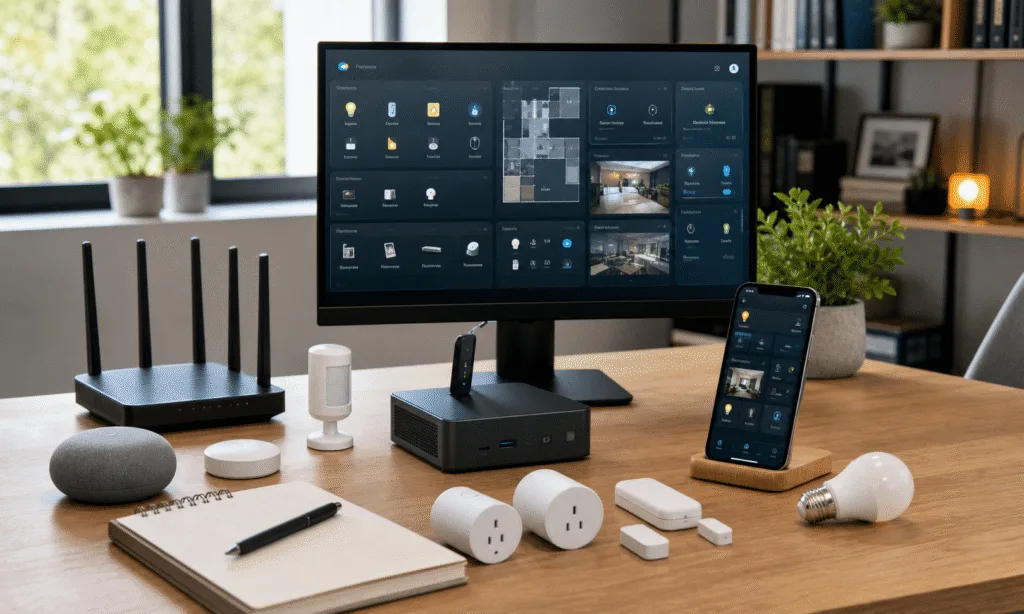
Local systems have the opposite tradeoff. They are usually better for control, privacy, and long-term ownership, but they demand more from the person setting them up. Home Assistant is the best-known example of this path. It can be powerful, flexible, and locally hosted, especially for users who are comfortable maintaining their own systems. Official Home Assistant hardware such as Home Assistant Green lowers the starting barrier, but it does not remove the need to understand integrations, device pairing, backups, updates, and occasional troubleshooting.
That distinction is easy to underestimate. A technical buyer may see a local hub as freedom. A non-technical buyer may see it as unpaid IT work.
| Approach | Why Buyers Like It | Main Tradeoff | Best Fit |
|---|---|---|---|
| Cloud-first smart home | Simple setup, polished apps, easy remote access | Depends on vendor support and business model | Basic convenience devices where failure is low risk |
| Local hub or controller | More control, better privacy, less dependence on remote servers | More setup and maintenance | Enthusiasts and buyers who want long-term ownership |
| Traditional dedicated controls | Simple, proven, easy for guests and family | Less automation and fewer integrations | Locks, garage doors, essential lights, and other core functions |
Why Reliability Is Harder Than It Looks
A smart home is not one product. It is a chain. A command may pass through a phone, app, account, router, hub, wireless mesh, device firmware, and sometimes a remote service before anything happens. Each link can be reliable on its own and still create a frustrating system when combined with the others.
Wireless choice is one practical example. Wi-Fi is familiar and easy, but a house full of low-cost Wi-Fi devices can create management and reliability headaches. Zigbee and Z-Wave can be better suited to many home automation tasks because they were designed around low-power devices and mesh networking, but they still require a compatible hub and careful device selection. Bluetooth can be useful for short-range accessories, but it is not a magic answer for whole-home reliability.
The 2.4 GHz band also matters because many consumer wireless devices compete there. In dense environments, interference and congestion can make a system feel inconsistent even when nothing is technically broken. A light that responds instantly nine times and hesitates the tenth time may still be unacceptable if it replaces a wall switch that used to work every time.
Power quality is another practical issue that buyers often ignore. One user report in the source material described better long-term results after avoiding cloud dependence and adding surge protection. That is a personal account rather than a universal rule, but it points to a broader truth: smart switches, dimmers, hubs, and sensors are still electronics installed in a real electrical environment. Reliability is not only about apps and protocols.
Smart Assistants Did Not Solve The Smart Home
Voice assistants were supposed to make home automation feel natural. In some situations, they do. Asking for a light scene while carrying groceries can be useful. Voice control can also help people who cannot easily reach switches or use a phone.
But voice did not make the smart home truly intelligent. In many homes, it became another control layer on top of devices that still needed manual setup, naming, grouping, routines, and maintenance. If the command is phrased wrong, the assistant may misunderstand. If the internet is down, the assistant may lose key features. If the device integration breaks, the voice layer cannot fix it.
The deeper issue is that most smart homes are not “smart” in the way buyers were encouraged to imagine. They are automated. That means someone has to define the conditions, the triggers, the schedules, and the exceptions. A motion sensor can turn on a hallway light. A thermostat can follow a schedule. A door sensor can trigger an alert. Those are useful behaviors, but they are not the same as a home understanding context with human judgment.
Newer AI tools may eventually make some home systems more adaptive, but buyers should be cautious about where they are used. Letting an assistant suggest a lighting scene is one thing. Letting an experimental agent control a front door lock is another. The more serious the device, the more conservative the system should be.
What Still Makes Sense To Buy
A practical smart home starts with boring questions. What problem are you solving? What happens if it fails? Can someone else in the house use it without your phone? Does it still work from the wall? Can you replace it later without rebuilding the whole system?
The best purchases tend to fall into a few categories:
- Devices that keep normal manual controls, such as smart switches that still work like switches.
- Local-first hubs and controllers for buyers willing to maintain them.
- Sensors that provide useful information without taking over essential functions.
- Automations that reduce repetitive tasks without creating lock-in.
- Security and access products chosen conservatively, with clear fallback options.
The riskiest purchases are usually the ones that turn a simple job into a dependent service. A cloud-only switch, camera, lock, or garage controller may be convenient on day one, but the buyer should assume the app, subscription terms, and integrations can change. That does not make those products unusable. It means they should be bought with eyes open.
A Simple Buyer Checklist
Before buying smart home gear, use a short checklist:
- Check whether the device has local control or requires the manufacturer’s cloud for basic use.
- Confirm whether the product still works manually if the hub, app, or internet connection fails.
- Look for standards and ecosystems with broad device support instead of one-off proprietary hardware.
- Decide whether the device is convenience-only or mission-critical.
- Budget for the hub, adapters, repeaters, surge protection, and replacement parts, not just the first device.
- Avoid making locks, garage doors, heat, or essential lighting dependent on a single fragile automation path.
This is also where buyers should be honest about maintenance. If you enjoy tuning a network, reading documentation, and fixing integrations, a local system can be rewarding. If you want an appliance, choose fewer devices and prefer products that degrade gracefully when their smart features fail.
Who Should Choose What?
The right smart home path depends less on the marketing and more on the household.
| Buyer Type | Best Direction | What To Avoid |
|---|---|---|
| Non-technical buyer | Simple devices with manual fallback and minimal account dependence | Complex hubs that require ongoing troubleshooting |
| Enthusiast | Local hub, mixed protocols, careful network design | Cloud-only devices for core functions |
| Renter | Portable plugs, bulbs, sensors, and reversible installs | Hardwired gear that is difficult to remove |
| Homeowner planning long-term | Switches, sensors, and controllers with broad support | Single-vendor systems with unclear support horizons |
| Security-focused buyer | Local control, isolated network segments, conservative access rules | Unnecessary cameras, microphones, and cloud dependencies |
The Verdict: Buy Automation, Not A Fantasy
The smart home bubble did not pop because automation is useless. It lost momentum because too many products asked buyers to accept complexity, surveillance risk, subscriptions, and vendor dependence in exchange for conveniences that were sometimes only marginally better than a button on the wall.
For buyers, the lesson is straightforward. Do not build a smart home around a company’s promise that its servers, app, and business model will remain friendly forever. Build around functions that matter, controls that still work locally, and devices that can fail without trapping you.
A good smart home should feel less like a science project and more like dependable infrastructure. For some people, that will mean a carefully maintained local system with Home Assistant or another controller at the center. For others, it will mean a handful of smart switches, sensors, and plugs chosen cautiously. And for many jobs, the best answer may still be the old one: a dedicated control that does exactly one thing and keeps doing it for years.