Verdict
The Homey Pro 2026 is a measured upgrade rather than a reinvention. Its main change is simple: 4GB of RAM instead of the 2GB found in the Homey Pro Early 2023. That extra memory gives the hub more headroom for apps, devices and complex automations, which is exactly where Homey tends to appeal most.
For a large smart home with lots of connected devices, the Homey Pro 2026 makes the most sense if you are new to Homey or already running close to the limits of an older Pro model. It is not the obvious buy for everyone. Smaller homes, simpler setups and users who mainly need Matter, Thread and Zigbee may be better served by the cheaper Homey Pro mini.
- Pros: Excellent automation tools, wide protocol support, more memory than the previous Pro, strong device compatibility.
- Cons: Ethernet still needs an adapter, it cannot simply merge into every existing Thread setup, and the upgrade is modest if your current Pro is not under pressure.
Homey Pro 2026 vs Homey Pro mini, Bridge and Ethernet Adapter
| Image | Product | Best fit | Link |
|---|---|---|---|
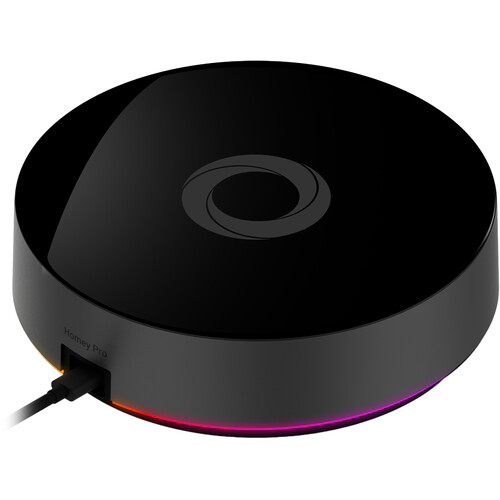 |
Homey Pro 2026 | Homey Pro 2026 is the model to consider if you need broad built-in protocol support and more RAM for a larger set of apps, devices and Flows. It is most useful for mixed smart homes with Zigbee, Z-Wave, Thread, Matter, infrared or 433MHz devices. | Check Price on Amazon |
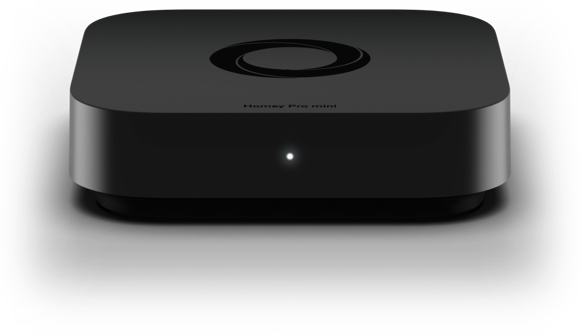 |
Homey Pro mini | Homey Pro mini is the more sensible Homey option for smaller homes that mainly use Matter, Thread and Zigbee. It also has built-in Ethernet, but it lacks some radios found in the full Pro unless you add a Bridge. | Check Price on Amazon |
 |
Homey Bridge | Homey Bridge is worth considering if you choose Homey Pro mini but still need support for devices using Z-Wave, infrared, Bluetooth LE or 433MHz. It can also help extend some Homey wireless coverage, but it is not a simple Thread range extender. | Check Price on Amazon |
 |
Homey Pro Ethernet Adapter | The Homey Pro Ethernet Adapter is the practical add-on if you want the Pro 2026 on a wired network instead of relying only on Wi-Fi. It is especially relevant for larger smart homes where the hub is part of daily lighting, lock, alarm or heating routines. | Check Price on Amazon |
As an Amazon Associate I earn from qualifying purchases.
What Is the Homey Pro 2026?
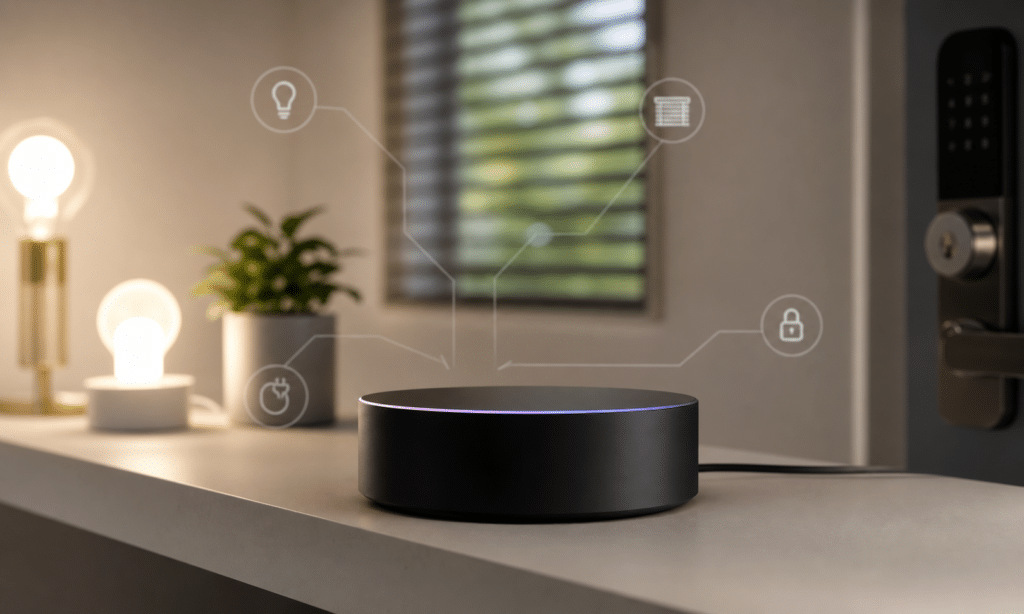
The Homey Pro 2026 is the latest version of Homey’s high-end smart home hub. It is designed for people who want one central controller for a broad mix of smart home devices, rather than separate hubs and apps for every brand in the house.
That is the continuing appeal of Homey. It supports a wide set of smart home technologies, including Zigbee, Z-Wave, Thread, Matter, Bluetooth LE, 433MHz, Infrared and Wi-Fi. In practice, that means it can work with many devices directly, while other devices can be added through official or community Homey apps.
The 2026 model is not a major redesign. It looks like the previous Homey Pro Early 2023 and uses the same broad hardware approach. The important change is memory. The new model has 4GB of RAM, which Homey positions as enough to run well over 100 Homey Apps, compared with the lower headroom of the earlier 2GB model.
That sounds dry, but it matters in a system like this. Homey Apps are what give the hub support for devices, cloud services and integrations. If you own lots of smart home kit from different companies, app capacity can become more important than raw processor speed.
Design and Setup
The Homey Pro 2026 keeps the same round puck-style design as the earlier Pro model. It is neat, understated and easy enough to place on a shelf, though most people will care more about where it gets the strongest radio coverage than how it looks.
The more frustrating part is connectivity. Wi-Fi is built in, but wired Ethernet still requires a separate adapter. For a device that may become the centre of a whole-home automation setup, integrated Ethernet would have made more sense. A wired connection is usually the more stable choice for a hub that controls locks, lights, alarms, blinds and heating routines.
That does not mean Wi-Fi is useless. Keeping the Homey Pro 2026 connected to Wi-Fi can still be helpful as a fallback if Ethernet is in use and the wired connection drops. But if you are planning to rely on Homey for a large installation, a wired setup is worth budgeting for from the start.
Setup is handled through the Homey app. New users are guided through creating a home layout with floors and rooms, then adding devices and building automations. Existing Homey users can use Homey’s backup and restore options, but it is still sensible to allow time after migration and check that important devices reconnect properly.
Homey Pro 2026 vs Homey Pro Early 2023 vs Homey Pro mini
The Homey range is now split more clearly by need. The Pro 2026 is the full-fat model for demanding homes. The Pro Early 2023 remains capable if you are not hitting its memory limits. The Pro mini is the cheaper route into Homey for people who do not need every radio built in.
| Model | Best for | Key strengths | Main compromises |
|---|---|---|---|
| Homey Pro 2026 | Large homes with many devices and apps | 4GB RAM, broad protocol support, powerful automation | Ethernet requires adapter, premium price |
| Homey Pro Early 2023 | Existing Pro users whose setup is still running comfortably | Same broad protocol support, still powerful | Less RAM than the 2026 model |
| Homey Pro mini | Smaller or simpler smart homes | Lower price, built-in Ethernet, Matter, Thread and Zigbee | No built-in Z-Wave, Infrared or 433MHz without Homey Bridge |
The Pro mini is particularly interesting because it has built-in Ethernet, while the more expensive Pro needs an adapter for wired networking. However, the mini strips back some radios. If you depend on Z-Wave, Infrared or 433MHz devices, the full Homey Pro remains the cleaner option unless you are happy adding a Homey Bridge.
For buyers starting from scratch, the decision mostly comes down to scale. If your smart home is mostly Matter, Thread and Zigbee, with a handful of automations, the mini may be enough. If you have a mix of older and newer devices, multiple brands, Z-Wave accessories, infrared-controlled products and complex routines, the Homey Pro 2026 is the more flexible hub.
Protocol Support and Device Compatibility
The Homey Pro 2026’s biggest strength is still its broad device support. It is built for homes where the device list is messy: a smart lock from one brand, blinds from another, a security system through a community app, lighting over Zigbee, heating through a cloud integration and newer devices using Matter or Thread.
That flexibility is the reason Homey is attractive to power users. Instead of forcing every device into a single ecosystem, it tries to expose as much control as possible through one app and one automation engine.
Support varies by brand and app, so no hub can guarantee every possible device will work exactly as expected. Still, Homey’s combination of official apps and community-written integrations gives it a wider reach than many mainstream smart home systems.
Individual control is straightforward. Devices are arranged by floor and room, and frequently used products can be added to favourites. That makes the app usable as a manual control surface, although the real value appears when you start building Flows.
One missing convenience is broader quick-access control from iOS. Homey’s widget support is more focused on Flows than favourite device tiles, so people who frequently toggle individual lights, locks or plugs may still want faster controls outside the full app.
Thread and Matter: Powerful, But Not Perfect
Matter and Thread support are important parts of the Homey Pro 2026 feature set, but buyers should understand the practical limits before treating it as a cure-all.
The key issue is Thread network behavior. In some homes, users may already have Thread networks built around Apple, Aqara, SmartThings or other border routers. The source experience found that Homey created its own Thread network rather than simply joining the existing one, which can lead to coverage gaps depending on where the hub is placed and where Thread devices live.
That matters because Thread coverage depends on the shape of the mesh. Mains-powered Thread devices can help extend a network, but many popular Thread products are battery-powered and do not act as routers. If your important Thread device is in an office, outbuilding or far corner of the house, Homey Pro placement becomes more important.
There are workarounds. Some users may prefer to add certain Matter devices through another ecosystem first, then share them into Homey where possible. Others may consider multiple Homey hubs or bridges for broader coverage, though that adds cost and complexity. The current Homey Bridge can help with some radios, but it is not a simple Thread range extender.
For buyers with a small number of Thread devices near the hub, this may never become a problem. For larger homes, garden offices or thick-walled properties, it is one of the main reasons to plan the layout before moving every automation into Homey.
Flows: The Best Reason to Choose Homey
Homey’s strongest feature is its automation system. Basic Flows are easy enough to understand: when something happens, do something else. That could be as simple as turning on a light when a sensor detects motion or unlocking a second door when the first lock opens.
Where Homey becomes more interesting is in the extra logic it exposes. Flows can include conditions, so an action only runs when the right circumstances are met. A garden light could turn on when a lock is secured, but only after sunset. A heating valve could respond to a thermostat state, but the same device may also expose triggers for temperature or humidity, depending on the integration.
That level of control is where Homey often goes beyond simpler smart home platforms. Some systems expose only basic on/off states. Homey frequently surfaces more of the device’s available capabilities, which gives advanced users more room to solve awkward real-world problems.
Advanced Flow, available through the web interface, goes further. It can handle multiple triggers, branching logic, waits and more complex sequences. It can look intimidating at first, but it is also one of the reasons Homey works well for homes that have grown beyond basic routines.
The extra RAM in the Homey Pro 2026 is relevant here because a serious Homey setup can involve many apps, many devices and many Flows running together. The processor has not changed from the previous Pro generation, but memory headroom should help larger installations stay comfortable for longer.
Performance in Daily Use
In normal use, the Homey Pro 2026 should feel fast enough for the kind of automation work it is built to handle. Local control is a major part of the appeal, particularly for routines that should not feel delayed by cloud round trips.
The source testing described automations firing quickly, such as unlocking an office door and immediately triggering other connected devices. That is the kind of experience a premium hub needs to deliver. A smart home controller can have a long spec sheet, but it is hard to live with if everyday routines feel slow or unreliable.
As with any hub, performance will depend on the devices, integrations and network conditions around it. Cloud-based services can still introduce delays because they depend on external systems. Mesh devices can also behave differently depending on placement, interference and whether there are enough powered devices to route traffic.
That is why the Homey Pro 2026 is best judged as a powerful controller rather than a magic fix for every smart home issue. It gives you a strong central platform, but good smart home design still matters: place the hub sensibly, use Ethernet where possible, build healthy Zigbee and Thread meshes, and avoid assuming every device will behave the same way across every protocol.
Should You Buy the Homey Pro 2026?
You should consider the Homey Pro 2026 if you want one of the most capable consumer smart home hubs available and your setup is large enough to justify it. It is especially appealing if you have many devices across different standards, rely on Z-Wave or 433MHz products, or want more powerful automations than Apple Home, Google Home or Alexa typically provide.
It is also the better Homey choice if you expect your system to grow. The 4GB of RAM is the headline upgrade, and while it does not transform the product, it gives larger homes more breathing room for apps and future expansion.
You should think twice if your needs are basic. If you have a small apartment, a handful of Matter or Zigbee devices and simple routines, the Homey Pro mini is likely the more sensible buy. If you already own a Homey Pro Early 2023 and your current setup is running comfortably, there is little urgency to upgrade just for the sake of it.
The Ethernet adapter is another cost to remember. It is not mandatory for everyone, but for a hub that may become the backbone of your home automation, wired networking is a practical addition rather than a luxury.
Final Thoughts
The Homey Pro 2026 is not a dramatic new hub. It is the Homey Pro Early 2023 with more memory, and that makes it a targeted upgrade rather than a must-have replacement for every existing owner.
That does not make it unimportant. Homey’s strength is its ability to pull a complicated smart home into one place, then automate it with more precision than many mainstream platforms allow. For that kind of user, extra RAM is useful because apps and integrations are the foundation of the whole system.
The weak points are familiar. Ethernet should really be built in at this price, and Thread coverage can still be more complicated than buyers might expect. A simple Homey-made way to extend Thread reach would make the ecosystem feel more complete.
Even with those caveats, the Homey Pro 2026 is one of the strongest smart home hubs for power users. Buy it for a big, mixed, automation-heavy home. Skip it, or choose the Homey Pro mini, if your setup is smaller and your routines are simple.