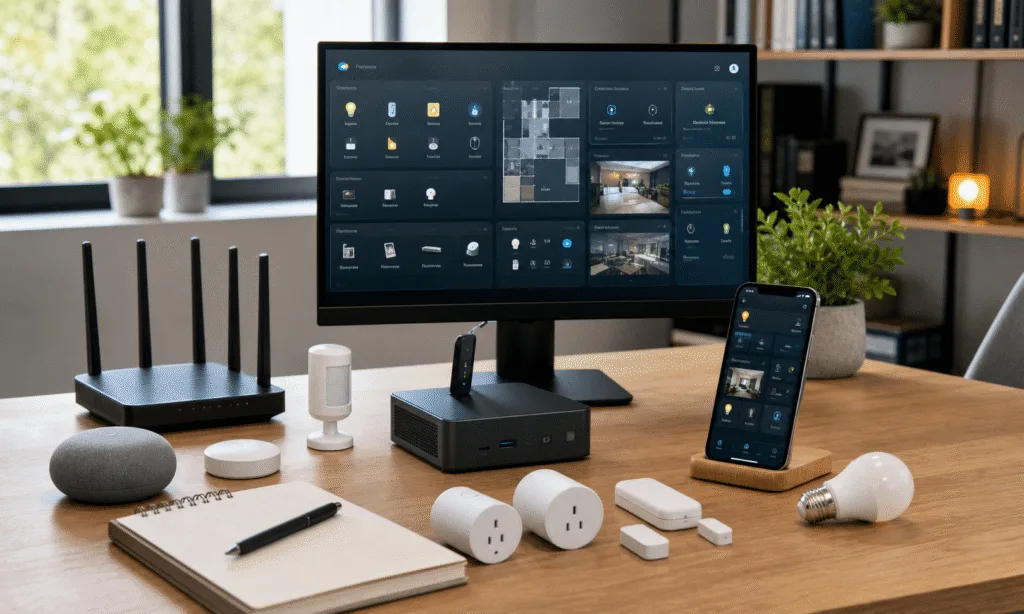
A small Arduino board can be a useful way to add smart-home features without replacing every device you already own. The Arduino Nano 33 IoT is especially interesting for this kind of work because it combines the familiar Nano form factor with built-in wireless connectivity, making it a practical starting point for small connected projects.
That does not mean every project is cheap, quick, or beginner-proof. The board itself is only one part of the cost. Sensors, relays, pumps, LEDs, enclosures, power supplies, and basic tools can easily matter more than the microcontroller. Still, if you want a customizable smart-home project rather than a sealed retail gadget, an Arduino-based build gives you far more control over how the system behaves.
The three ideas below are the best fit for buyers and hobbyists who want something useful at the end of the project: automated plant watering, a smart LED coaster, and a simple safety monitoring system. Each one uses the board differently, so the right choice depends on whether you care most about convenience, visual customization, or alerts.
What To Know Before Buying Parts
The Arduino Nano 33 IoT is marketed for connected IoT projects and supports Wi-Fi and Bluetooth Low Energy. That makes it a sensible board for projects that need to talk to a phone, a cloud service, a local network, or another controller. It is not, by itself, a complete smart-home product.
Before ordering anything, decide what you want the finished device to do. A plant-watering system needs reliable power switching and plumbing. A coaster needs careful layout, LEDs, and a case. A safety monitor needs the right sensors and a clear plan for alerts. The Arduino is the controller, not the whole bill of materials.
| Project | Best For | Main Extra Parts | Difficulty |
|---|---|---|---|
| Automated plant watering | People with several plants or inconsistent watering routines | Pump, tubing, relay or driver, moisture sensor, power supply | Moderate |
| Smart LED coaster | Desk setups, mood lighting, and small decorative builds | LEDs, battery or power input, PCB or wiring, enclosure | Moderate to advanced |
| Safety monitoring system | Basic environmental alerts around a kitchen, utility area, or workshop | Gas, temperature, humidity, pressure, or light sensors | Moderate |
Arduino Nano 33 IoT Board
The Arduino Nano 33 IoT is the board this project guide is built around, with built-in Wi-Fi and Bluetooth Low Energy for connected home experiments. It is a good starting point when you want one compact controller for sensors, LEDs, alerts, or small automation projects.
As an Amazon Associate I earn from qualifying purchases.
1. Automated Plant Watering
An automated watering system is one of the most practical smart-home uses for an Arduino board. It can help if you have plants with different watering needs, travel often, or simply forget to keep a regular routine.
The basic idea is straightforward: a sensor or schedule tells the Arduino when watering is needed, and the Arduino switches a small pump or valve. With a connected board, you can also build in remote control or monitoring, provided the project is configured for your home network and your chosen app or dashboard.
A typical setup may include:
- An Arduino Nano 33 IoT as the controller
- A soil moisture sensor or a timed watering schedule
- A relay module, MOSFET driver, or similar switching hardware
- A small pump or valve rated for the job
- Tubing, reservoir, and drip outlets
- A power supply matched to the pump and electronics
This is the project where careful planning matters most. Water and electronics do not mix well, so you need a tidy enclosure, protected wiring, and a power setup that is appropriate for unattended use. If you are switching anything beyond low-voltage hobby hardware, the project becomes more serious and should be treated accordingly.
Some online builds use a custom PCB to hold the Arduino and switching hardware cleanly instead of relying on loose jumper wires. That can make the finished system neater, but it also raises the skill level. For a first version, a prototype on a breadboard or terminal block can help you test the logic before committing to a board design.
Who Should Build It
This is the best choice if you want a smart-home project that solves a real household problem. It is also a good way to learn the difference between controlling a sensor and controlling a physical device such as a pump.
It is less ideal if you want a quick weekend build with no troubleshooting. Moisture readings can vary by soil type, sensor placement, and pot size. You may need to tune thresholds over time, and you should test the system while you are home before trusting it while traveling.
2. Smart LED Coaster
A smart coaster is more decorative than essential, but it is a neat project if you want to practice compact electronics, LED control, and enclosure design. Instead of buying a ready-made light-up coaster, you can build one that responds to your own patterns, colors, or wireless controls.
A polished version usually needs more than an Arduino and a few LEDs. You need a way to mount the lights cleanly, route power, and protect the electronics from spills. Some published hobby builds use a circular PCB and a custom 3D-printed case, but that level of finish is optional if your goal is learning rather than producing a gift-ready object.
A practical parts list may include:
- An Arduino Nano 33 IoT or another small wireless Arduino-compatible board
- Addressable LEDs or individual LEDs with suitable resistors
- A battery, USB power input, or other safe power source
- A diffuser or translucent top surface
- A printed, laser-cut, or purchased enclosure
- Basic code for color patterns and wireless control
The buyer decision here is mostly about finish. If you just want a glowing desk accessory, buying one may be cheaper and faster. If you want to learn PCB layout, LED driving, or enclosure design, the DIY version is more interesting.
24-LED Addressable RGB Ring
A circular addressable RGB LED ring gives a coaster project cleaner light placement than loose individual LEDs. It is best for builders who want programmable color patterns and are comfortable planning power, diffusion, and enclosure space.
As an Amazon Associate I earn from qualifying purchases.
Where The Arduino Helps
The Nano 33 IoT makes sense when you want the coaster to do more than cycle through local LED patterns. Wireless control lets you experiment with app-based commands, simple web controls, or integration with a broader smart-home setup. You could set color scenes, trigger patterns from another device, or build a small notification light for your desk.
The limitation is space. A coaster should be thin, stable, and resistant to accidents. Battery placement, heat, wiring, and waterproofing all affect whether the finished project feels like a real object or just a prototype.
3. Smart Safety Monitoring
A safety monitoring system is another practical Arduino smart-home project, especially for a kitchen, utility room, garage, or workshop. The Arduino can read environmental sensors and trigger a warning when readings cross a threshold.
Depending on the sensors you choose, a project like this can monitor conditions such as gas presence, temperature, humidity, pressure, or light level. The exact safety value depends heavily on sensor quality, placement, calibration, and alert reliability, so it should be treated as a supplemental monitor rather than a replacement for certified smoke, carbon monoxide, or gas alarms.
That caveat matters. A DIY safety system can teach you a lot and may provide useful extra awareness, but it should not be the only device standing between your home and a real hazard.
A typical build may include:
- An Arduino Nano 33 IoT as the main controller
- A temperature and humidity sensor
- A gas sensor appropriate to the risk you want to monitor
- Optional pressure or light sensors
- A buzzer, LED indicator, display, or network alert
- A stable power source so the system does not quietly stop working
With network connectivity, the Arduino can be configured to send alerts through a supported service or local automation platform. Some hobbyists build systems that notify by email, messaging apps, or dashboard alerts, but the reliability of those alerts depends on the exact platform, internet connection, and code.
Who Should Build It
This is the best project for someone who wants to learn sensors and alert logic. It is also a strong candidate for Home Assistant-style experimentation, because the readings can be logged, graphed, and used as automation triggers.
It is not the best first project if you are uncomfortable with calibration or false positives. Gas sensors in particular can behave differently depending on warm-up time, environment, and sensor type. If you build one, test it carefully and keep certified safety alarms in place.
Which Arduino Smart Home Project Should You Start With?
If your goal is a useful household upgrade, start with plant watering. It has a clear purpose, obvious success criteria, and plenty of room to improve the design over time. You can begin with a simple timed system, then add soil sensing or remote control later.
If your goal is learning electronics in a low-stakes way, build the coaster. It is compact, visual, and easier to test on a desk than a water or safety project. The main challenge is making it look finished.
If your goal is practical monitoring, build the safety sensor system, but keep expectations grounded. It can be a helpful extra layer of awareness, not a substitute for approved safety devices.
| If You Want… | Choose… | Why |
|---|---|---|
| The most useful day-to-day upgrade | Automated plant watering | It solves a recurring household task |
| The best visual desk project | Smart LED coaster | It gives immediate feedback and encourages creative tuning |
| The best sensor-learning project | Safety monitoring system | It teaches thresholds, alerts, and environmental readings |
Waterproof Capacitive Soil Moisture Sensor
A waterproof capacitive soil moisture sensor is a better fit for a plant-watering build than a basic exposed resistive probe. It can feed the Arduino a moisture reading, but you should still test placement and thresholds for each plant setup.
As an Amazon Associate I earn from qualifying purchases.
The Bottom Line
The Arduino Nano 33 IoT is a good fit for small connected smart-home experiments because it puts wireless control into a compact board. The projects that make the most sense are the ones where customization matters: watering plants on your own schedule, building a coaster that behaves exactly how you want, or monitoring environmental conditions in a specific part of the home.
The board price is only the starting point, so do not judge these projects by the microcontroller alone. Budget for sensors, power, switching hardware, enclosures, and the time it takes to make the finished device reliable. If you are comfortable with that, an Arduino-based smart-home project can be more flexible than buying another sealed gadget off the shelf.