

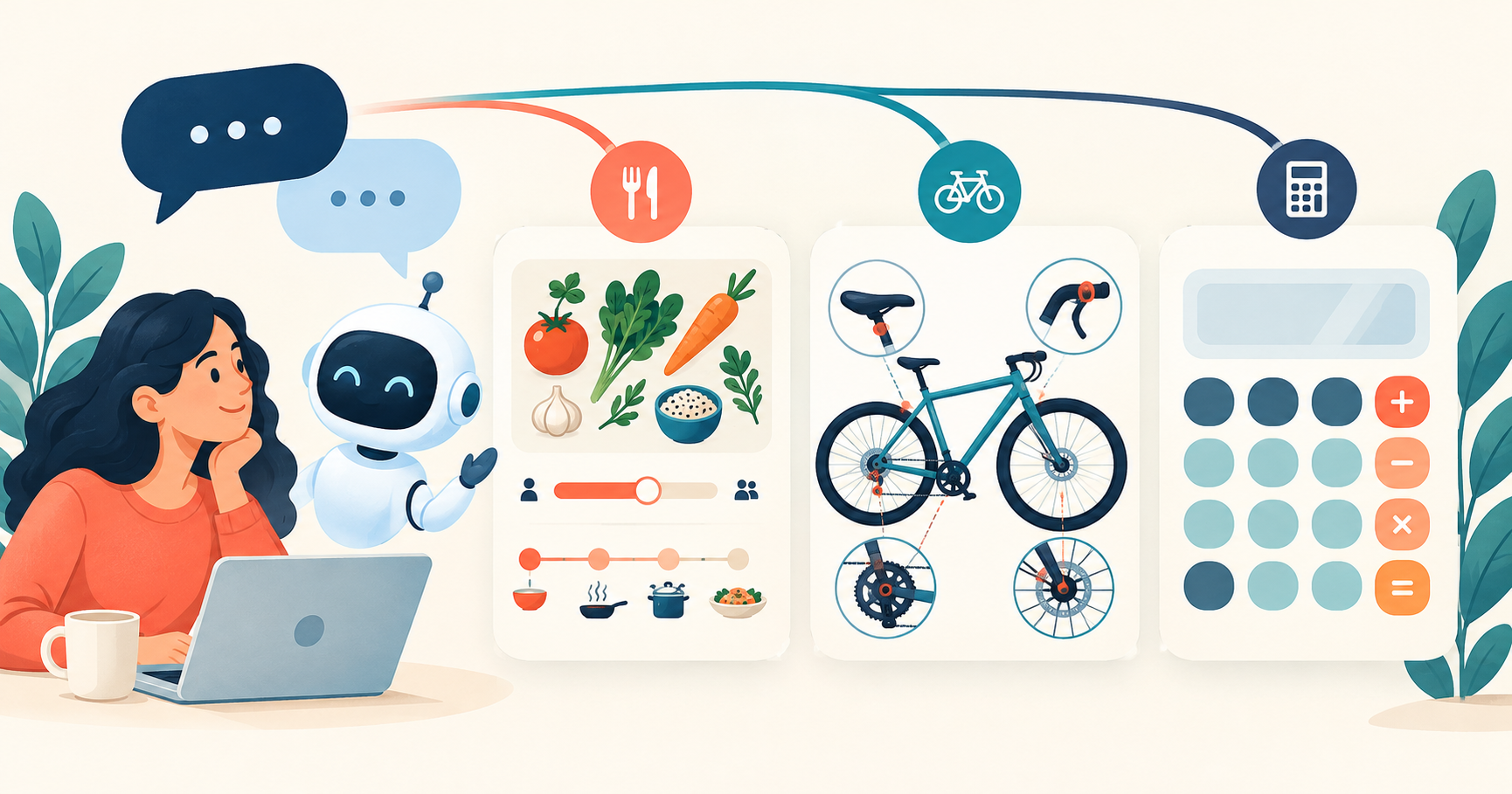

GPT-6 Intelligent UI is OpenAI’s pitch for a ChatGPT answer you can use as well as read. A dinner plan could include adjustable shopping quantities. A bicycle explanation could let you select individual parts. A calculation could become a small tool inside the conversation.
The appeal is practical: less work turning an answer into something useful. But the interface ambitions and the decision to pay for a subscription deserve separate consideration. OpenAI’s claims about capabilities, speed and plan access have not been independently verified, so they should be treated as expectations to evaluate rather than guaranteed reasons to upgrade.
Intelligent UI versus a text answer
OpenAI describes Intelligent UI as a way for GPT-6 to choose a response format around the question. The intended formats include:
- Text and graphics.
- Tappable buttons and forms.
- Charts and interactive experiences within the conversation.
That flexibility is the central promise; its consistency across everyday requests remains unverified.
The distinction becomes clearer with a planning task. A written recipe can explain what to cook and when. An interactive version could place the recipe beside a schedule and give you a control for adjusting quantities. Both approaches address the same request, but the second aims to make changes easier to handle.
For learning, the intended benefit is exploration. Instead of reading every detail in order, you could select the part of a diagram you want explained or change an input to examine its effect. OpenAI’s bicycle example breaks the subject into the frame, wheels, drivetrain, brakes and cockpit, giving each system its own explanation.
That does not establish that every question needs an interface. OpenAI’s stated design goal also includes choosing plain text when it is sufficient. Whether GPT-6 makes that choice well has not been independently verified.
| Task | Text-based approach | Intended Intelligent UI approach |
|---|---|---|
| Plan a meal | Read the menu, quantities and cooking schedule. | Use a plan with adjustable quantities and a visible timeline. |
| Understand a bicycle | Read descriptions of its main systems. | Select parts of a diagram to explore their roles. |
| Plan a road trip | Read through suggested stops and detours. | Explore stops on a map alongside relevant notes. |
| Split a bill | Read a calculation and its explanation. | Use a small calculator within the conversation. |
These are different ways to present and work with an answer. They do not, by themselves, establish a difference in factual accuracy or reasoning quality.
Where interactive answers could earn their place
The most persuasive examples involve a detail that changes. Dinner headcounts are a good illustration: a fixed shopping list becomes less useful when another guest joins. A quantity control could make that adjustment easier to manage without separating the shopping list from the wider plan.
OpenAI’s meal-planning demonstration combines a menu, shopping quantities and a cooking timeline. The useful idea is that these belong together. The relevant comparison is how easily someone can work with the plan when their needs change.
The same logic applies to a road trip. Stops and detour notes have a spatial relationship that a map could make easier to inspect. For a mechanical explanation, a diagram could connect an individual component to the larger system. In each case, the visual element has a job beyond making the response look more elaborate.
OpenAI also includes small tools among its intended uses, such as a savings calculator, a dinner bill splitter and a game. The ambition is to let a request produce an experience suited to the immediate task.
For someone assessing AI tools for everyday tasks, the useful test is whether the interaction makes a recurring job easier. A diagram should clarify the relationship you are trying to understand. A calculator should make changing an input straightforward. A planning view should help you follow the plan. Appearance alone is a weak reason to change subscriptions.
How OpenAI intends to build the interface
OpenAI describes a library of native, streamable components and a compiler that processes the interface during generation. The library is intended to give responses a familiar design foundation while allowing different arrangements for different questions.
The compiler’s intended role is to let the interface appear progressively, without waiting for the entire response to be generated. This is separate from whether the finished layout is useful: rendering something sooner and organizing it well are different challenges.
OpenAI identifies clarity, usefulness and completeness as evaluation criteria for the interfaces. Its claims that GPT-6 has learned to make good layout and interaction decisions have not been independently verified. The company also acknowledges that its design judgment needs further improvement.
That leaves a straightforward standard for users: the interface should help them understand or complete the task. Adding more controls is valuable only when those controls serve that purpose.
Faster starts are only one part of the comparison
OpenAI claims GPT-6 Instant starts answering questions requiring web search 44% sooner, on average, than GPT-5.6 Instant. That performance claim has not been independently verified.
The wording matters. Starting an answer sooner measures a different part of the experience from completing it sooner. It also says nothing on its own about whether the answer is correct. The percentage should not be read as a promise that every search task finishes 44% faster.
For a buyer, responsiveness is useful when the early output helps move the task forward. The finished answer still needs to address the question. A shorter initial wait would be welcome, but this claim alone cannot establish how much time a subscription would save in everyday use.
Free and Go versus the higher subscription tiers
OpenAI identifies GPT-6 Luna as the model for Free and Go, with GPT-6 Sol assigned to Plus, Pro, Business and Enterprise. That allocation has not been independently verified. The company describes both as tuned for everyday conversation.
Its stated access plans also extend Intelligent UI across those tiers. Treat that as a detail to confirm in your account before making a purchase decision, rather than assuming a subscription guarantees access.
| Plan group | Model identified by OpenAI | Decision consideration |
|---|---|---|
| Free and Go | GPT-6 Luna | Confirm whether the intended interactive experience is accessible and useful for your tasks. |
| Plus and Pro | GPT-6 Sol | The model assignment alone does not establish the value of upgrading for Intelligent UI. |
| Business and Enterprise | GPT-6 Sol | Confirm workplace access; OpenAI also identifies admin settings as a condition for Enterprise availability. |
If that distribution holds, Intelligent UI itself would not be an exclusive reason to choose one of the higher subscription tiers. The meaningful question would be what practical difference the model and the rest of the plan make for your needs.
The tier split alone offers no basis for declaring Sol or Luna the better choice for these interactive tasks. The model names should not stand in for a measured comparison of usefulness.
When comparing ChatGPT plans, check the experience available to your account and the terms of the plan you are considering. A feature description cannot settle that purchase decision on its own.
OpenAI also limits this update to the Chat experience. It describes the models powering Work and Codex as unchanged by this release, so the Chat changes should not be treated as an upgrade to those separate experiences.
Who should care about Intelligent UI?
The strongest potential fit is someone who regularly turns conversational answers into plans, diagrams or small calculations. Adjustable quantities, explorable explanations and tools inside the conversation could reduce the steps between asking a question and using the answer.
People whose needs are met by short written responses have less reason to make interactivity a subscription priority. The relevant benefit is how well the format serves the task.
There is a promising product idea here, but the unverified performance and access claims do not support a firm upgrade recommendation. If Intelligent UI becomes available in your account, try it on a familiar planning or learning task and judge the resulting experience. Paying more should depend on a demonstrated benefit to your work, not the presence of more buttons.