

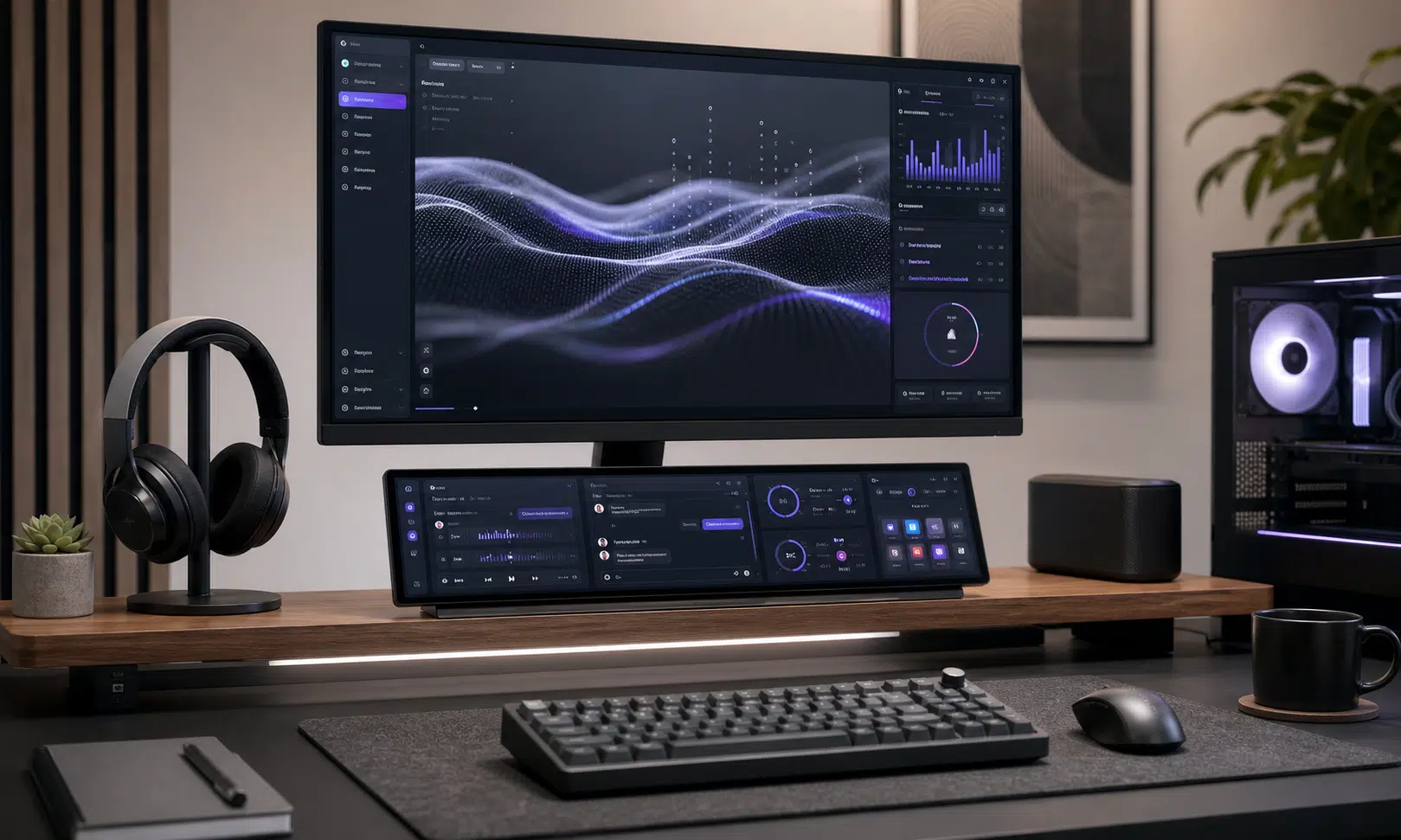

A compact secondary screen can make more sense than another full-size monitor, especially if your desk is already packed. Corsair’s Xeneon Edge touchscreen is aimed squarely at that problem: it is a 14.5-inch display built for status panels, media controls, chat windows, system monitoring, and other small tasks that do not need a dedicated 27-inch screen.
The pitch is simple. Instead of giving up more desk space for another monitor, you get a slim, wide touchscreen that can sit under your main display, attach to a metal surface, or live in a more custom PC setup. If the discounted $199.99 price is available when you check out, it is meaningfully below the listed $249.99 retail price, but deal pricing can move quickly around Prime Day-style sales events.
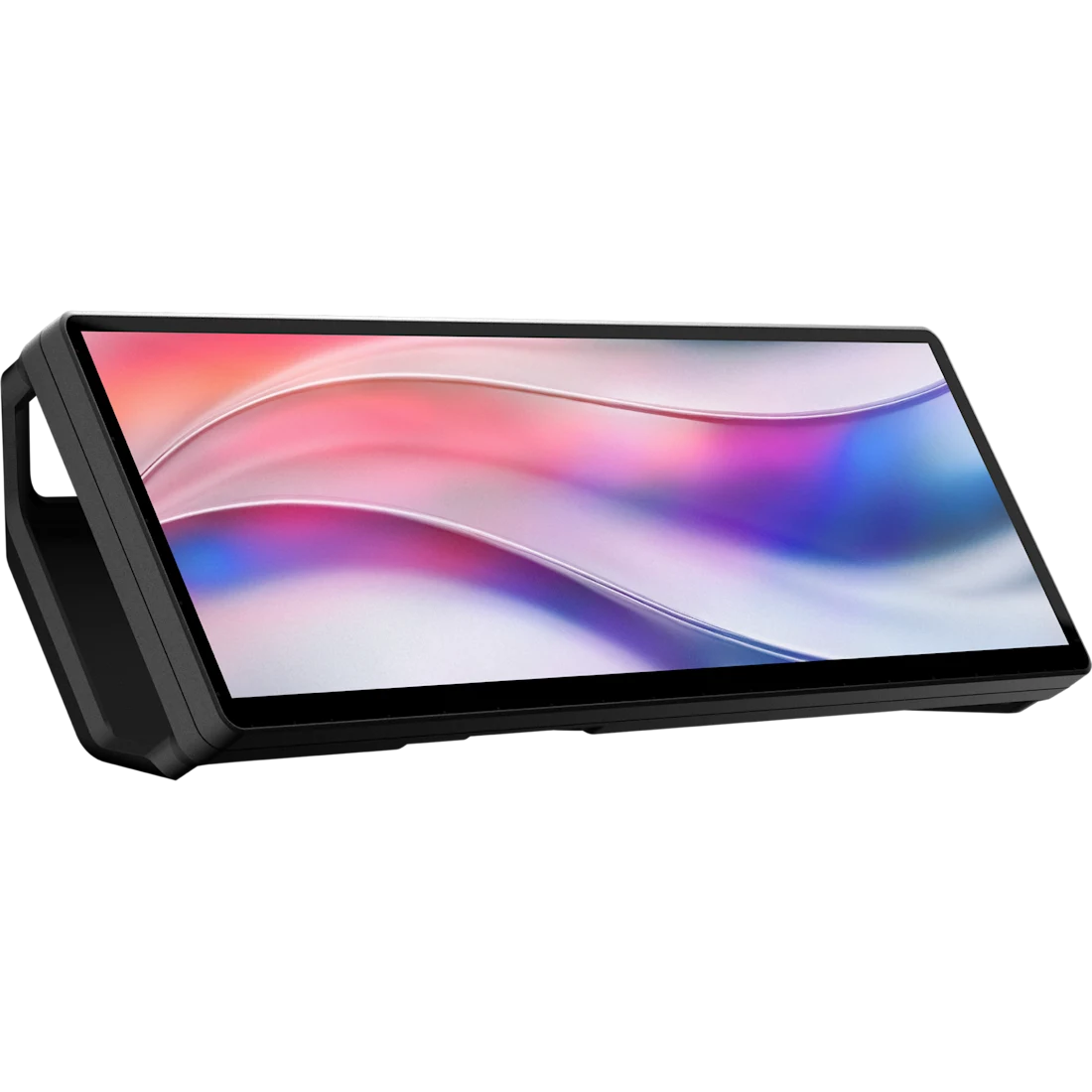
Corsair Xeneon Edge 14.5-inch LCD Touchscreen
The Xeneon Edge is the compact 14.5-inch touchscreen discussed here, with a 2560 x 720 layout, HDMI and USB-C DP Alt Mode support, and magnetic mounting options. It is best suited for dashboards, chat, media controls, and system monitoring rather than replacing a full-size monitor.
As an Amazon Associate I earn from qualifying purchases.
What the Xeneon Edge is built to do
The Xeneon Edge is not trying to replace a normal monitor. Its 14.5-inch, ultra-wide layout is better suited to narrow, glanceable information than full browser windows or serious multitasking. Think Spotify controls, YouTube playback, Discord, Twitch chat, hardware readouts, or a row of shortcuts that would otherwise live behind another app.
Corsair designed the display to work with iCUE, which makes the most sense if you already use Corsair gear or want a cleaner way to keep an eye on system information such as fan speed, CPU activity, and GPU activity. That is the strongest use case here: a small touchscreen that becomes part dashboard, part control surface, and part secondary monitor.
The tradeoff is that this is a specialized accessory. If your goal is simply more screen area for documents, spreadsheets, or side-by-side windows, one of the best budget monitors may still be the more practical buy. A larger conventional display gives you far more usable space for the money, assuming you have room for it.
Specs and setup details
The Xeneon Edge’s key hardware details are straightforward for this kind of device:
| Feature | What it means for buyers |
|---|---|
| 14.5-inch touchscreen | Compact enough for desk setups where another full monitor would be awkward |
| 2560 x 720 resolution | Sharp enough for widgets, controls, chat, and system stats |
| 60Hz refresh rate | Fine for utility use, not positioned as a gaming display |
| HDMI and USB-C DP Alt Mode support | Useful for both desktop and laptop setups, depending on your ports |
| Magnetic mounting options | Can sit below a monitor or attach horizontally or vertically to compatible metal surfaces |
That combination makes it flexible in ways a standard portable monitor is not. The magnetic stand and backplate matter because the screen is meant to be placed somewhere unusual: under a monitor, beside a display, on a PC case, or in another spot where quick visibility matters more than ergonomic typing-and-reading comfort.
Corsair also uses an AHVA panel, a practical choice for a small screen that may sit off-axis. Wider viewing angles are important if you are glancing at it from the side or mounting it vertically next to a main display.
Who should consider it
The Xeneon Edge makes the most sense for people who already know what they would put on a small auxiliary screen. Streamers could use it for chat or controls. PC builders could use it as a clean system-monitoring panel. Desk setup enthusiasts may like it as a tidy way to add utility without making the workspace feel more crowded.
It is less compelling as a general-purpose productivity upgrade. A regular portable monitor or budget desktop monitor will usually be better if you need room for email, a browser, documents, or creative apps. The Xeneon Edge is more about fast access and visibility than raw workspace.
Bottom line
Corsair’s Xeneon Edge is a useful niche product, not an obvious default upgrade. At its retail price, buyers should be clear about how they plan to use it before jumping in. At a lower sale price, it becomes easier to justify for a compact streaming setup, a heavily customized PC build, or a desk where another full-sized monitor simply will not fit.
For the right setup, the appeal is real: a small touchscreen that keeps the little things visible without taking over the desk. For everyone else, a bigger monitor remains the more sensible way to buy more screen.