HomeReviewsGEEKOM A9 Max 2026 Edition Review: Compact AI Mini PC With Trade-Offs

GEEKOM A9 Max 2026 Edition Review: Compact AI Mini PC With Trade-Offs

The GEEKOM A9 Max 2026 Edition is pitched as a compact, premium Mini PC built around AMD’s newer Ryzen AI hardware. It is small enough to disappear behind a monitor, powerful enough for serious office and creative work, and marketed with the kind of AI performance numbers that now sit near the front of almost every Windows PC launch.

That combination makes it interesting, but not automatically easy to recommend. The review unit described here was supplied by GEEKOM, with no editorial approval or input stated by the original reviewer. The important question for buyers is not whether this is a fast Mini PC. It clearly has the parts list to be one. The better question is whether GEEKOM’s choices around memory, port placement, internal access, and price make sense for the kind of person likely to spend this much on a very small desktop.

GEEKOM A9 Max 2026 Edition Specs

The A9 Max 2026 Edition is presented as part of GEEKOM’s A-series Mini PC line, which the company positions around AMD Ryzen AI processors, compact design, and enough graphics capability for light gaming and creative workloads. Some product-specific details, including launch timing and exact component configuration, should be treated as based on the review unit and listed specifications rather than independently confirmed teardown data from multiple retail units.

Component Review unit / listed configuration
Processor AMD Ryzen AI 9 HX 470, described as a Zen 5 mobile CPU
CPU cores / threads 12 cores, 24 threads
CPU clocks 2.0GHz base, up to 5.2GHz boost listed
Graphics Radeon 890M integrated graphics listed
NPU / AI rating Up to 55 TOPS from the NPU, with up to 86 TOPS combined claimed
Memory 32GB DDR5 SODIMM in the review sample, reportedly installed as one module
Storage 2TB Kingston PCIe 4.0 NVMe SSD in the review unit
Wireless Wi-Fi 7 and Bluetooth 5.4 listed
Operating system Windows 11 Pro on first boot
Display output Two HDMI ports and two USB4 ports described as supporting up to four displays

The HDMI 2.1 listing includes FRL, short for Fixed Rate Link, a signalling mode associated with HDMI 2.1. That detail matters most to buyers planning multi-monitor or high-bandwidth display setups, though real-world monitor support still depends on the exact display, cable, and port behavior.

The most important configuration note is memory. The review unit was described as shipping with one 32GB DDR5 SODIMM rather than two 16GB modules. According to the original account, GEEKOM’s explanation was that a single module makes later upgrades cheaper because buyers can add another stick instead of replacing both modules. That explanation has not been independently verified across retail stock, but the trade-off is easy to understand: upgrade flexibility on one side, reduced memory bandwidth until a second matching module is installed on the other.

That matters more in a Mini PC than it might in a desktop with a dedicated graphics card. Integrated graphics use system memory, so single-channel memory can hold back GPU-heavy tasks and some synthetic benchmark results. For everyday office work, browsing, video calls, and general Windows use, the difference may be less obvious. For gaming, AI tests, and GPU-accelerated workloads, it can matter a lot.

Crucial 32GB DDR5-5600 SODIMM

If your retail unit ships with one 32GB DDR5 SODIMM, adding a compatible second module can help restore dual-channel bandwidth. Check the installed module speed, capacity, and system support before buying.

As an Amazon Associate I earn from qualifying purchases.


Check Price on Amazon

Design And Build

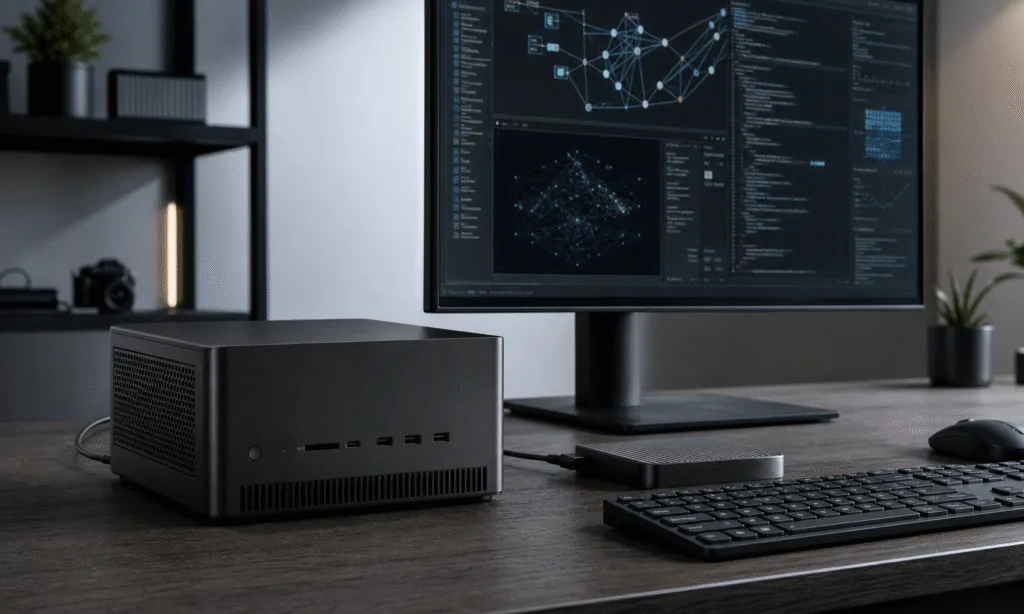
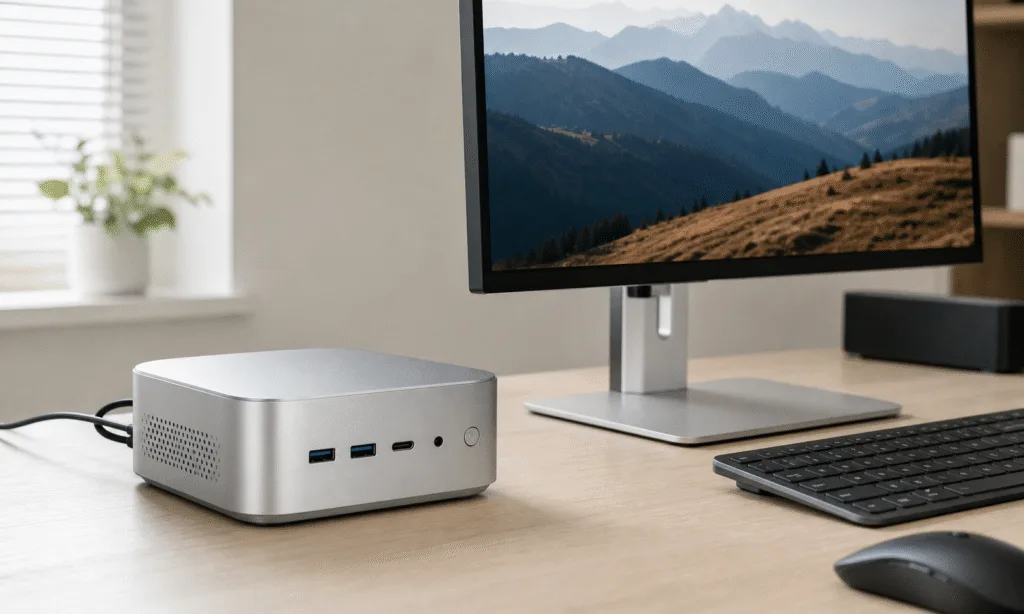
The A9 Max 2026 Edition follows the same broad design language as GEEKOM’s recent A-series machines: a compact square chassis, rounded corners, a silver-gray finish, and a dense, premium feel in the hand. The original review measured the unit at 690 grams, though official weight was not included in the supplied specs.

The exterior is described as a reinforced full-metal chassis, and the system does not appear to be the kind of glossy fingerprint collector that looks tired after a few days on a desk. It is still a Mini PC, but it does not come across as disposable or hollow. That matters in this category, where cheaper systems often look similar online but feel very different once they are on the desk.

Port selection is one of the stronger parts of the machine, though not every placement decision is ideal. The rear carries the main display and networking connections, including two HDMI ports, two USB4 Type-C ports, two 2.5GbE ports, a USB 2.0 port, another USB 3.2 Gen 2 port, and the barrel power connector. The front adds four USB 3.2 Gen 2 Type-A ports and a 3.5mm headphone jack.

  • Two HDMI ports are available for display output.
  • Two USB4 Type-C ports sit on the rear.
  • Four front USB-A ports make accessories easy to connect.
  • Dual 2.5GbE ports improve wired networking flexibility.
  • An SD card slot and Kensington lock slot are included on the sides.

The extra front USB-A ports are genuinely useful. A Mini PC often ends up buried behind a monitor, tucked beside a dock, or squeezed under a desk, and front-facing ports reduce the need to reach around the back every time you plug in a drive, receiver, or accessory. One of those ports is described as an always-on port that can power external devices while the PC itself is off.

The missed opportunity is USB-C placement. Both USB4 Type-C ports are on the back. For a desktop that may spend its life connected to displays and docks, that is understandable. For a compact PC that could be moved between desks or used with portable monitors and fast external drives, at least one front USB-C port would have made daily use cleaner.

The package, as described in the source review, includes the Mini PC, power lead, HDMI cable, VESA mount plate with screws, and printed instructions. A carry bag was not included in the reviewed package. Since accessory bundles can change by region or retailer, buyers should check the current package contents before assuming every item is included.

Opening The Case Is More Annoying Than It Should Be

The A9 Max 2026 Edition supports memory and storage access, but the process described in the review is not especially friendly. That is a problem because the memory configuration makes upgrading more attractive than usual. If buyers are expected to add a second SODIMM, the physical path to the slots should be straightforward and low-risk.

The access process involves removing glued-on rubber feet, unscrewing the bottom, prying off the plastic cover, and then removing an internal metal plate. The issue is that the Wi-Fi antenna is taped to that internal plate, which creates a risk of pulling the tiny antenna cables loose while trying to reach the RAM and SSD area.

  1. Pry off the glued rubber feet.
  2. Remove the four Philips screws hidden below them.
  3. Remove the plastic bottom cover.
  4. Unscrew the internal metal plate.
  5. Lift the plate carefully so the Wi-Fi antenna cable is not pulled loose.
  6. Access the memory slots and M.2 storage slots.

That is a workable process for an experienced PC builder, but it is not ideal for a buyer who chose a Mini PC partly for convenience. Tiny Wi-Fi antenna connectors are easy to damage and unpleasant to reconnect. The original reviewer reported accidentally disconnecting them and spending around an hour fixing the issue. That experience will not happen to everyone, but the design leaves too much room for frustration.

Once inside, the layout appears to provide usable access to the SODIMM area and the installed Kingston 2TB PCIe 4.0 NVMe SSD. The system also includes space for a second NVMe SSD, described as requiring a shorter 30mm module. That is good expansion for a compact machine, but the cable and plate arrangement makes the upgrade path feel less polished than the outside of the PC.

Windows Setup And Daily Use

The review unit booted into Windows 11 Pro setup, so the buyer does not need to separately budget for a Windows license if the retail configuration matches that experience. After setup, the machine was described as free of bundled bloatware, which is exactly what a premium Mini PC should deliver.

Windows installed several updates during initial setup. The review was performed on Windows 11 Pro 25H2 with April 2026 updates, along with AMD graphics and chipset drivers listed as 26.5.1 and 8.02.18.557. Those software versions will age quickly, so they should be read as the test environment rather than a fixed recommendation.

The reviewer also noted that Windows Security flagged disabled Memory Integrity settings at first. Enabling the relevant Core Isolation settings and restarting cleared the warning. That is worth checking on any new Windows PC, especially one intended for work, office deployment, or travel.

The BIOS was described as an unlocked AptioBIOS with a wide range of editable settings. That gives advanced users more control, but most buyers should be careful. A flexible BIOS is useful for tuning, troubleshooting, and lab setups, but it also makes it easier to change something that affects stability.

In practical use, the port layout allows a fairly serious desk setup. The combination of two HDMI outputs and two USB4 ports makes a four-display arrangement physically possible, according to the review. Only one USB4 port was described as providing Power Delivery suitable for powering an external portable monitor, so buyers planning that kind of setup should confirm which port supports the behavior they need.

Benchmark Performance

The A9 Max 2026 Edition was tested with a mix of CPU, GPU, browser, storage, AI, and productivity benchmarks. The test list included Cinebench 2024, Cinebench 2026, 7-Zip, AS SSD, CrystalDiskMark, 3DMark, PCMark 10, Procyon, Geekbench 6, and Geekbench AI.

Some benchmark runs were not completely smooth. 3DMark and Procyon reportedly hung at the “Collecting System Info” stage when a second benchmark was run without rebooting first. Rebooting between runs avoided the issue. Because the Ryzen AI 9 HX 470 platform is relatively new in the context of the review, the original reviewer suspected a software or detection issue, but no final cause was confirmed.

The CPU results were strong. In Cinebench 2024 multi-core testing, the HX 470 configuration beat a Core Ultra 9 285H comparison system, helped by AMD’s use of simultaneous multithreading. However, it did not beat the previously tested HX 370-powered A9 Max in that specific comparison, which is a reminder that newer naming does not always translate into a clean win across every benchmark.

The graphics results are more complicated. The Radeon 890M is a capable integrated GPU, but the single-stick memory configuration appears to hold it back. Integrated graphics depend heavily on memory bandwidth, and the review found that GPU-related benchmark results suffered compared with what the hardware might deliver in a dual-channel setup.

That is the central performance caveat in this machine. If you buy it and leave it in the reviewed memory configuration, you may not be seeing the best version of the product. If you add a second compatible 32GB module, performance in iGPU-sensitive tasks should improve, though the exact uplift would need to be measured rather than assumed.

The NPU result was the bright spot. The Ryzen AI 9 HX 470 was described as delivering a much stronger NPU showing than the Intel Core Ultra 9 285H comparison and a clear gain over the HX 370 in the tests used. The review attributes that to stronger AMD NPU performance and possible optimization gains in the tested OpenVINO path, though buyers should remember that AI benchmark scores do not automatically map to every local AI workload.

Crucial 64GB DDR5-5600 SODIMM Kit

A matched 2x32GB DDR5 SODIMM kit is the cleaner route for buyers who want dual-channel memory without mixing modules. Confirm the A9 Max configuration and maximum supported memory before installation.

As an Amazon Associate I earn from qualifying purchases.


Check Price on Amazon

Browser And Storage Tests

Speedometer 3.1 was used to compare browser performance across Edge, Chrome, and Firefox. Edge and Chrome were close to each other, with Edge slightly ahead at the top end of the reported range. Firefox trailed both Chromium-based browsers in that specific test.

Storage performance was tested with AS SSD and CrystalDiskMark. The review unit used a 2TB Kingston OM8TAP42048K1-A00 drive. In CrystalDiskMark, the drive reportedly exceeded its listed 6,100MB/s read and 5,400MB/s write ratings. AS SSD results were lower, which is not unusual because storage benchmarks use different workloads and scoring methods.

For buyers, the important point is simpler: the included SSD in the review unit looked fast enough for the class of machine. Unless your workflow depends on sustained heavy writes, large video scratch disks, or specialized storage behavior, the SSD is unlikely to be the limiting factor. Memory configuration is the bigger concern.

Thermals And Noise

Thermal behavior was one of the more encouraging parts of the review. Despite multiple benchmark runs, the chassis reportedly did not become hot or noticeably warm to the touch. Fan noise was also described as unobtrusive.

The highest recorded CPU temperature in the review was 83.1 degrees Celsius during PCMark 10. That is a meaningful internal temperature, but not unexpected for a compact system under benchmark load. More importantly for daily use, the exterior remained cool in the FLIR readings described by the reviewer.

The outer shell reportedly stayed below 27.7 degrees Celsius at a measured hotspot on the bottom during a Time Spy run, with the bottom plate showing a more uniform 24.8 degrees Celsius. The top had more concentrated warmth toward the back. The warmest measured item was not the chassis, but a Type-C cable connected to a portable monitor, at around 30 degrees Celsius.

Those numbers suggest GEEKOM has handled cooling well for the size. Mini PCs can become unpleasant if fan behavior is sharp, high-pitched, or constantly changing. This one appears to keep its performance without turning the desktop into a distraction.

Who This Mini PC Is For

The A9 Max 2026 Edition makes the most sense as a compact workstation, not a gaming desktop. It can handle light gaming, older titles, esports games at reasonable settings, and GPU-accelerated everyday work. It should not be confused with a system built around a dedicated Nvidia or AMD graphics card.

That distinction matters because the price puts it near more flexible machines. At the time of the source review, the official MSRP was listed at $1,799, with a discounted U.S. price described as $1,287 after a listed promotional code. Regional prices were also cited for the U.K. and EU stores. Since pricing and coupons change quickly, those numbers should be treated as review-time context rather than a standing deal.

At that level, buyers should be clear about why they want a Mini PC. The A9 Max 2026 Edition offers a lot in a very small chassis: Windows 11 Pro, dual 2.5GbE, USB4, Wi-Fi 7, a modern AMD AI platform, a fast SSD, and enough ports for a serious desk. If you need a tiny system that can sit behind a monitor, drive multiple displays, and stay quiet under normal work, it has a strong case.

If you mostly want maximum performance per dollar, the case is weaker. A larger desktop or gaming laptop may offer better graphics performance, easier upgrades, and less concern about memory channel configuration. A cheaper Mini PC may also be enough if your work is mostly browser-based.

Verdict

The GEEKOM A9 Max 2026 Edition is a powerful and polished Mini PC with one major avoidable limitation. The hardware platform is strong, the chassis feels premium, the port selection is generous, storage performance looks good, and thermal behavior appears well controlled. It is the kind of machine that makes sense for a compact office, studio desk, student room, or multi-monitor workstation where space matters.

The single-module memory configuration is the catch. It may make future upgrades cheaper, but it also means buyers interested in graphics or AI-adjacent performance should factor in the cost of a second matching SODIMM. That weakens the value proposition, especially at a premium price.

The internal access design also needs work. A Mini PC that effectively invites memory upgrades should not make users worry about fragile Wi-Fi antenna connectors while getting to the RAM slots. The lack of a front USB-C port is less serious, but still feels like a missed daily-use convenience.

As a compact AI-ready Windows workstation, the A9 Max 2026 Edition is impressive. As a buyer recommendation, it comes with conditions: check the current price, confirm the exact retail memory configuration, budget for dual-channel RAM if you care about iGPU performance, and be careful when opening the case.

GEEKOM A9 Max 2026 Edition

The A9 Max makes the most sense for buyers who need a quiet, compact Windows 11 Pro workstation with strong ports and upgradeable memory. Check the current retail memory configuration before ordering.

As an Amazon Associate I earn from qualifying purchases.


Check Price on Amazon

RELATED ARTICLES

LEAVE A REPLY

Please enter your comment!
Please enter your name here

- Advertisment -

Most Popular

POPULAR TAGS

- Advertisment -