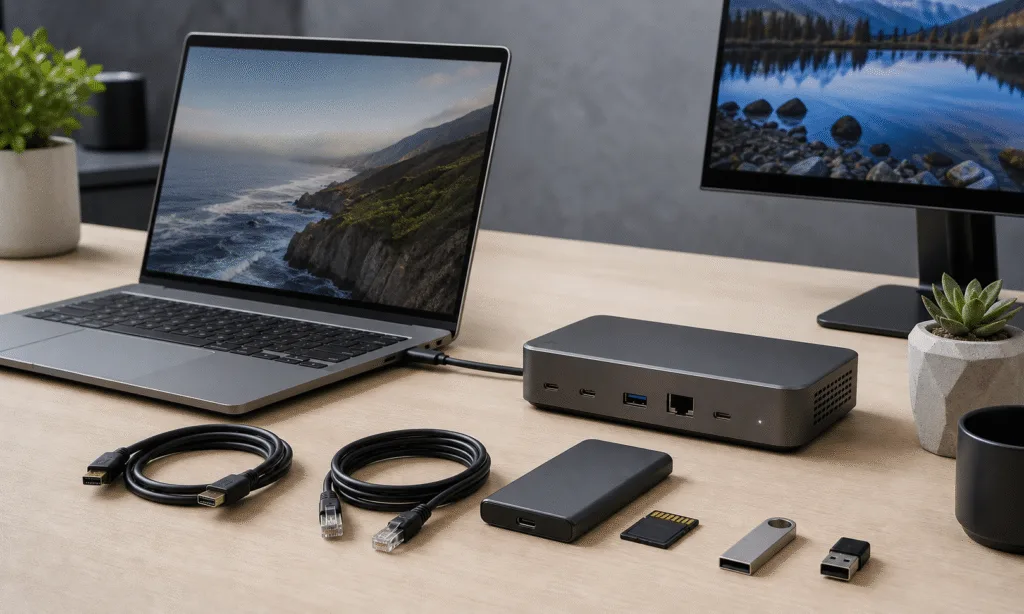
Laptop docks have become a practical fix for a very ordinary problem: the laptop is portable, but the desk is not. A slim notebook may be easy to carry, yet a full workstation still needs monitors, storage, networking, audio gear, memory cards and a way to charge everything without turning the desk into a cable drawer.
That is where Thunderbolt and USB-C docks sit. A simple dongle can handle one missing port. A dock is for the more permanent setup: one cable into the laptop, then a cluster of displays, peripherals and power waiting on the other side.
The market in 2026 is split between familiar USB-C docks, still the sensible option for many laptops, and higher-end Thunderbolt 4 and Thunderbolt 5 models aimed at users who need more bandwidth, more displays or faster wired networking. The newer premium docks can stretch into territory that used to require a desktop tower, including 10 GbE networking, 140W Power Delivery and internal M.2 SSD expansion.
Thunderbolt 5 raises the ceiling, but USB-C still matters
USB-C is the baseline connector for modern laptop expansion, but the port shape does not tell the whole story. A USB-C dock can add useful essentials such as HDMI, USB-A, Ethernet, card readers and laptop charging. For many people, that is enough.
Thunderbolt docks are more ambitious. Thunderbolt 4 models can offer up to 40Gbps bidirectional bandwidth, while Thunderbolt 5 docks listed here move beyond that with higher theoretical data rates and stronger display support. That extra capacity matters if the desk setup includes multiple high-resolution monitors, fast external storage or several demanding devices connected at once.
The tradeoff is cost and compatibility. A USB-C dock is typically the more economical path if the laptop does not support Thunderbolt, or if the setup only needs a monitor, a few USB ports and Ethernet. Thunderbolt docks make more sense when the laptop can actually use the extra bandwidth.
Key docks and what each one is trying to solve
The Amazon Basics Thunderbolt 4 Pro Docking Station is the value-minded Thunderbolt option in this group. It is a compact black dock measuring 7.86 x 2.95 x 1.23 inches, with side cooling fins, Thunderbolt 4 support, up to 40Gbps bidirectional transfer speeds and up to 96W laptop charging. It also supports up to two 4K displays at 60Hz, includes a 2.5 GbE Ethernet port and has an SD card slot for media offloads. With pricing described around $200, it lands as a practical choice for buyers who want Thunderbolt 4 expansion without stepping into the most expensive tier.
The WAVLINK WL-UTD58-M moves into Thunderbolt 5 territory. It is described as an 8.6 x 3.8 x 1.38-inch dock with three downstream Thunderbolt 5 ports, four USB-A ports, SD and microSD card slots and a 2.5 GbE connection. It supports bidirectional data speeds up to 80Gbps, with up to 120Gbps in one direction, and is listed with support for up to three 4K displays at 144Hz.
Its most distinctive feature is an internal M.2 slot on the underside for adding a PCIe 4.0 SSD. That makes it interesting for users who want fast desk storage without occupying another external port or leaving a portable drive dangling from the setup. Its $399 MSRP puts it in the more serious dock category, but below some of the most loaded Thunderbolt 5 models.
The CalDigit TS5 Plus is the premium Windows-friendly option here, though it is also positioned for Mac use. Its pitch is less about novelty and more about density: 20 ports in total, with front-facing SD and microSD card slots, USB-A, USB-C and a 3.5mm combo audio jack. Around the back, the dock adds more USB-C, Thunderbolt and USB-A connectivity, along with DisplayPort 2.1 and 10 GbE networking.
Display support is a major part of the TS5 Plus story. It is listed for up to two 8K displays at 60Hz or three 4K displays at 144Hz, depending on the host system. It does not include an internal M.2 SSD slot, so buyers choosing it over a dock like the WAVLINK are prioritizing ports, networking and display support over built-in storage expansion. The MSRP is $499.
The Ivanky FusionDock Ultra is the extreme option, and it is much more specific about its audience. It is made for Apple Silicon Macs and uses two Thunderbolt 5 chips, which means it requires two Thunderbolt ports on the Mac. In exchange, it offers 26 ports, including seven USB-C ports, two USB-A ports, microSD and SD card slots on the front, plus four Thunderbolt 5 ports, DisplayPort 2.1, HDMI 2.1, S/PDIF and 10 GbE on the back.
The dock also supports 140W Power Delivery and is listed with support for up to four 6K displays at 60Hz when paired with the right hardware. That combination makes it less of a generic dock and more of a specialized Mac workstation hub. The tradeoff is price: it carries a street price around $649.
The Baseus Spacemate RD1 Pro is the USB-C alternative in the group. It is a 15-in-1 dock with dual HDMI ports supporting up to 4K at 60Hz, Gigabit Ethernet, an SD card slot and a mix of USB-A and USB-C ports. It also supports laptop Power Delivery.
Its unusual addition is a Qi2.2 wireless charging pad rated at 25W, mounted on top of the unit. The dock can lie flat or pivot forward, making the phone easier to see while charging. A front display shows USB port status and power level, which gives it a more appliance-like feel than a typical USB-C hub. Its MSRP is $199.99.
How the main options compare
| Dock | Connection class | Notable strengths | Listed price |
|---|---|---|---|
| Amazon Basics Thunderbolt 4 Pro | Thunderbolt 4 | 96W charging, dual 4K60 display support, 2.5 GbE, SD slot | Around $200 |
| WAVLINK WL-UTD58-M | Thunderbolt 5 | Internal PCIe 4.0 M.2 SSD slot, 2.5 GbE, triple 4K144 support | $399 MSRP |
| CalDigit TS5 Plus | Thunderbolt 5 | 20 ports, DisplayPort 2.1, 10 GbE, high-end display support | $499 MSRP |
| Ivanky FusionDock Ultra | Thunderbolt 5 for Apple Silicon Macs | 26 ports, 140W Power Delivery, 10 GbE, multi-display Mac setup | Around $649 |
| Baseus Spacemate RD1 Pro | USB-C | 15-in-1 design, dual HDMI, Qi2.2 phone charger, front status display | $199.99 MSRP |
What to check before buying
The first question is not which dock has the most ports. It is what your laptop can actually drive. A standard USB-C port does not automatically mean Thunderbolt support, and a Thunderbolt dock should not be treated as a universal upgrade for every USB-C laptop. If the laptop lacks Thunderbolt, a USB-C dock is the practical route.
The second question is display support. Multi-monitor support can vary by laptop hardware, operating system and chip generation. A dock may list support for several high-resolution displays, but the host machine still determines what is possible. This is especially important with Mac systems, where support can differ between Apple Silicon generations and chip tiers.
Internal storage is another decision point. A dock with an M.2 slot can be useful if you want fast local storage sitting permanently on the desk. It can also make sense if you already have an M.2 SSD available. But if all you need is backup storage or occasional file transfers, an external SSD may be simpler and easier to move between machines.
Wired networking is worth checking closely, too. Gigabit Ethernet is enough for many home offices, but large local file transfers, NAS workflows and high-end creator setups can benefit from 2.5 GbE or 10 GbE. In this group, the premium Thunderbolt 5 docks are where 10 GbE appears, while the USB-C option sticks to Gigabit Ethernet.
- Choose USB-C if you need affordable expansion for monitors, USB devices, Ethernet and charging.
- Choose Thunderbolt 4 if you want higher-end expansion but do not need the newest Thunderbolt 5 bandwidth.
- Choose Thunderbolt 5 if your laptop supports it and your setup includes demanding displays, fast storage or faster networking.
- Check Mac and Windows compatibility before buying, especially for multi-display setups.
The practical takeaway
The dock market has widened. At one end, a USB-C dock like the Baseus Spacemate RD1 Pro can turn a laptop into a cleaner desk setup with HDMI, Ethernet, card access, charging and a phone charger in the same device. At the other, Thunderbolt 5 docks like the CalDigit TS5 Plus and Ivanky FusionDock Ultra are built for workstations that happen to be powered by laptops.
The right choice comes down to the desk you are building. For a basic office setup, USB-C can still be the smartest buy. For multi-monitor work, fast wired networking, high-speed storage and fewer compromises, Thunderbolt 5 is where the ceiling gets much higher. Just make sure the laptop, operating system and dock are all speaking the same language before spending premium dock money.