

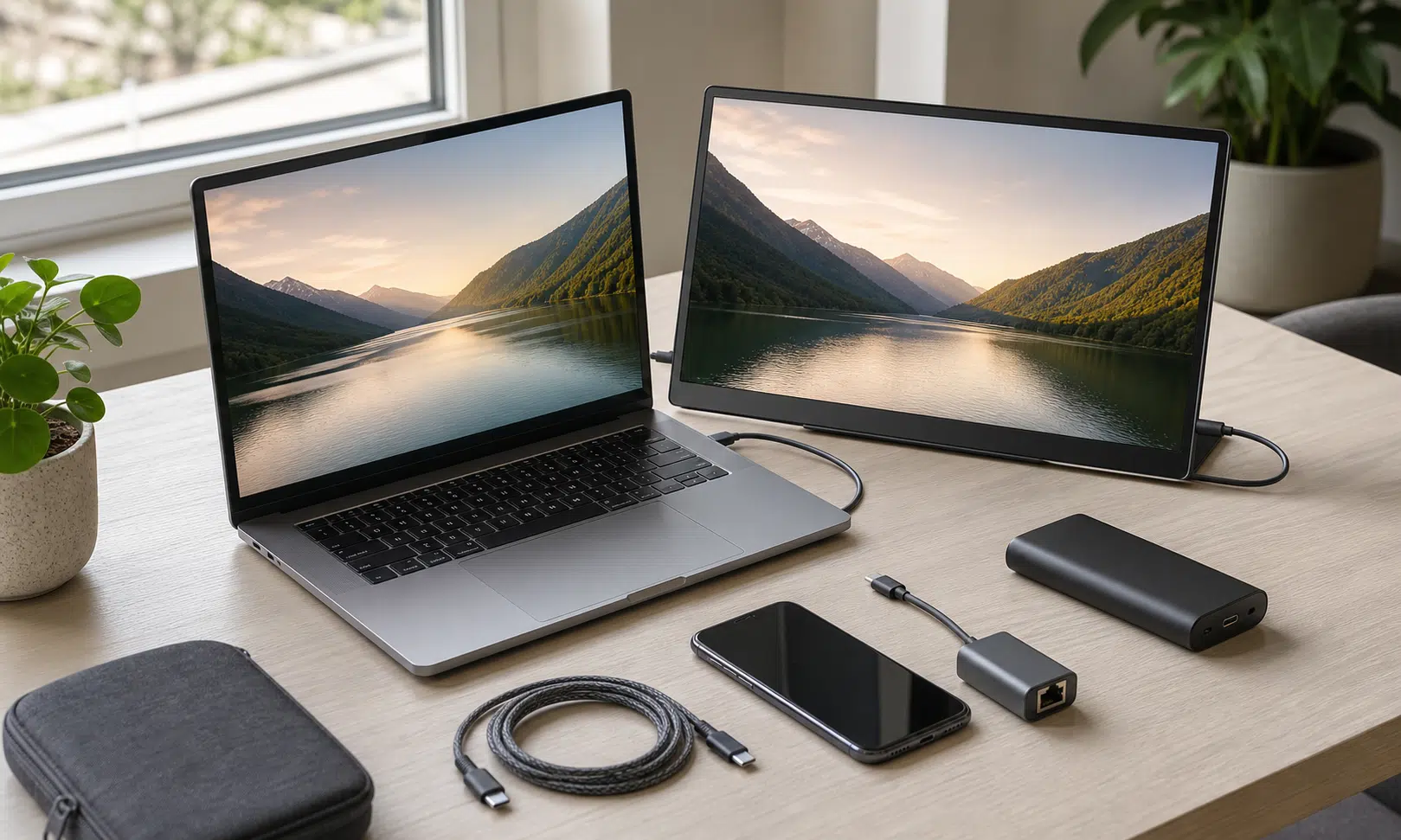

USB-C can be frustrating because the connector shape does not tell you much by itself. One cable may be fine for basic charging, another may support faster data, and another may handle display output or higher-power charging. The port looks the same in each case, which is why buying or grabbing the right cable can still feel more complicated than it should.
That confusion is real, but it is only one side of the story. The reason USB-C keeps showing up on phones, laptops, tablets, handhelds, monitors, docks, and power banks is that it can carry more than a simple charge. With the right device and the right cable or adapter, the same small port can solve problems that used to require separate connectors, separate chargers, or a more awkward workaround.
These four USB-C tricks are not guaranteed on every device, and the details matter. Still, when the hardware lines up, they can make the port feel much more capable than its plain oval shape suggests.
A USB-C Ethernet adapter can rescue a weak wireless connection
A USB-C-to-Ethernet adapter is not the most exciting accessory in a gear bag, but it can be one of the most practical. If a phone, tablet, or laptop supports Ethernet over USB-C, a small dongle can give it a wired network connection when Wi-Fi is slow, congested, or unreliable.
That can be useful in more situations than it first sounds. A laptop without a built-in Ethernet jack can use one for large downloads, remote desktop sessions, game installs, backups, or video calls where a weak wireless signal would be annoying. Some Android phones and tablets can also work with USB-C Ethernet adapters, making them more flexible when a strong wired connection is available nearby.
The key point is that the adapter does not make the internet connection faster than the network itself. It simply gives the device a more stable path to the router. If the Wi-Fi in a room is poor but the router or a network switch is within reach, Ethernet can remove a lot of guesswork.
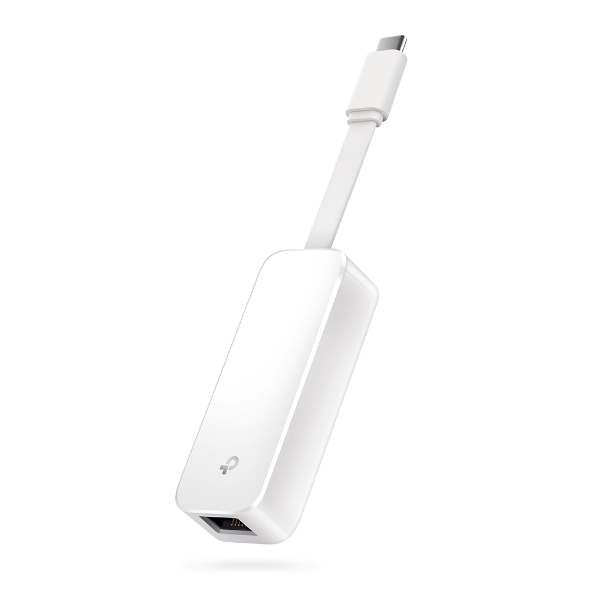
TP-Link UE300C USB-C to Gigabit Ethernet Adapter
A small USB-C Gigabit Ethernet adapter can be useful when a laptop or tablet needs a more stable wired connection. Check device and operating-system compatibility before relying on it for travel or work.
As an Amazon Associate I earn from qualifying purchases.
There are a few things to check before assuming this will work. The device needs to support the adapter, the adapter needs to be compatible with the operating system, and the wired network still needs to have a good upstream connection. For laptops, this is usually straightforward. For phones and tablets, support is more device-specific, so it is worth checking before relying on one for travel or work.
Still, this is one of the better examples of USB-C being more useful than it looks. A tiny accessory can turn a device with no Ethernet port into something that behaves more like a traditional wired computer.
One phone can sometimes charge another phone
Phone-to-phone charging is one of those USB-C features that feels odd the first time you use it. In the right setup, one phone can send power to another over a USB-C cable, turning the fuller battery into a temporary backup charger.
This is not something to assume every phone can do. Some devices can receive power over USB-C but are not designed to provide it to another device. Some may support reverse wired charging only under certain conditions. Others may ask you to choose which device should supply power after the cable is connected.
When it does work, it is best thought of as an emergency option rather than a replacement for a power bank. It can help if one phone is close to dying and the other has enough battery to spare, but it will usually be slower and less efficient than using a proper charger. It also means draining the second phone, which may not be a good trade if you need both devices later.
The feature is useful because USB-C charging is not just a passive connection. Supported devices can negotiate power roles, which is what allows one device to act as the source and the other as the receiver. That negotiation is also why the same cable can behave differently depending on the devices at each end.
For anyone who carries both a personal phone and a work phone, or a phone and a small USB-C accessory, this is worth knowing. It may not be something you use often, but it can stretch a battery just long enough when there is no outlet, airplane port, or power bank available.
A single USB-C cable can handle a monitor and charging
One-cable monitor setups are one of the cleanest uses of USB-C. With a compatible laptop, cable, and display, a single connection can carry the video signal to the monitor while also sending power back to the laptop.
This depends on two separate capabilities. The display connection typically uses DisplayPort Alt Mode over USB-C, while the charging side uses USB Power Delivery. When both are present, the monitor can act as a display and a charging source at the same time.
The appeal is simple: fewer cables on the desk. Instead of plugging in a power adapter and then connecting HDMI or DisplayPort separately, you connect one USB-C cable and get a working external display plus charging. Some monitors also include USB hubs, which can add keyboard, mouse, webcam, or storage connections through the same cable path.
The catch is that monitor power output varies a lot. Some displays provide enough wattage for a small laptop but not enough for a larger machine under heavy load. Others offer only modest power, which may slow battery drain rather than properly charge the laptop. The laptop, monitor, and cable all need to support the right features, so the spec sheet matters.
Refresh rate and resolution also depend on the full chain. A cable that is fine for charging may not be suitable for high-resolution video. A monitor may support USB-C input but not deliver much power. A laptop may charge over USB-C but have limits around external display output.
That is why this feature can feel great when it works and confusing when it does not. The port shape is identical, but the capabilities behind it are not. If you are buying a monitor specifically for a cleaner desk setup, look for clear support for USB-C video input, DisplayPort Alt Mode, and enough USB Power Delivery wattage for your laptop.
A power bank can keep a handheld running longer
USB-C power banks are usually associated with phones, but they can also help with larger portable devices such as gaming handhelds. The experience depends heavily on wattage, battery size, and what the device is doing at the time.
A low-output power bank may not charge a handheld quickly while it is being used. In some cases, it may only slow the rate of battery drain. That can still be useful on a flight, train ride, commute, or long day away from an outlet. If the device is running a lighter game or workload, even a modest USB-C power bank may keep it alive noticeably longer.
The important detail is matching expectations to the hardware. A phone-focused power bank with a lower maximum output is not the same as a higher-wattage charger built for laptops or gaming handhelds. The cable matters too, because not every USB-C cable is built for the same charging levels.
For a handheld or other power-hungry device, the things to check are simple:
- The maximum USB-C output wattage of the power bank
- The charging requirements of the device
- Whether the cable supports the needed power level
- How much battery capacity the power bank actually provides in real use
That last point matters because a power bank’s listed capacity is not the same as the exact amount of usable charge a device will receive. Conversion losses and device behavior reduce the practical result. Even so, a compact power bank can be the difference between shutting down early and finishing a trip with enough charge left.
The useful part of USB-C is also the annoying part
The strange thing about USB-C is that its best feature and worst feature are closely related. The same connector can handle charging, data, video, networking adapters, docks, and accessories. That flexibility is what makes it powerful. It is also what makes the ecosystem hard to read at a glance.
A cable that fits is not automatically the right cable. A port that looks like every other USB-C port may not support every USB-C feature. A charger that works for a phone may not be enough for a laptop or handheld. That means the practical experience often comes down to knowing what the device, cable, and accessory each support.
For everyday use, the most helpful habit is to treat USB-C gear as capability-specific rather than interchangeable. Keep a known good charging cable, a known good data cable, and any specialty adapters labeled or stored separately. When buying accessories, look for the actual supported features instead of relying on the connector alone.
USB-C is not as self-explanatory as it should be, but it can still be quietly excellent. A wired network adapter, a phone-to-phone charging setup, a one-cable monitor, or a power bank for a handheld can all solve real problems without much hardware. The trick is knowing which parts of the USB-C promise your devices actually support.