


Microsoft appears to be giving Windows 10 users more breathing room. The company’s consumer Extended Security Updates program for Windows 10 is now listed as running into October 2027, extending the practical life of many PCs that have not moved to Windows 11.
That is a meaningful shift for anyone still using Windows 10 on a personal machine. Windows 10 reached the end of its regular support life on October 14, 2025, which means standard monthly security and quality updates are no longer part of the normal support track. The ESU program is the bridge for people who still need security patches while deciding whether to upgrade, replace a PC, or move to another operating system.
The important part is that this is not a feature update program. Windows 10 is not being revived as a modern Windows platform, and users should not expect new capabilities or a long-term return to normal support. The extension is about critical security updates, which makes it most relevant to people trying to keep an otherwise usable PC out of unnecessary risk.
What Changes for Windows 10 Users
For consumers, the Extended Security Updates program had been positioned as a limited way to keep receiving security patches after Windows 10’s end of support. Microsoft now indicates that enrolled devices can continue receiving those updates for another year, pushing the consumer runway into October 2027.
Devices already enrolled are expected to continue under the updated timeline without users needing to repeat the setup process. For everyone else, the practical question is whether a Windows 10 PC qualifies and which enrollment path makes sense.
Microsoft’s consumer ESU enrollment options remain centered on a Microsoft account. Users can enroll by syncing PC settings through Windows Backup, redeeming Microsoft Rewards points, or paying a one-time fee. In Europe, Microsoft has offered a no-cost enrollment path tied to signing in with a Microsoft account after pressure over the original requirements.
The program is aimed at personal devices, not company-managed fleets. PCs joined to an Active Directory domain, joined to Microsoft Entra as organization-managed devices, or managed through mobile device management are treated differently and generally fall outside the consumer ESU path. A personally owned machine with a work account added is not necessarily the same as a corporate-controlled PC, but users in that situation should check the enrollment prompt on the device itself before assuming eligibility.
Why the Extra Year Matters
The extension lands in the middle of a messy PC upgrade cycle. Windows 11 has stricter hardware requirements than Windows 10, including TPM 2.0, Secure Boot, and supported processor rules. Plenty of older Windows 10 systems still work well enough for web browsing, documents, media, light productivity, or home office use, but they cannot officially upgrade to Windows 11.
That leaves users with a familiar set of choices: keep using Windows 10 with security updates, buy a new PC, attempt an unsupported Windows 11 install, or switch operating systems. The extra ESU year does not remove that decision, but it does reduce the urgency for people who were otherwise facing a hard deadline.
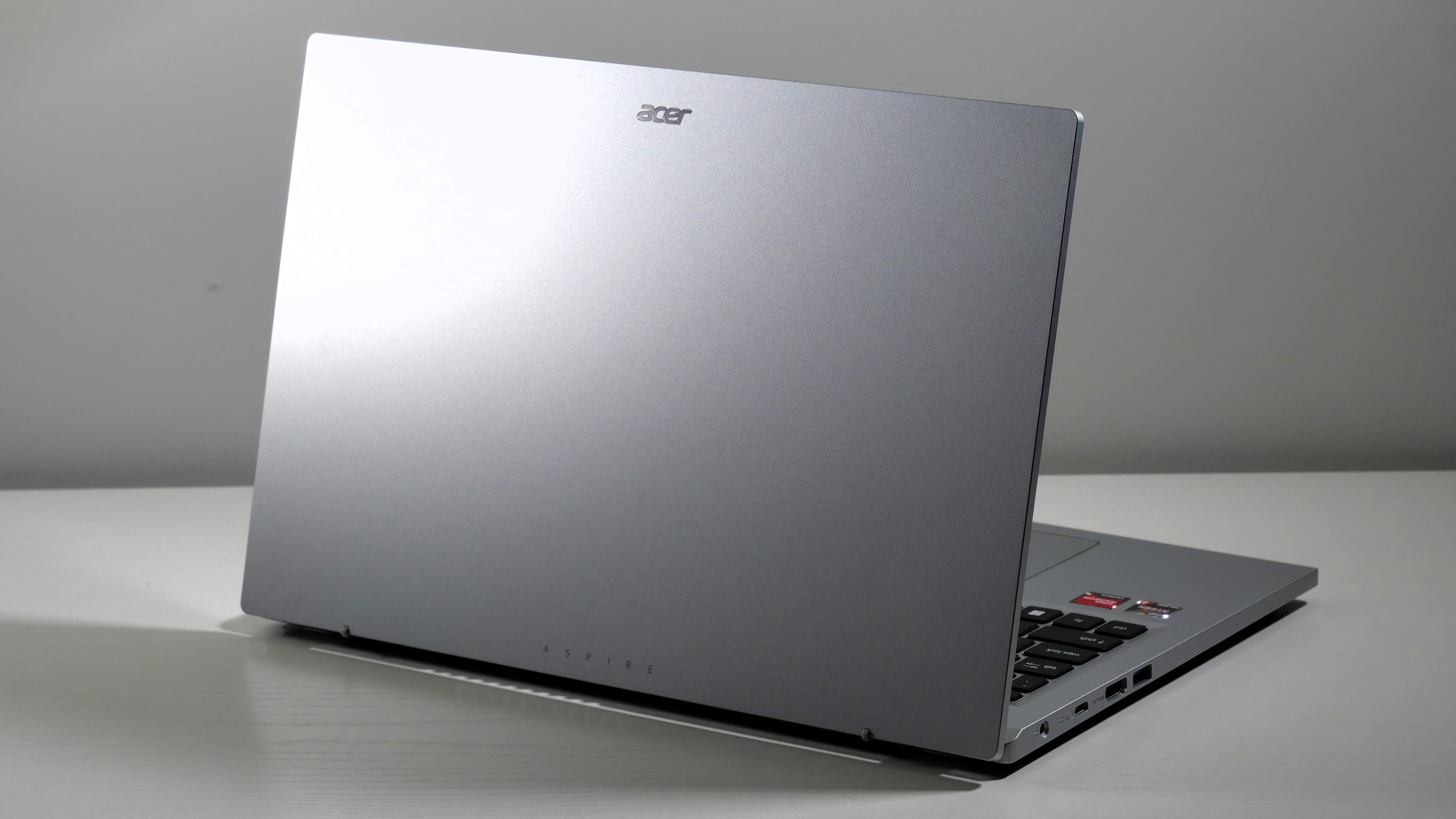
Acer Aspire 3 15 Windows 11 Laptop
For basic browsing, documents, video calls, and home office tasks, a Windows 11 laptop like the Acer Aspire 3 15 can be a straightforward replacement for an older Windows 10 machine that is no longer worth extending. Look for a configuration with at least 8GB of RAM and SSD storage for a smoother everyday experience.
As an Amazon Associate I earn from qualifying purchases.
The buyer angle is straightforward. If a Windows 10 laptop or desktop is already slow, unreliable, or missing the hardware needed for everyday work, replacing it may still be the better move. But if the machine is stable and the main problem is Windows 11 eligibility, another year of security updates gives users more time to wait for better pricing, compare machines, or plan a less rushed upgrade.
Who Should Still Upgrade
The ESU extension should not be treated as a reason to ignore Windows 11 forever. It is a temporary security backstop, not a permanent support plan. Users who depend on their PC for work, banking, school, or sensitive personal data should still think carefully about how long they want to remain on an aging platform.
A newer Windows 11 PC will generally make the most sense for users who need better battery life, stronger security hardware, modern connectivity, or warranty coverage. It also avoids the awkward future point when Windows 10 ESU finally ends and the same decision comes back with less time left.
For households managing several older PCs, the calculation is more nuanced. A single ESU license can cover multiple eligible devices tied to the same account, so the extension may be enough to keep secondary machines patched while the primary computer gets upgraded first.
The Bottom Line
Microsoft still wants users on Windows 11, and Windows 10 is still past its normal support life. But extending consumer security updates into October 2027 changes the pressure curve for people with older hardware. It gives Windows 10 holdouts more time to make a deliberate upgrade decision instead of buying a replacement PC just to avoid running an unpatched operating system.
That makes the ESU program a practical stopgap, especially for personal devices that remain reliable but fall short of Windows 11’s official requirements. The smartest move is to use the extra time as a planning window: enroll if the PC is eligible, keep backups current, avoid treating ESU as a long-term fix, and start mapping out whether the next step is Windows 11 hardware, a different operating system, or retiring the machine altogether.