


Google Home is getting a more useful version of camera-based automation, and the pitch is simple: instead of reacting only to basic motion or device states, compatible cameras can use Gemini to understand more specific real-world events.
That matters if you are building a smart home around cameras, lights, speakers, and routines. A camera that can tell the difference between ordinary motion and a more specific scene could make automations feel less blunt. It could also reduce the amount of manual rule-building needed in the Google Home app.
The catch is that this is not a universal Google Home feature yet. Google says the smarter camera starters are available for US users in English through the Google Home Public Preview program, and access requires a Google Home Premium Advanced subscription.
What Gemini Adds To Camera Automations
The main change is that Gemini can be used as part of an automation starter for supported cameras. In practical terms, that means a user can describe what they want the home to do when a camera sees something specific, and Gemini can help build the automation inside the Google Home app.
For buyers, the value is not just novelty. It is about whether the system can support routines that would otherwise be too tedious or too limited to create manually.
- Camera events can become more specific automation triggers.
- Natural-language prompts can help create routines in the Google Home app.
- The feature is aimed at compatible Nest cameras and select third-party cameras, according to Google.
- Availability is limited by language, region, preview enrollment, and subscription tier.
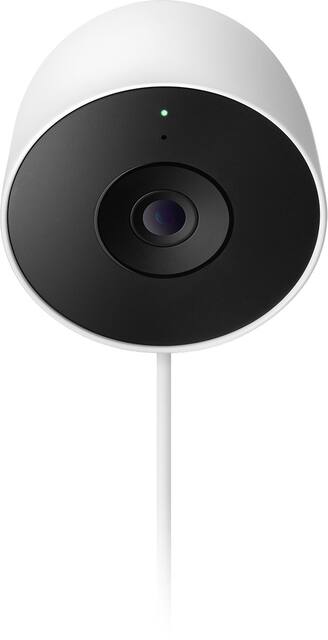
Google Nest Cam Outdoor (wired, 2nd gen)
For outdoor coverage, the wired Nest Cam Outdoor is the most relevant type of camera to compare if your goal is Google Home automation rather than basic motion alerts. Check current Gemini, subscription, and Public Preview requirements before buying.
As an Amazon Associate I earn from qualifying purchases.
Buyer Checklist Before You Upgrade
This is the part worth checking before buying a camera or moving deeper into the Google Home ecosystem. The feature sounds most useful for households that already rely on Google Home and want camera events to trigger lights, alerts, or other connected devices. It is less compelling if you only need basic recording, notifications, or manual camera viewing.
| Decision point | What to check |
|---|---|
| Camera support | Confirm that your Nest camera or third-party camera is listed as compatible before buying. |
| Subscription | Google says Google Home Premium Advanced is required for access. |
| Location and language | The rollout is described as English-only for US users in Public Preview. |
| Automation needs | Decide whether camera-based starters would replace manual routines you already use. |
If you are shopping for a new smart home camera, this makes compatibility more important than it used to be. A cheaper camera may still be fine for basic alerts, but it may not be the best choice if your goal is AI-assisted home automation.
Other Gemini For Home Improvements
Google also says it has been working on speed, reliability, and more natural smart home commands. The company describes model updates intended to reduce cases where Gemini incorrectly says it cannot handle a supported task, such as controlling lights or playing music.
Some of the claimed improvements focus on everyday commands. Google says Gemini should better understand casual phrasing, including commands such as setting brightness to 0 to turn off lights. The company also says it has reduced latency for common interactions, though real-world speed will depend on devices, network conditions, and the early-access state of the platform.
Google has also described improvements for alarms and timers, including faster stop and snooze handling and better awareness of which active timer or alarm a user is referring to. General answers for topics such as weather, sports, and knowledge questions are also said to be more complete.
One smaller quality-of-life change may be useful in shared rooms: users can say “stop” to end a Gemini response without stopping background music. Google also says it has fixed an Apple Music playback issue on Gemini-powered speakers.
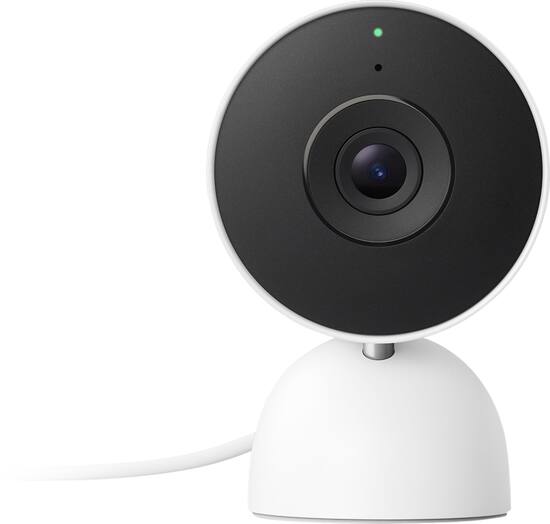
Google Nest Cam Indoor (wired, 3rd gen)
An indoor wired Nest Cam is a sensible comparison point for rooms where camera-triggered routines could control lights, speakers, or alerts. Confirm that the exact model is eligible for the Gemini camera features you want.
As an Amazon Associate I earn from qualifying purchases.
Who This Is For
These updates are most interesting for people who already use Google Home as their main smart home platform and are willing to pay for the higher subscription tier. Camera-triggered automations could be genuinely useful in homes where lighting, speakers, and security routines already work together.
If you are starting from scratch, treat Gemini support as one buying factor, not the only one. Camera quality, privacy controls, subscription cost, device compatibility, and long-term platform support still matter more than a single automation feature.