


Verdict
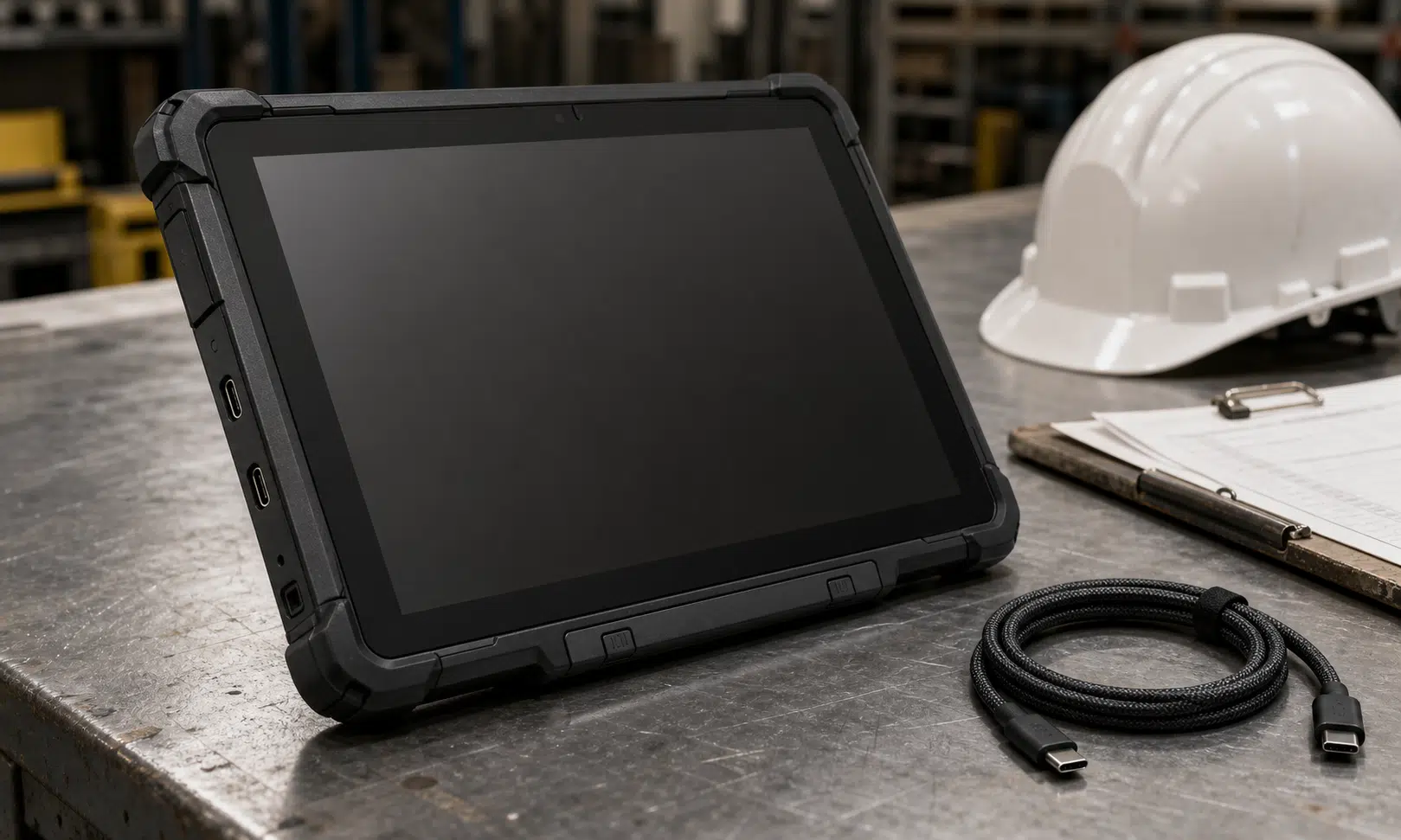
The Lenovo ThinkTab X11 Gen 1 is aimed at a very specific buyer: someone who needs an Android tablet that can survive work sites, factory floors, warehouse routes, vehicles, outdoor data capture or other environments where a normal consumer slate is the wrong tool.
On that basis, it makes sense. Lenovo lists IP68 protection, MIL-STD-810H testing, a 10.95-inch display, a Snapdragon 7s Gen 3 platform, dual USB-C ports and a removable battery. That combination gives the ThinkTab X11 Gen 1 a clearer business purpose than most Android tablets, especially for teams that need a device with more screen space than a rugged phone but less bulk than a full rugged laptop.
It is not perfect. The battery can be replaced, but the design is better suited to long-term serviceability than quick mid-shift swaps. The cameras are modest, especially when compared with modern phones. Lenovo’s naming and SKU structure also make the product harder to understand than it needs to be.
Still, if the brief is a manageable rugged Android tablet for field work, inspection apps, logistics, maps, form entry, drone control or similar practical jobs, the ThinkTab X11 Gen 1 is a credible option. It is less compelling as a general home tablet, and buyers who mainly want media playback, gaming or photography should look elsewhere.
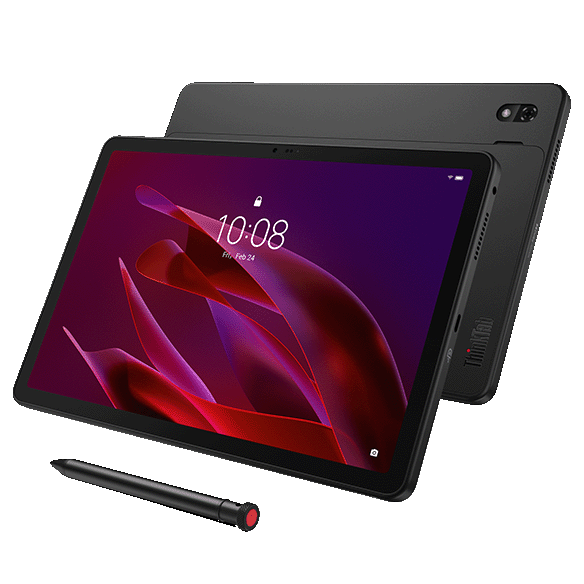
Lenovo ThinkTab X11 Gen 1
The ThinkTab X11 Gen 1 is the rugged Android tablet reviewed here, so compare available memory, storage, 5G and bundle options carefully before buying. For field teams, the right configuration can matter as much as the base hardware.
As an Amazon Associate I earn from qualifying purchases.
Who should consider the Lenovo ThinkTab X11 Gen 1?
The ThinkTab X11 Gen 1 sits in the space between a rugged phone and a rugged laptop. That is its main appeal. A rugged phone is easier to carry, but its screen can feel cramped for drawings, dashboards, forms, maps, route planning and field service software. A rugged laptop offers more power and a keyboard, but it is heavier, more expensive and often overbuilt for Android-based workflows.
This Lenovo tablet is more convincing for buyers who already know they need Android in a tougher form factor. That could include construction teams, utilities workers, logistics staff, warehouse operators, field engineers, inspectors, healthcare-adjacent users, fleet teams and anyone who needs a tablet that can deal with dust, water, gloves and rougher handling.
It is also a plausible tablet for drone pilots, outdoor data collectors and mobile workers who need a bright enough screen and long battery life without carrying a Windows machine.
It is not the obvious choice for a casual consumer. The chassis is thicker and heavier than a standard 11-inch entertainment tablet, and the rugged features are part of the price. If the device will mostly live on a sofa, desk or bedside table, a mainstream Android tablet or iPad will probably feel sleeker.
Price, availability and configurations
Lenovo announced the ThinkTab X11 Gen 1 around MWC 2026, with launch materials pointing to availability in Europe, the Middle East and Africa from April 2026 and pricing from about €499. UK pricing and retail listings vary by configuration, and business buyers may see different pricing through volume procurement.
That matters because this is not a simple one-model product. Lenovo offers multiple configurations, with differences around storage, memory, 5G connectivity, accessories and location services. Some models include mobile connectivity, while others are Wi-Fi focused. Some bundles include the Lenovo Tab Pen XE or a rugged case, while others may not.
For buyers, the SKU complexity is worth checking carefully before ordering. The practical differences are not cosmetic. Storage, mobile connectivity, pen support and included accessories can all affect whether the tablet fits a deployment.
| Buying factor | Why it matters |
|---|---|
| Wi-Fi or 5G | Field teams away from reliable Wi-Fi should confirm cellular support before purchase. |
| Storage capacity | Offline maps, databases, inspection media and training files can make 128GB feel tight. |
| Included pen | Useful for forms, signatures, annotations and gloved workflows. |
| Included case | Important if the tablet will be deployed directly to workers rather than fitted later. |
| Accessory ecosystem | Keyboard, mounts, chargers and replacement batteries can matter more than headline specs. |
The closest comparison is the Samsung Galaxy Tab Active5 Pro. Samsung’s rugged Android tablet line is more established, and the Active5 Pro also uses the Snapdragon 7s Gen 3 platform. That makes Lenovo’s price, accessory bundle and service plan especially important, because the two devices can appear close on paper.
Design and durability
The ThinkTab X11 Gen 1 does not pretend to be a thin lifestyle tablet. Lenovo lists the device at 9.9mm thick and around 650g, which makes it noticeably chunkier than a consumer slate but still manageable for the rugged tablet category.
The rugged build is the point. Lenovo lists IP68 protection, meaning the tablet is designed for dust resistance and water immersion under defined conditions. It also lists MIL-STD-810H testing, a broad durability standard that can cover stresses such as shock, vibration, humidity, temperature and altitude depending on the test set used.
Those labels should not be treated as permission to abuse the device, but they are meaningful for the intended market. A tablet used on a shop floor, in a van, at a building site or around equipment needs to survive more than careful home use.
The display supports glove and wet-touch input, which is one of those details that sounds minor until it becomes essential. If workers use gloves, operate outdoors or move between wet and dry conditions, touch reliability can matter more than resolution or refresh rate.
The front-mounted NFC placement is also business-focused. Rear NFC is common on phones and tablets, but front NFC can be easier for access control, identity checks and workflows where the user is facing the tablet while presenting a card or tag.
The physical design has two particularly practical choices. First, the tablet has two USB-C ports. That allows charging and peripheral use at the same time, which can reduce reliance on hubs or docks. Second, the battery is removable without a full teardown.
The removable battery is welcome, but it needs the right expectation. This is not a slick hot-swap setup that most workers will want to open repeatedly throughout the day. Accessing the battery area is more involved than popping off a phone back cover, and repeated opening could eventually put wear on clips and seals. The better way to view it is as a service-life feature: when the battery ages, the device has a better chance of staying in circulation.
That is still valuable. Battery degradation is one of the main reasons mobile devices are retired before the rest of the hardware is obsolete. For business fleets, the ability to replace a battery can support longer deployments and reduce replacement cost.
Display and everyday handling
The ThinkTab X11 Gen 1 uses a 10.95-inch IPS LCD with a 2560 x 1600 resolution and a 90Hz refresh rate. Lenovo lists brightness at 600 nits typical and 800 nits peak in high brightness mode.
That is a sensible specification for the category. OLED would have delivered deeper contrast, but it may also have pushed up cost. For a business rugged tablet, the more important questions are whether text is sharp, whether outdoor visibility is usable, whether touch input works reliably and whether the panel can tolerate the environments where the tablet will be used.
At this size, the display is large enough for dashboards, work orders, checklists, maps, training content and document review without becoming vehicle-mount-only hardware. It is not pocketable, but that is the tradeoff. The whole reason to choose this over a rugged phone is the screen.
The tablet’s weight is also in the acceptable range for its role. It will not disappear in a jacket the way a phone might, and prolonged one-handed use will still get tiring. But for two-handed use, mounted use or short bursts of field input, it avoids the worst excesses of larger rugged tablets.
Core specs
The ThinkTab X11 Gen 1 is built around Qualcomm’s Snapdragon 7s Gen 3 platform. That is a midrange mobile chip, not a laptop processor, but it is a good fit for Android business tasks where battery life, thermal behavior and always-on reliability matter more than raw benchmark chasing.
| Specification | Lenovo ThinkTab X11 Gen 1 |
|---|---|
| Processor | Qualcomm Snapdragon 7s Gen 3 |
| Display | 10.95-inch IPS LCD, 2560 x 1600, 90Hz |
| Brightness | 600 nits typical, 800 nits peak high brightness mode |
| Battery | 10,200mAh removable battery |
| Charging | Up to 45W wired charging |
| Connectivity | Wi-Fi 6E, Bluetooth 5.4; 5G on selected models |
| Ports | Dual USB-C |
| Durability | IP68 and MIL-STD-810H listed |
| Security | Side-mounted fingerprint reader |
| Rear camera | 13MP camera with autofocus and LED flash |
| Front camera | 8MP camera |
Memory and storage vary by configuration. Some models use 8GB of RAM, while higher-end configurations may offer 12GB. Storage options also vary, with microSD expansion available.
For most single-purpose enterprise deployments, 8GB of RAM should be adequate. A tablet running one primary field app, a browser, email, mapping and background sync does not need flagship-phone memory. But if the device is expected to juggle several enterprise apps, large offline datasets or persistent background tools, the 12GB version is worth considering.
Storage deserves similar attention. A 128GB model can be enough for managed deployments with cloud sync, but offline maps, job photos, video clips, manuals and local databases can consume space quickly. Business buyers should think about the workload rather than choosing the cheapest SKU by default.

Samsung Galaxy Tab Active5 Pro
The Galaxy Tab Active5 Pro is the closest rival for buyers who want a more established rugged Android tablet ecosystem. It is especially worth comparing if accessory continuity, IT familiarity or Samsung fleet management matters to your organization.
As an Amazon Associate I earn from qualifying purchases.
Performance
The Snapdragon 7s Gen 3 gives the ThinkTab X11 Gen 1 the kind of performance profile that suits its intended jobs. It is not a gaming-first platform, and it is not trying to compete with premium consumer tablets. It is meant to run Android productivity, field service, scanning, mapping, video calling, browser-based tools and enterprise apps without becoming sluggish.
That is the right priority. Rugged tablets often live longer than consumer devices in business deployments, so underpowered hardware can become a problem quickly. A tablet that feels adequate on day one may be frustrating after several OS updates or heavier app requirements.
The 7s Gen 3 should provide useful headroom for normal business work. It also helps keep the device within sensible power and heat limits. In a sealed rugged chassis, thermal behavior matters. A faster chip that throttles heavily or drains the battery quickly would not necessarily be an improvement.
The GPU is not the main reason to buy this tablet, but it should be enough for interface-heavy business apps, video playback, maps and light visual workloads. Anyone buying this for demanding 3D gaming or creative work is looking at the wrong category.
Battery life and charging
Lenovo lists a 10,200mAh removable battery, which is a substantial capacity for an 11-inch rugged Android tablet without pushing the device into extreme weight territory.
In practical terms, the right battery question is not simply how many hours it can run in a lab. A field tablet may spend its day with the screen bright, radios active, GPS in use, apps syncing, forms open, cameras used for documentation and workers picking it up repeatedly rather than letting it idle. That workload is harder than light home browsing.
The ThinkTab X11 Gen 1 is built around efficient mobile hardware, so its battery capacity should be enough for full-shift use in many deployments. Heavier use, especially with high brightness, mobile data, GPS and camera capture, will reduce that margin. Buyers planning all-day outdoor use should test a pilot unit with their real apps before committing to a fleet rollout.
Charging at up to 45W is useful, though not exceptional in the wider mobile market. More importantly, the tablet has dual USB-C ports, so charging does not automatically block a connected accessory. In a vehicle, kiosk, diagnostic or warehouse setup, that can make the device easier to live with.
The removable battery adds a second kind of value. Even if swapping is not something most users will do daily, a replaceable pack can extend the device’s useful life. For businesses trying to keep hardware in service for several years, that is more meaningful than it may sound.
Cameras
The camera setup is one of the weaker parts of the ThinkTab X11 Gen 1. Lenovo lists a 13MP rear camera with autofocus and LED flash, plus an 8MP front camera.
Those numbers are modest by current phone standards. That does not automatically make them useless. A rugged business tablet camera is often used for practical evidence: capturing a damaged part, scanning a document, recording a work site condition, photographing an installation, joining a video call or attaching a quick image to a job ticket.
For those tasks, a 13MP rear camera may be enough in good lighting. The source material describes useful document capture and video options, including higher-resolution video capture from the rear camera. But there is not much margin for difficult conditions. Low light, motion, digital zoom and fine detail are likely to expose the limits more quickly than on a modern midrange phone.
The front camera is mainly for video calls and basic identity-style capture. It should be treated as functional rather than impressive.
This is an area where a future version could improve the product without changing its identity. Better camera hardware would help field workers who use images as part of inspection records, proof-of-service workflows or remote support. The tablet does not need flagship camera branding, but it would benefit from a setup closer to a competent current phone.
Samsung Galaxy Tab Active5 Pro comparison
The Samsung Galaxy Tab Active5 Pro is the obvious rival. Samsung has spent years building the Galaxy Tab Active line, and many business buyers already understand that family. Lenovo is entering a market where Samsung has stronger recognition.
On paper, the two products overlap in important ways. Both target rugged Android tablet buyers. Both use the Snapdragon 7s Gen 3 platform. Both are intended for business and frontline use rather than casual entertainment.
| Decision point | Lenovo ThinkTab X11 Gen 1 | Samsung Galaxy Tab Active5 Pro |
|---|---|---|
| Core platform | Snapdragon 7s Gen 3 | Snapdragon 7s Gen 3 |
| Screen size | 10.95-inch class | 10.1-inch class |
| Battery approach | Removable battery, better viewed as serviceable than quick-swap | Designed within Samsung’s established rugged tablet ecosystem |
| Ports | Dual USB-C is a practical advantage | Accessory ecosystem and deployment familiarity may appeal to IT teams |
| Buyer fit | Good for teams that value a larger screen and dual-port flexibility | Good for buyers already standardized on Samsung rugged devices |
Lenovo’s strongest differentiator is the combination of the larger display, removable battery and dual USB-C ports. Samsung’s advantage is maturity: accessories, familiarity, IT confidence and the fact that many rugged Android deployments already use Galaxy Tab Active hardware.
That makes the choice less about a single spec and more about deployment needs. If dual USB-C and the 10.95-inch display matter, Lenovo has a strong argument. If procurement, support history and accessory continuity matter more, Samsung may still be the safer default.
Pros and cons
- Good: IP68 and MIL-STD-810H listed for rugged work environments.
- Good: Removable battery may extend service life.
- Good: Dual USB-C ports are genuinely useful for business setups.
- Good: Snapdragon 7s Gen 3 is a sensible platform for Android enterprise work.
- Good: Glove and wet-touch support fit the target audience.
- Less good: Cameras are modest by modern phone standards.
- Less good: Battery access is not something most users will want to do constantly.
- Less good: Lenovo’s naming and SKU spread can make buying more confusing than necessary.
Should you buy the Lenovo ThinkTab X11 Gen 1?
Buy the Lenovo ThinkTab X11 Gen 1 if you need a rugged Android tablet for practical work and you value a larger screen, removable battery, dual USB-C ports and business-focused durability features. It makes the most sense when deployed for field apps, logistics, inspection workflows, maps, forms, documentation or similar jobs where a consumer tablet would be too fragile.
Do not buy it if your main priorities are thinness, camera quality, premium media playback or casual home use. The rugged design is useful only if your environment needs it. Otherwise, you will be paying for protection and serviceability you may rarely use.
Also be careful when choosing a configuration. Confirm whether the model has 5G, the storage capacity you need, the accessories you expect and the right support terms for your organization. With a product like this, the wrong SKU can create more friction than a slightly higher purchase price.
The ThinkTab X11 Gen 1 is not the cleanest product Lenovo could have made, and it would be stronger with better cameras and a more elegant battery compartment. But as a first-generation rugged Android business tablet, it is purposeful. It gives Lenovo a legitimate answer to Samsung’s rugged tablet line, and for the right buyer, the hardware choices are practical rather than decorative.