

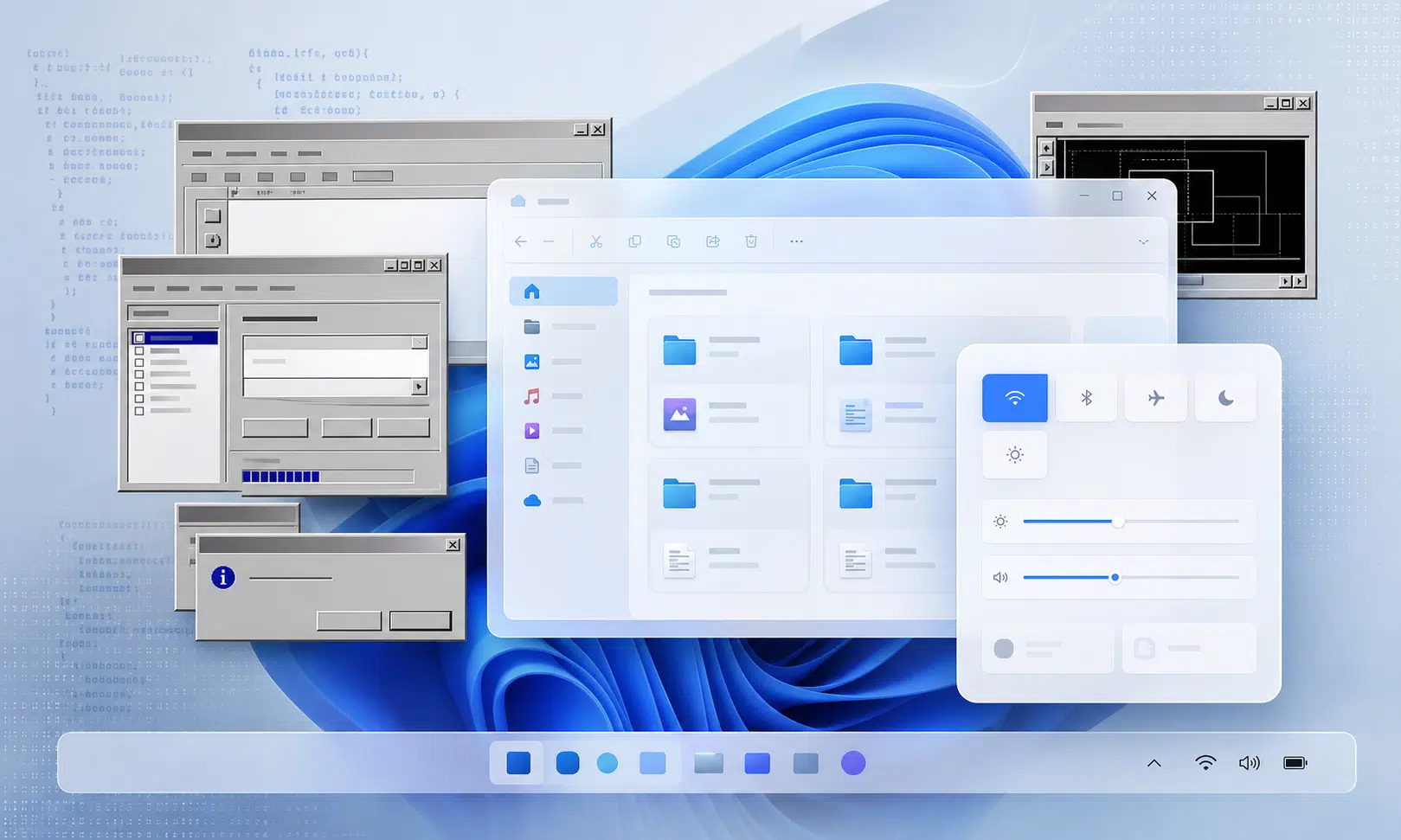

When you right-click a file in Windows 11, open a classic desktop program, launch a utility, or use a tool that needs deep access to the operating system, there is a good chance you are still touching the Win32 world.
That is not a small historical detail. Win32 dates back to the Windows 95 era, yet it remains one of the most important layers in modern Windows. Microsoft has spent decades trying to move developers toward newer app platforms, but the old desktop model never really left. In many ways, it became the foundation Microsoft could not afford to remove.
The surprise is not that old code still exists. Large operating systems carry old layers for years. The surprise is that Win32 is still so central to the Windows experience in 2026.
According to comments attributed to Microsoft Azure CTO Mark Russinovich, Microsoft itself did not expect Win32 to remain a first-class API surface this far into the future. The broader point is easy to understand: in the 1990s, few people would have predicted that software written around that era of Windows would still shape daily PC use three decades later.
That longevity explains both the strength and the weakness of Windows 11. Win32 is one reason Windows remains unmatched for traditional desktop software, enterprise tools, PC utilities, games, drivers, admin software, and long-lived business apps. It is also one reason Windows can feel visually inconsistent, harder to modernize, and slower to clean up than newer platforms with tighter control over app design.
Microsoft now appears to be taking a more practical route. Instead of trying to erase Win32 with another hard platform reset, the company is leaning into native Windows development again, especially through WinUI 3 and the Windows App SDK. The goal is not to pretend the old Windows desktop never existed. It is to modernize the pieces users see every day without breaking the software ecosystem that keeps Windows useful.
Win32 survived because Windows could not break its own ecosystem
Win32 lasted because too much of Windows depends on it.
That includes obvious things, such as traditional desktop applications, but also a long list of less visible tools and workflows. Business apps, installer systems, developer utilities, file managers, shell extensions, diagnostic tools, automation scripts, and hardware-adjacent software have all been built around the older desktop model.
For users, that compatibility has always been one of Windows’ biggest selling points. A company can run specialized software for years. A power user can keep old tools alive. A developer can build a deeply integrated app that does more than display a web page inside a window. A gamer can run decades of PC titles, often with fewer walls than on more controlled platforms.
That is why replacing Win32 was never just a design decision. It was an economic decision, a developer-relations decision, and a customer-support decision.
If Microsoft had removed or aggressively sidelined Win32, the company would have risked breaking the very thing that makes Windows valuable to many people: the ability to run almost anything.
That does not mean Win32 is perfect. It was not designed for today’s expectations around app isolation, modern UI scaling, consistent dark mode, touch-first layouts, store-style deployment, or battery-conscious behavior. It also gives developers deep access that newer platforms often try to restrict. That flexibility is powerful, but it makes Windows harder to secure, standardize, and visually polish.
The result is the Windows experience people know today. It can run old desktop software that no modern app store would approve. It can also show a control panel from one design era, a settings page from another, and a web-powered app that feels like it belongs somewhere else entirely.
Microsoft tried to move past Win32 more than once
Microsoft has not ignored this problem. The company has spent years trying to give developers newer ways to build Windows apps.
Some of those efforts were wrappers or abstractions over the older desktop world. Others were more ambitious attempts to create a cleaner app model. The pattern, however, has been consistent: Microsoft introduced a new framework, encouraged developers to adopt it, and then failed to make it the single obvious future of Windows development.
The history is messy, but the basic path looks like this:
- MFC gave C++ developers a framework for building Windows desktop apps on top of the older Windows programming model.
- WinForms made Windows app development more approachable for many .NET developers.
- WPF introduced XAML-based desktop UI and hardware-accelerated rendering, though it is safer to describe it as one major modernization effort rather than the confirmed replacement for all Windows apps.
- Silverlight briefly became part of Microsoft’s broader cross-platform and web-app story before fading as the web moved on.
- WinRT and the Windows 8 app model pushed a more secure, touch-friendly, sandboxed approach.
- UWP tried to extend that idea across Windows 10 PCs, phones, Xbox, and other device categories.
- WinUI 3 and the Windows App SDK now represent Microsoft’s current native Windows UI direction.
The problem was not that every idea was bad. Many of these technologies solved real problems. WPF still has users. WinForms still exists. UWP had sensible security goals. WinUI 3 gives Microsoft a path toward modern native interfaces.
The problem was trust.
Developers watched Microsoft promote one future after another. Some platforms were narrowed. Some were repositioned. Some lost energy. Some never gained enough adoption to justify the cost of rebuilding mature desktop software.
For a developer deciding where to spend years of engineering time, that history matters. A business app that works today on Win32 may be ugly, but it is predictable. A new framework may look cleaner, but if it is unclear whether Microsoft will still treat it as strategic five years later, many teams will wait.
That hesitation helped Win32 survive.
Why developers moved toward web apps on Windows
The rise of web-powered Windows apps did not happen by accident.
When developers lost confidence that any one native Windows framework would remain the obvious target, web technologies became the safer business choice. A web app can run on Windows, macOS, Linux, and the browser. A team can reuse more code. Updates can ship quickly. Hiring is easier because web skills are common.
Microsoft also made that direction easier through WebView2, which lets developers host the Chromium-based Microsoft Edge engine inside Windows applications. That can be useful. A hybrid app can combine web content with a desktop shell, and for many companies the economics are hard to ignore.
But users pay for that convenience.
When every app brings along a browser engine or a heavy web runtime, the desktop starts to feel heavier than it should. Memory use climbs. Startup times suffer. Apps that should be small utilities behave like full web clients. A simple messaging app, note-taking tool, settings surface, or media editor can feel oversized for the job it performs.
This is where the frustration with modern Windows often comes from. It is not only that Windows 11 has legacy code. It is that users also see a growing number of apps that feel less native than the software they replaced.
That matters for anyone buying or maintaining a PC. A laptop with 8GB of RAM may still be sold as a normal everyday Windows machine, but a stack of browser tabs, Teams, Outlook, widgets, cloud sync tools, and a few web-wrapped desktop apps can make that configuration feel tight quickly. A 16GB system is more comfortable, and users who keep many apps open may have a better experience with 32GB.
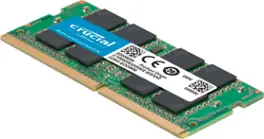
Crucial 32GB DDR4 Laptop RAM Kit
For laptops with accessible DDR4 SODIMM slots, moving to 32GB can make Windows 11 multitasking feel less constrained. Readers should confirm their exact laptop model supports DDR4 SODIMM memory before buying.
As an Amazon Associate I earn from qualifying purchases.
The hardware conversation is not separate from the software conversation. If Windows apps become heavier, buyers need more memory to get the same feeling of responsiveness. If Microsoft and developers move more work back into efficient native code, modest PCs have a better chance of feeling fast for longer.
WebView2 is useful, but it should not become the whole desktop
WebView2 is not automatically bad. It solves real problems, especially for apps that need to display constantly changing online content or share code with a browser-based product.
The issue is overuse.
A desktop operating system should not feel like a collection of browser windows pretending to be native tools. Users expect local apps to open quickly, respect system settings, work well offline when appropriate, use memory carefully, and integrate cleanly with the OS.
The tradeoff is clearest when comparing native and web-based desktop apps:
| Approach | What it does well | Where it can fall short |
|---|---|---|
| Classic Win32 | Deep OS access, speed, compatibility, mature tooling | Older UI patterns, inconsistent visuals, harder modernization |
| WebView2 or Electron-style apps | Cross-platform code reuse, fast iteration, familiar web stack | Higher memory use, less native feel, weaker offline behavior in some apps |
| WinUI 3 native apps | Modern Windows design, native performance potential, access to Win32 where needed | Developer adoption still depends on Microsoft’s consistency and tooling |
That last row is the important one. WinUI 3 is Microsoft’s chance to offer a native path that does not ask developers to give up everything they need from traditional Windows development.
If Microsoft can make WinUI 3 feel stable, well-documented, performant, and clearly supported, it becomes easier for developers to build apps that look modern without falling back to a full embedded browser for every interface.
Microsoft’s current strategy looks more realistic
The better version of Windows modernization is not a dramatic break from the past. Microsoft has tried that. Developers did not follow in the numbers Microsoft needed.
The more realistic path is gradual replacement: keep the compatibility layer, modernize the visible surfaces, and build new native components where they improve the user experience.
That appears to be the direction now.
Microsoft has been putting more attention on WinUI 3, the Windows App SDK, and native Windows app development. The company has also been working on modern replacements for old interface pieces inside Windows 11. The source article points to examples such as the legacy File Explorer Properties dialog and the Run dialog moving toward newer implementations.
Those claims should be treated carefully unless each build change is confirmed on a specific Windows version, but the direction matches what many Windows users want: fewer ancient dialogs, better dark mode support, faster system surfaces, and less reliance on web-heavy shells for basic OS features.
The most convincing version of this strategy is simple:
- Keep Win32 compatibility for the apps and tools that depend on it.
- Use WinUI 3 for modern native Windows interfaces.
- Use WebView2 where web content genuinely belongs.
- Stop using web wrappers for basic system experiences that should be native.
- Improve performance in the shell, File Explorer, context menus, startup apps, and inbox tools.
That would not make Windows perfectly clean. It would make it more coherent.
Native Windows apps could help with the RAM problem
The memory complaints around Windows 11 are not only about the operating system itself. They are also about the modern software stack that runs on top of it.
A clean Windows install can feel reasonable. Then the user adds a browser, a chat client, a cloud storage tool, an email client, a notes app, a password manager, a launcher, a meeting app, a game store, and several background helpers. Suddenly, the system is carrying multiple browser engines, update services, sync processes, and web runtimes.
That is why the native-app discussion matters.
A well-built native app does not automatically use less memory than a web app, but it has a better chance of being efficient for desktop tasks. It can use platform controls. It can integrate with Windows directly. It does not need to load an entire browser engine just to draw a settings screen or manage a local workflow.
For power users, this affects daily comfort. For laptop buyers, it affects how much RAM is sensible. For IT teams, it affects device lifespan and support costs. For budget PC owners, it can determine whether Windows 11 feels acceptable after a year of updates and app installs.

Crucial 32GB DDR5 Laptop RAM Kit
DDR5 SODIMM memory is the right upgrade category for many newer laptops, but it is not interchangeable with DDR4. The safest approach is to check the laptop maker’s memory specification before ordering.
As an Amazon Associate I earn from qualifying purchases.
This is also why Microsoft’s own app choices matter. If Microsoft tells developers to build native Windows apps but ships key experiences as heavy web shells, developers notice. If Microsoft moves more of its own Windows 11 surfaces toward fast native code, the recommendation carries more weight.
WinUI 3 has to earn developer trust
WinUI 3 is not valuable just because it is newer. It has to solve the problem that previous Windows app pushes did not solve.
Developers need more than a framework announcement. They need confidence that Microsoft will keep investing in the platform, maintain tooling, fix bugs, document the rough edges, and use the same technology in real Windows components.
That last point is important. Developers trust platforms more when the platform owner depends on them. If Microsoft uses WinUI 3 for meaningful Windows experiences, it sends a stronger signal than any conference slide.
The Windows App SDK 2.0 release is part of that broader story. It includes work around app development, versioning, Windows ML changes, and WebView2 drag support in WinUI 3 applications. The technical details matter less to most users than the direction: Microsoft is still trying to make native Windows development more capable.
For developers, the question is whether WinUI 3 can become a dependable choice for new Windows apps without repeating the uncertainty of earlier frameworks.
For users, the question is simpler: will Windows apps start feeling like they belong on Windows again?
Windows should modernize without pretending Win32 failed
It is tempting to frame Win32 as the old problem Microsoft needs to escape. That is too simple.
Win32 is part of why Windows won the desktop and stayed there. It gave developers room to build serious software. It let businesses carry old investments forward. It allowed utilities, games, admin tools, and specialized workflows to survive through many hardware generations.
The real problem is not that Win32 still exists. The problem is that Windows has often struggled to place it cleanly beside newer app models.
A healthy Windows future probably looks layered rather than pure. Classic apps keep working. New native apps use modern Windows UI. Web content appears where it makes sense. System surfaces stop feeling like they were assembled from unrelated eras. Buyers do not need excessive RAM just to run everyday desktop software comfortably.
That is a practical target, not a fantasy reset.
Microsoft does not need to kill Win32 to fix Windows 11. It needs to stop treating compatibility, performance, and modern design as competing goals. The best version of Windows is one where the old desktop strength remains, but users no longer feel it every time they open a dialog, wait for a web-wrapped app, or watch memory disappear into software that should have been lighter.
Win32 lasting into 2026 may not have been the plan. But it is the reality Microsoft has to build on. The encouraging part is that the company now seems less interested in replacing the foundation overnight and more interested in renovating the parts people actually touch.
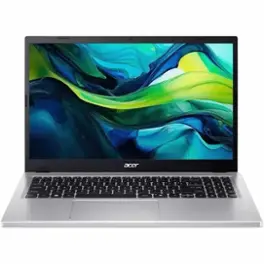
Acer Aspire Go 15 with 16GB RAM and 512GB SSD
A Windows 11 laptop with 16GB RAM and SSD storage is a more practical baseline than many entry-level 8GB machines. This kind of configuration is better suited to browsers, Office apps, sync tools, and everyday multitasking.
As an Amazon Associate I earn from qualifying purchases.