

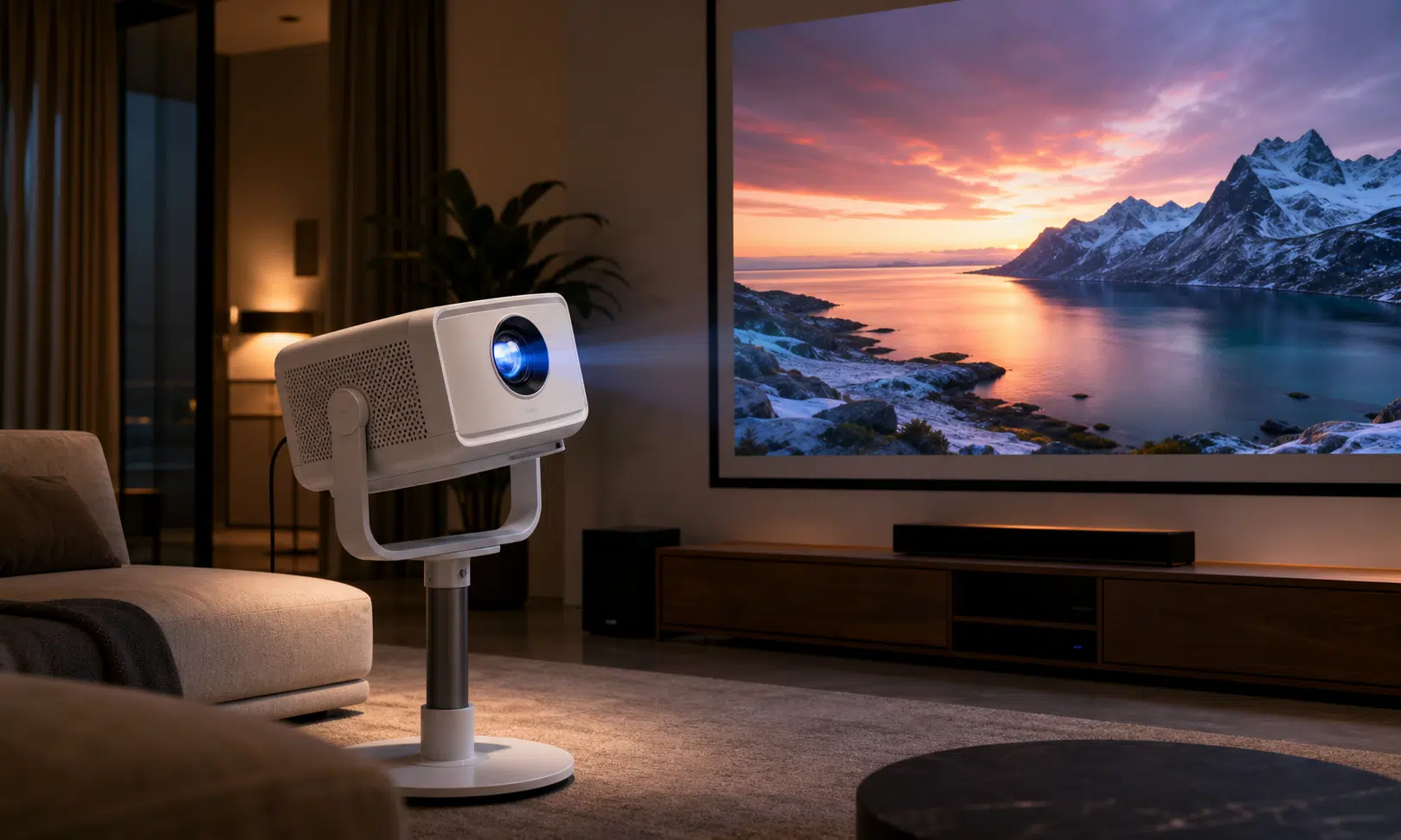

The JMGO N3 Ultimate is the kind of projector that makes a strong first impression before the movie even starts. It is a 4K RGB laser projector with a motorized gimbal base, substantial lens adjustment, Google TV built in, and enough claimed brightness to move well beyond the casual portable-projector category.
That combination makes it one of the more interesting premium gimbal projectors for people who want a big image without building a traditional ceiling-mounted home theater setup. It is also expensive enough that the usual projector compromises matter more. If you are spending in the neighborhood of its $3,000 list price, or even closer to the discounted $2,400 to $2,500 range that may appear at retail, this should not feel like a clever gadget. It needs to feel like a real display solution.
The short version: the N3 Ultimate is a very capable projector for buyers who need flexible placement and a bright, polished image. It is less compelling if the gimbal is only a novelty, or if you are simply looking for a big movie-night image on a wall.

JMGO N3 Ultimate 4K AI Gimbal Projector
The N3 Ultimate is the model to consider if the motorized gimbal, optical zoom, and wide lens shift solve a real placement problem in your room. It is best suited to buyers who want a bright 4K projector without committing to a traditional fixed install.
As an Amazon Associate I earn from qualifying purchases.
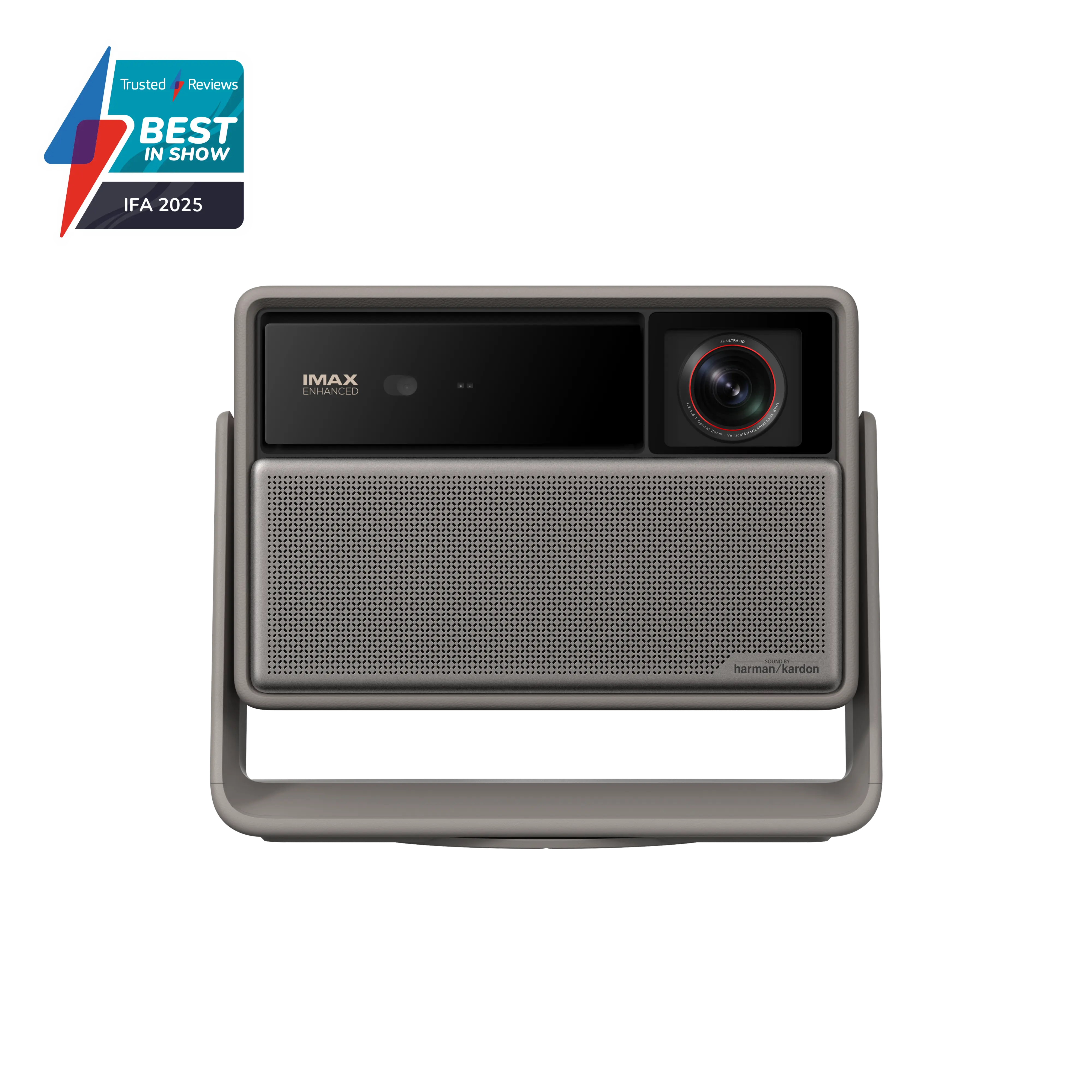
XGIMI Horizon 20 Max 4K Projector
The XGIMI Horizon 20 Max belongs in the same premium bright 4K projector conversation and is worth comparing if built-in sound and a more conventional gimbal-style design matter to you. It is less directly centered on the JMGO-style placement pitch but remains one of the most relevant alternatives.
As an Amazon Associate I earn from qualifying purchases.
Verdict: excellent hardware, narrow best-case buyer
The N3 Ultimate’s pitch is not subtle. It is built for rooms where placement is difficult, where the projector may move, or where a conventional setup would require too many compromises. Horizontal and vertical lens shift, zoom, and the motorized gimbal give it more ways to line up an image than most projectors in this class.
That flexibility is the main reason to consider it. The N3 Ultimate is not just a bright projector with a stand attached. It is a premium projector that can compensate for awkward positioning without immediately leaning on keystone correction, which can degrade image quality. For buyers who frequently move a projector between spaces, or who cannot place one directly in front of a screen, that matters.
The tradeoff is value. A gimbal makes intuitive sense on a smaller, cheaper, more portable projector. On a model this expensive, the argument gets more complicated. If the projector is going to live in one permanent spot, a motorized gimbal is harder to justify. If it will be moved often, the price starts to look high for something used casually.
Specs and setup flexibility
The standout hardware feature is placement control. JMGO lists horizontal lens shift at plus or minus 53 percent and vertical lens shift at plus or minus 130 percent, along with the motorized gimbal. There is also a zoom range that gives buyers more flexibility over throw distance. JMGO says the projector can produce a 100-inch image from about 6.4 feet to 12.3 feet away.
That is a wide setup window. In practical terms, it means the N3 Ultimate can work in rooms where the projector cannot sit exactly where a fixed-lens model wants to be. The gimbal can aim the chassis, while lens shift can move the image without the same quality penalty associated with digital keystone correction.
| Feature | JMGO N3 Ultimate |
|---|---|
| Resolution | 4K |
| Light source | RGB laser |
| Claimed brightness | 5,800 ISO lumens |
| Lens shift | Horizontal +/-53%, vertical +/-130% |
| Placement aid | Motorized gimbal base |
| Streaming platform | Google TV |
| Speakers | Two 12.5-watt speakers, 25 watts total |
This is the N3 Ultimate’s clearest advantage over many projector designs: it gives you more mechanical ways to solve placement problems. For a buyer trying to avoid a permanent install, that could be the feature that makes the whole product work.
Brightness and picture quality
JMGO claims 5,800 ISO lumens for the N3 Ultimate. Real-world brightness measurements can vary depending on mode and methodology, and the brightest modes on projectors are often not the most color-accurate. The important takeaway is that the N3 Ultimate sits in the very bright end of the consumer projector market, especially for a model designed around flexible placement.
That brightness can be a strength or something you need to manage. On a 100-inch, 1.0-gain screen in a dark room, a projector in this brightness range can be more intense than expected. Fortunately, brightness can be dialed down to better match the room. In a brighter living room or multipurpose space, however, that extra output is useful.
Color is another strong point. The N3 Ultimate is presented as a projector with accurate, vibrant color, and its RGB laser light source helps explain the broad color performance. Skin tones are described as a particular strength when compared with close competitors, though the difference is not dramatic enough to make the N3 Ultimate a runaway winner on color alone.
Black levels and contrast are also competitive for the category. The N3 Ultimate appears to have more neutral dark areas than the Xgimi Horizon 20 Max, which can show a slight reddish tint in deep blacks. That does not mean the JMGO suddenly behaves like a high-end OLED TV or a dedicated theater projector with perfect blacks. It means that, within this bright DLP projector class, its shadow handling is one of the more convincing parts of the image.
HDR shadow detail may need adjustment. The projector can crush some darker details depending on settings, but the available picture controls give buyers room to tune the image. That is worth doing, especially if the projector will be used for films and prestige TV rather than only sports, games, or bright streaming content.
How it compares with Xgimi, Valerion, Anker, and BenQ
The closest comparison is the Xgimi Horizon 20 Max. The two projectors occupy similar pricing territory and have similar claimed light output, with Xgimi listing 5,700 ISO lumens. In side-by-side terms, the practical brightness difference between them is not the story. Both are bright enough that the finer points of image processing, blacks, lens quality, sound, and placement flexibility become more important.
The JMGO’s image has the edge in darker scenes, with more neutral blacks and slightly better perceived contrast. It also has the stronger placement system thanks to its lens shift range and motorized gimbal. The Xgimi’s advantage is sound: it plays louder and sounds better overall. If you are not planning to connect a soundbar or receiver, that difference matters.
The Valerion VisionMaster Pro2 sits in the same broad conversation, but it is less central to the decision if image accuracy is the priority. It has a flashier design and is a bit dimmer, while color accuracy is not described as matching the JMGO or Xgimi. The Anker Nebula X1 is another similarly priced and similarly performing alternative, but it does not have the same gimbal pitch.
The BenQ W4100i is worth mentioning for a different reason. It uses LEDs rather than RGB lasers, which matters for buyers who are sensitive to the color fringing that can appear with RGB laser projectors when viewed through certain eyeglasses. Not everyone will see that issue, and it is separate from DLP rainbow artifacts, but it can be distracting for people who do notice it.
| Model | Why it matters | Main tradeoff |
|---|---|---|
| JMGO N3 Ultimate | Bright image, accurate color, strong lens controls, motorized gimbal | High price and gimbal may be unnecessary for fixed setups |
| Xgimi Horizon 20 Max | Similar brightness class and stronger built-in sound | Less favorable black tint and placement flexibility |
| Valerion VisionMaster Pro2 | Distinctive design and similar premium category | Less compelling if color accuracy is the priority |
| Anker Nebula X1 | Similar cost and performance territory | No gimbal |
| BenQ W4100i | LED alternative for buyers sensitive to RGB laser fringing | Different feature set and not the same gimbal-style product |
Streaming, sound, and everyday use
Google TV is built in, which keeps the N3 Ultimate from needing an external streaming stick for basic use. That is a practical advantage, especially if the projector will move between rooms. For a cleaner home theater setup, one HDMI input supports eARC, so it can send audio to a soundbar or receiver.
The built-in speakers are rated at 25 watts total, split across two 12.5-watt drivers. They are acceptable for casual use, but this is still a projector, and the audio does not match the scale of a 100-inch image. A soundbar should be considered part of the real setup cost for anyone buying this as a main entertainment display.
This is also where the Xgimi comparison becomes relevant again. The N3 Ultimate offers more bass, but that bass can sound boomy. The Xgimi plays louder and sounds more balanced. Neither should be treated as a replacement for a proper audio system, but if built-in sound is part of the decision, JMGO does not win that category.
The glasses caveat for RGB laser projectors
There is one warning that deserves more attention than it usually gets: some people who wear glasses may notice chromatic aberration with RGB laser projectors. It can show up as color fringing around bright objects on dark backgrounds, such as white credits over black or streetlights at night.
This does not affect every glasses wearer, and people who do not wear glasses may never notice it. The effect can be worse when sitting close to a large screen because the corners of the screen are viewed through the edges of the lenses. It is also separate from DLP rainbow artifacts, which are another sensitivity issue entirely.
For buyers who have noticed this kind of fringing before, the N3 Ultimate’s RGB laser light source is something to think about before spending premium money. An LED-based projector such as the BenQ W4100i may be a safer direction for that specific concern.
Who should buy the JMGO N3 Ultimate?
The JMGO N3 Ultimate makes the most sense for someone who wants a premium 4K projector but cannot guarantee ideal placement. If your room forces the projector off-center, if it may move between spaces, or if you want a big bright image without a traditional fixed install, its lens shift, zoom, and motorized gimbal give it a real advantage.
It also makes sense for buyers who care about strong color, high brightness, and flexible setup more than built-in sound. Paired with a soundbar or receiver, the N3 Ultimate can behave like a serious living-room projector rather than a novelty display.
It is harder to recommend if the gimbal will not be used. For a permanent setup, the question becomes simple: are you paying for flexibility you do not need? If the projector will sit in one place, there are other bright 4K projectors that may deliver a similar experience for less money or with a feature mix better suited to fixed installation.
At a steep discount, the N3 Ultimate becomes easier to justify. At full list price, it needs a buyer who specifically values its placement tricks. That is the real split here. The image quality is strong, the brightness is serious, and the hardware is unusually flexible. The value depends on whether that flexibility solves an actual problem in your room.