


MiixKey is a compact hardware security key built around Espressif’s ESP32-P4 platform, but it is trying to be more than a small FIDO2 token. The device combines an offline password manager, passkey storage, NFC card support, smart card credentials, a 2-inch touchscreen, and USB-C connectivity in a pocket-size aluminum enclosure.
That makes it different from familiar security keys such as YubiKey-style USB or NFC tokens, which are excellent for two-factor authentication and passkeys but usually have no screen and very little local interface. With MiixKey, the pitch is that you can view, search, edit, and use stored credentials directly on the device without depending on a phone app, browser extension, or cloud password manager.
The project is especially aimed at users who want credential storage to stay offline: developers, enterprise users, government staff, cybersecurity professionals, and people who prefer a hardware-first password workflow. It is also a crowdfunding product, so buyers should treat the specifications and delivery schedule as campaign-stage information rather than the same kind of guarantee they would expect from a mature retail security key.
A touchscreen security key with local credential management
Most small security keys are intentionally minimal. They may include a USB connector, NFC antenna, touch contact, and secure firmware, but they usually offload management tasks to the host computer. That is simple and durable, but it also means the user cannot easily browse a password vault or switch between richer credential profiles directly on the key.
MiixKey’s 2-inch, 480 x 640 touchscreen changes that interaction model. Instead of acting only as a silent authentication token, it can serve as a small standalone credential manager. The device is described as being able to store more than 3,000 passwords offline, with local entry, search, and editing handled through the built-in display.
The key point is not just convenience. If implemented well, the local screen reduces how often sensitive credential management has to happen on an internet-connected computer. For users who distrust browser-based password managers or who work on shared, managed, or potentially exposed machines, that is the main appeal.
MiixKey also supports importing passwords from KeePass or KeePassXC KDBX files for offline use. That matters because many security-conscious users already keep their primary password database in KeePass-compatible formats. A smooth import path could make MiixKey more practical than a device that requires every credential to be entered manually.
OnlyKey DUO hardware password manager
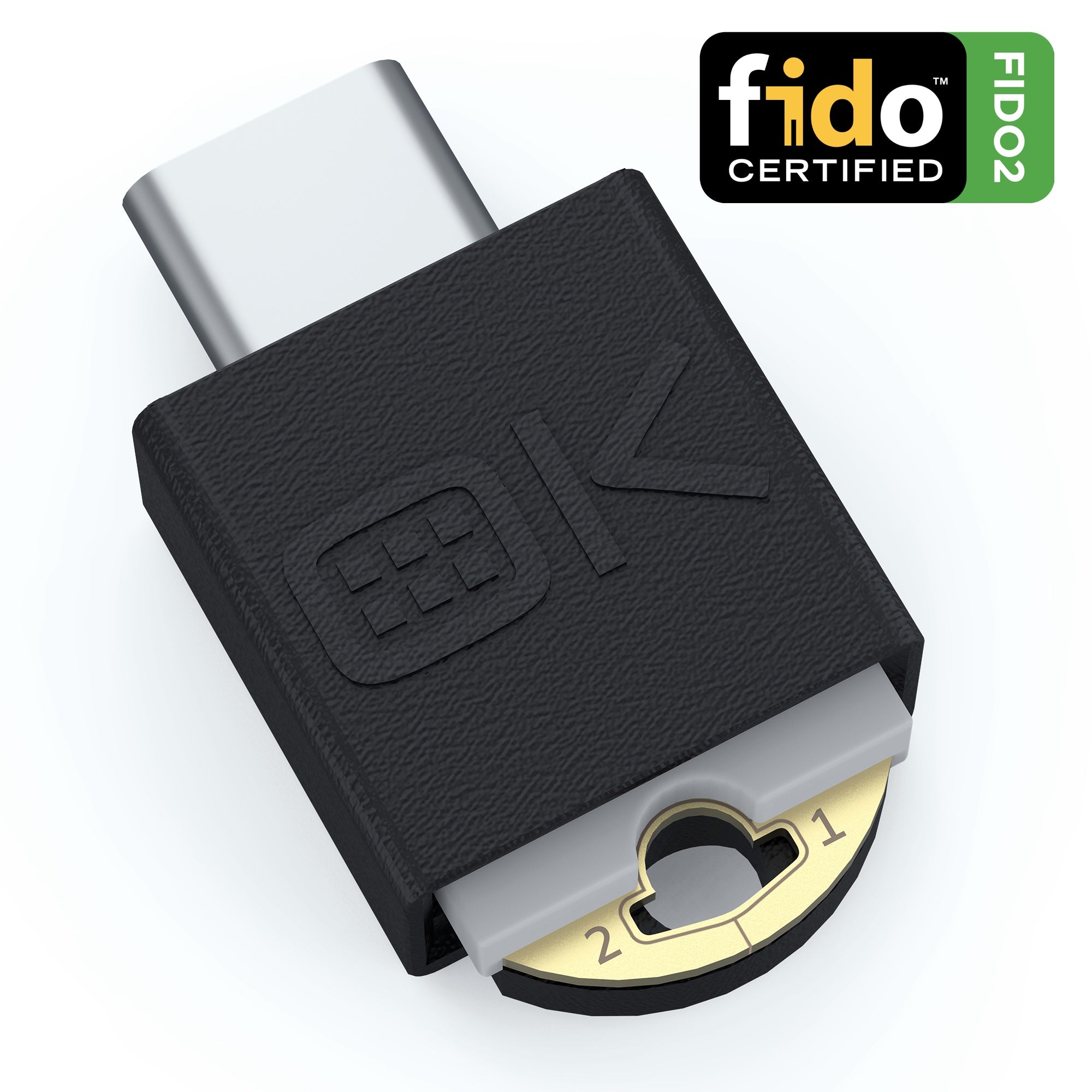
OnlyKey DUO is not a touchscreen vault like MiixKey, but it is relevant for readers who want a hardware password manager that can also work as a FIDO2 security key. Its account capacity is more limited, so it fits best for high-value logins rather than a full password database.
As an Amazon Associate I earn from qualifying purchases.
MiixKey hardware specifications
The main processor is Espressif’s ESP32-P4, a high-performance RISC-V microcontroller aimed at HMI, edge AI, display, and multimedia-style embedded applications. For a device with a touchscreen and local password interface, the ESP32-P4 is a reasonable fit because it brings more display and processing capability than simpler microcontrollers used in basic authentication tokens.
MiixKey also uses a Nordic Semiconductor nRF52840 wireless SoC. That chip is widely used in embedded wireless products and brings Bluetooth, NFC, 802.15.4-class radio support, and related low-power connectivity features.
| Component | MiixKey specification |
|---|---|
| Main SoC | Espressif ESP32-P4 |
| Main CPU | Dual-core 32-bit RISC-V high-performance CPU up to 400 MHz, with AI instruction extension and single-precision FPU |
| Low-power core | Single RISC-V low-power MCU core up to 40 MHz with 8 KB zero-wait TCM RAM |
| Memory | 768 KB HP L2 memory, 32 KB LP SRAM, 8 KB TCM, and 32 MB PSRAM |
| Internal ROM | 128 KB HP ROM and 16 KB LP ROM |
| External storage | 32 MB external SPI NOR flash |
| Graphics and media | 2D Pixel Processing Accelerator, H.264 video encoder, and JPEG codec |
| Wireless SoC | Nordic Semiconductor nRF52840 |
| Wireless CPU | 32-bit Arm Cortex-M4F microcontroller up to 64 MHz |
| Wireless memory | 1 MB flash and 256 KB RAM |
| Wireless support | Bluetooth 5, Thread, ANT, Bluetooth Mesh, NFC, 802.15.4, and 2.4 GHz proprietary modes |
| Display | 2-inch touchscreen, 480 x 640 resolution |
| USB | USB Type-C for power and connectivity |
| Dimensions | 60 x 40 x 10 mm |
| Housing | CNC aluminum alloy with gold-plated brass buttons |
The storage figure is worth reading carefully. The device is described as supporting more than 3,000 stored passwords, but the hardware list also mentions 32 MB of external SPI NOR flash. That is plausible for compact encrypted credential records, but users should still think of MiixKey as a credential appliance, not as a general-purpose secure file vault.
The source information does not specify an internal battery capacity. It does say the device supports continuous power over USB, which is relevant for time-locked functions. Until battery details are clearer, buyers should not assume smartphone-like standalone runtime.
Security features and credential slots
MiixKey lists several security features at the firmware and storage level, including Secure Boot v2, flash AES-256 encryption, NVS plus PIN HMAC encryption, and separate operating modes for sensitive situations.
- Secure Boot v2: Intended to help ensure that only authorized firmware runs on the device.
- Flash AES-256 encryption: Used to protect data stored in flash memory.
- NVS plus PIN HMAC encryption: Described as part of the device’s local protected storage design.
- Dangerous Mode: A decoy-vault behavior triggered by a specific PIN, with the real data wiped.
- Emergency Mode: A time-locked vault mode with a delay of up to 64 hours for sensitive handover scenarios.
Those features sound useful, but they also raise the standard for implementation quality. A security key is only as trustworthy as its firmware, update process, cryptographic design, physical security assumptions, and auditability. For buyers handling high-value credentials, the practical question is not only whether encryption is present, but whether the whole system has been designed, reviewed, and maintained carefully.
One of the more interesting parts of MiixKey is its slot model. The device is described as having five independent slots, with each slot acting like its own security key and using a separate PIN. Each slot supports FIDO2, PIV, and OpenPGP, and each can hold up to 64 FIDO2 passkeys. Across five slots, that gives a stated total of 320 FIDO2 passkeys.
| Credential feature | Stated support |
|---|---|
| Independent security key slots | 5 |
| PIN separation | Separate PIN per slot |
| FIDO2 passkeys per slot | Up to 64 |
| Total FIDO2 passkeys | Up to 320 |
| Protocols per slot | FIDO2, PIV, and OpenPGP |
That slot layout could be useful for people who separate personal, work, admin, client, and testing identities. It may also help developers or security teams keep different credential environments isolated on one device. The risk, of course, is that one physical object still becomes very important. Slot separation does not replace redundancy.
Offline passwords, TOTP, HID auto-fill, and NFC
MiixKey is not limited to passkeys. It is positioned as an offline password manager as well, with support for stored passwords, NFC cards, smart card credentials, and a built-in TOTP generator for two-factor authentication codes.
The TOTP feature is convenient because it can remove one dependency on a phone authenticator app. For people who are trying to keep critical login workflows off a phone, that is attractive. It also concentrates more responsibility into the MiixKey, so backups and account recovery planning become even more important.
The device can reportedly work as an HID device over USB or Bluetooth, which means it can emulate a keyboard for auto-fill workflows. In practical terms, that could let it type credentials into systems that do not have a dedicated MiixKey app or extension. HID-based entry is widely compatible, but users should be thoughtful about where they use it. Auto-typing a password into the wrong window is still possible, and HID-style behavior can be restricted in some managed corporate environments.
The NFC support also broadens the device’s use cases. The source material describes NFC and FIDO login use, along with storage for NFC cards and smart card credentials. That combination makes MiixKey look less like a single-purpose USB token and more like a portable identity wallet for several authentication methods.
BADUSB and scripting are powerful, but not for everyone
MiixKey also supports custom scripts and BADUSB-style functionality. That means it can emulate a keyboard and automate keystrokes or command sequences. For developers, penetration testers, administrators, and automation-heavy users, this can be useful. A device that can both authenticate and run prepared input sequences could save time in repetitive setup, recovery, or testing workflows.
For ordinary buyers, this feature deserves a more cautious reading. BADUSB functionality is powerful because a host computer sees the device as a keyboard-like input source. That is also why such tools have a long association with offensive security testing and social engineering demonstrations. In the wrong context, automated keystroke injection can create serious risk.
The practical takeaway is simple: scripting support may be valuable if you know why you need it, but it should not be the main reason a typical consumer buys a password manager. Buyers should check whether scripts can be disabled, locked behind authentication, or controlled per slot before relying on MiixKey in a sensitive environment.

YubiKey 5C NFC multi-protocol security key
For readers who want established FIDO2, PIV, OpenPGP, and OTP support without BADUSB-style scripting, the YubiKey 5C NFC is a conservative comparison point. It is better viewed as an authentication key than an offline password vault.
As an Amazon Associate I earn from qualifying purchases.
How MiixKey compares with simpler security keys
MiixKey’s biggest advantage over a conventional security key is interaction. A small USB/NFC token is easy to carry and hard to overcomplicate, but it usually cannot show a password list, manage multiple local vaults, or expose a rich interface without help from a phone or PC. MiixKey adds that missing layer.
That does not automatically make it better for everyone. A basic FIDO2 key is often the best answer for account protection because it is simple, mature, and easy to keep as a backup. Many users should own at least two simple security keys before they consider a more ambitious device like MiixKey.
MiixKey is more interesting for people who want several credential workflows in one place:
- Offline password vault storage for thousands of entries
- Passkeys and FIDO2 authentication
- PIV and OpenPGP credentials
- TOTP code generation without a phone app
- NFC card and smart card credential handling
- HID auto-fill over USB or Bluetooth
- Separate credential slots with individual PINs
That breadth is the attraction, but it also increases the number of things that must work correctly. A simple security key has a smaller job. MiixKey is trying to be a security key, password manager, identity device, and automation tool in one enclosure.
Backup planning is not optional
Because MiixKey is designed to operate offline, there is no ordinary cloud recovery path if the device is lost, damaged, wiped, or forgotten. That is a feature for privacy and security, but it is also a responsibility that buyers should understand before using it as a primary credential store.
The source material is clear that there is no password recovery option. If you lose access to the device and do not have backups, you may permanently lose access to the credentials stored on it. That is especially serious if the device holds both passwords and TOTP codes for the same accounts.
A sensible setup should include multiple layers of recovery:
- Register more than one hardware security key on important accounts.
- Keep an offline backup of the KeePass or KeePassXC KDBX database in a secure location.
- Store account recovery codes separately from the MiixKey.
- Test recovery workflows before relying on the device for critical accounts.
- Keep at least one backup authentication method somewhere physically separate.
This is not a minor detail. A local-only password manager can be excellent when the owner is disciplined about backups. It can be painful when used casually.
Pricing and crowdfunding status
MiixKey is being offered through a Kickstarter campaign and had reportedly passed its 10,000 HKD funding goal in the source material. Shipping was estimated for July 2026.
Early Bird rewards were listed at approximately $99, with a “Kickstarter Special” price of $109, but that pricing has not been independently verified here and should be checked on the live campaign page before making a purchase decision. Crowdfunding prices can change as reward tiers sell out, and shipping, taxes, accessories, and regional availability can alter the real cost.
The campaign-stage nature of the product matters. A security key is not just another gadget; it becomes part of the user’s access infrastructure. Before backing, buyers should look for clear answers on firmware updates, recovery behavior, source availability, security review, manufacturing readiness, warranty terms, and what happens if the device fails after credentials have been loaded onto it.
Who MiixKey makes sense for
MiixKey is most compelling for technically confident users who already understand hardware security keys, KeePass-style offline password management, and backup discipline. It could be a good fit for someone who wants a dedicated device for managing credentials without putting everything in a browser extension or phone app.
It may also appeal to developers and security professionals who need multiple identities, OpenPGP or PIV support, scripted input, and FIDO2 passkeys in one portable device. The five-slot design is especially relevant if the user regularly separates work, personal, lab, administrative, and client credentials.
For mainstream buyers, the calculation is more mixed. The touchscreen and offline password storage are useful, but they also make MiixKey more complex than a basic security key. If your main goal is protecting Google, Microsoft, GitHub, banking, or work accounts with phishing-resistant authentication, a pair of mature FIDO2 keys may still be the more conservative first purchase.
MiixKey becomes more interesting after that baseline is covered. It is best viewed as a specialized offline credential device rather than a direct replacement for every security key or password manager. Used carefully, it could simplify a complicated security setup. Used without backups, it could create a single point of failure.

Yubico Security Key C NFC
A basic FIDO2 key is a practical baseline for passkey and two-factor authentication. It does not replace MiixKey’s offline vault idea, but it is the kind of simpler backup key many readers should register on important accounts.
As an Amazon Associate I earn from qualifying purchases.
Bottom line
MiixKey is an ambitious take on the hardware security key. The ESP32-P4 gives it enough processing and display capability for a richer local interface, while the nRF52840 adds wireless and NFC options. The combination of a 2-inch touchscreen, offline password storage, FIDO2, PIV, OpenPGP, TOTP, KeePass import, HID auto-fill, and five independent credential slots makes it far more flexible than a typical minimalist authentication token.
The same flexibility is also why buyers should evaluate it carefully. Security hardware needs more than a good feature list. It needs dependable firmware, clear recovery expectations, a sensible update process, and a backup plan that users will actually follow.
For people who want a compact offline password vault with security-key features, MiixKey is worth watching. For people who only need reliable passkey or two-factor authentication, a simpler established hardware key may still be the safer place to start.