

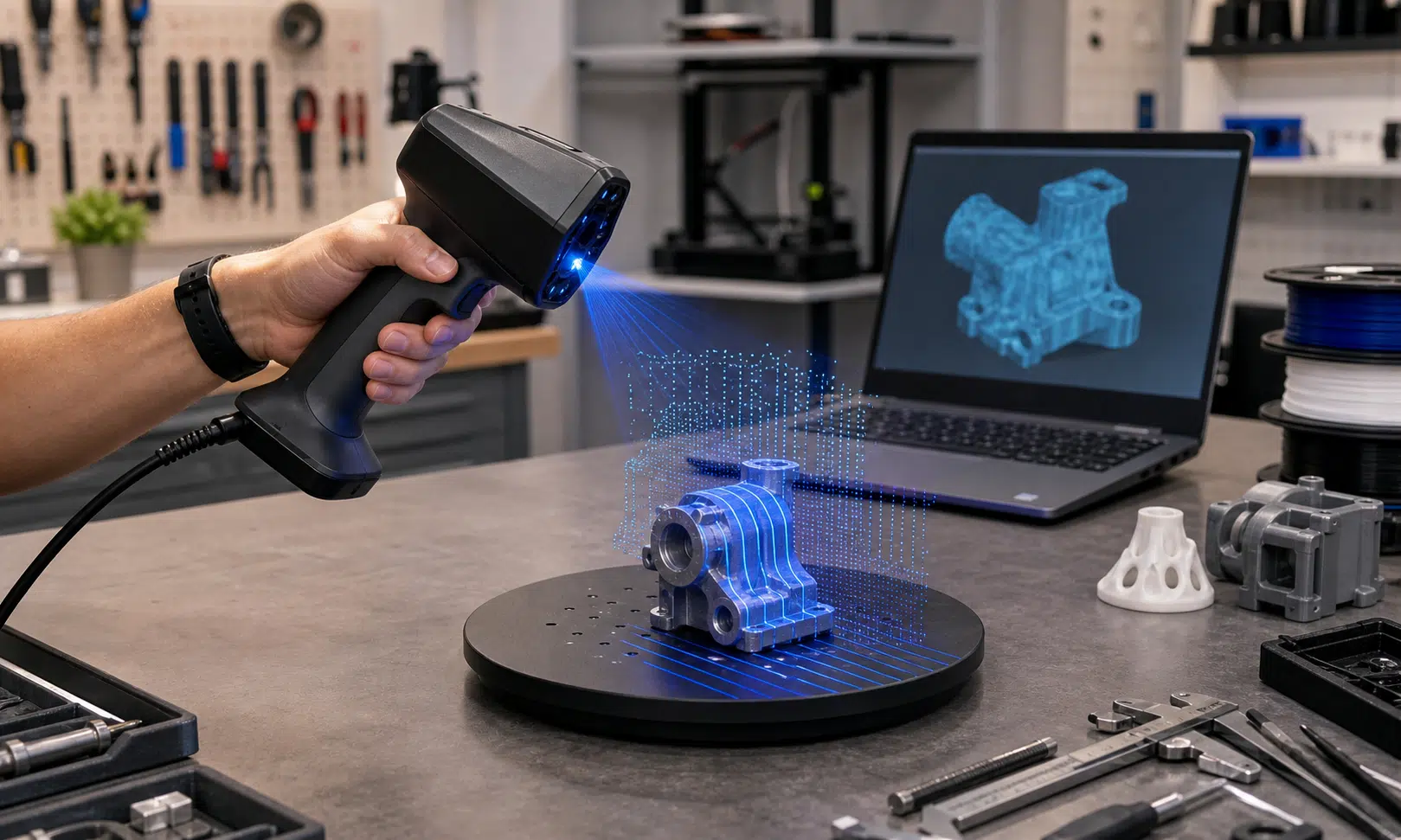

3D scanners are no longer only for metrology labs, industrial design teams, or very patient hobbyists. The category is still more complicated than buying a basic 3D printer, but the consumer and prosumer options have become much easier to understand: some are built for guided tabletop scans, some are made for field work, and others are aimed at reverse engineering parts where geometry matters more than color.
The best 3D scanner for you depends less on a universal ranking and more on what you plan to scan. Small figurines, automotive parts, sculptures, dark objects, and featureless panels all create different problems. A scanner that is friendly for a beginner may be too limited for deep recesses or large objects, while a laser-heavy prosumer scanner may be overkill if you mostly want clean tabletop models.
Most 3D scanners capture geometry as a dense set of spatial points, then turn that data into a mesh that can be cleaned up, repaired, exported, and used in a modeling or printing workflow. That process can involve a lot of alignment and cleanup, which is why the scanner’s software and workflow matter almost as much as the hardware.
Best overall: Creality Sermoon P1
The Creality Sermoon P1 is the most complete option here if you want a scanner that can handle serious work without requiring a desktop computer at every step. It is a handheld, all-in-one scanner built around structured light and blue laser scanning, with an integrated touchscreen that makes the workflow feel more self-contained than a traditional tethered setup.
Its biggest advantage is convenience. The onboard computer and display are designed to let users work with point clouds, repair models, and export files directly from the scanner. That makes it especially appealing for scanning away from a desk, where stopping to move between a scanner, laptop, and editing station can slow the entire process down.
The P1 is best suited to buyers who care about geometry first. It is positioned for larger objects, outdoor use cases, automotive components, consumer products, and reverse-engineering-style work. Its blue laser modes are meant to give users more flexibility across broad surfaces and tighter areas, including a single-laser mode for recessed details.
Color is the weak point. If your goal is to produce visually rich textured models, the P1 may not be the cleanest answer. Its appeal is the ability to capture usable shape data in a portable, self-contained package, not to replace a photogrammetry workflow for texture quality.

Creality Sermoon P1 3D Scanner
The Creality Sermoon P1 is the model to compare if you want an all-in-one scanner for portable geometry capture, larger objects, and reverse-engineering-style work. It makes the most sense for buyers who value onboard workflow and flexible scan modes more than lifelike color texture.
As an Amazon Associate I earn from qualifying purchases.
Creality Sermoon S1 3D Scanner
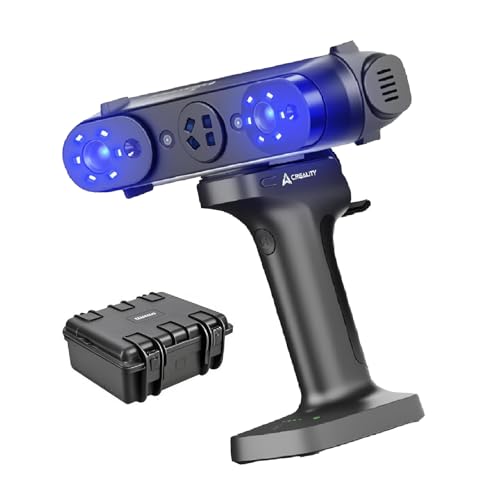
The Creality Sermoon S1 is aimed at users who want laser scanning capability and are comfortable building a more deliberate workstation-style workflow. It is a stronger fit for precision-focused scanning than for casual point-and-scan use.
As an Amazon Associate I earn from qualifying purchases.
Best for beginners: 3DMakerPro Mole
The 3DMakerPro Mole is the easier recommendation for a first 3D scanner because it removes some of the friction that can make scanning frustrating for new users. It uses near-infrared structured light and is designed for marker-free scanning, which means beginners can focus more on positioning and workflow instead of preparing every object with tracking markers.
The Mole is especially interesting for tabletop scanning. Its automated turntable support is the feature that makes the most sense for beginners: place an object, start the scan, and let the setup capture the object as it rotates. That kind of controlled workflow reduces the learning curve because the scanner has a more predictable view of the object from frame to frame.
The base setup does not prioritize full color texture capture. It can work with grayscale texture information, which may be useful for some projects, but this is not the scanner to buy if lifelike surface color is the main goal. It also relies on a wired computer connection in its standard workflow, with smartphone use depending on additional hardware.
The Mole makes the most sense for hobbyists, makers, and small-shop users who want to scan smaller objects with less setup anxiety. Thin objects and difficult geometry can still create tracking problems, but the overall package is more approachable than the higher-end scanners aimed at professional field work.
Best prosumer laser option: Creality Sermoon S1
The Creality Sermoon S1 is the more traditional prosumer choice compared with the P1. It combines near-infrared structured light with blue laser scanning modes and includes a separate camera for color texture capture. The key distinction is that it is aimed at buyers who want high-precision scanning and are comfortable with a more workstation-oriented workflow.
Its near-infrared mode is useful when tracking markers are impractical, while its laser modes are better suited to jobs where accuracy and detail are more important than convenience. The S1 is also the better fit when you need to scan larger models quickly but still want the option to move into a more precise mode for challenging geometry.
As with several scanners in this category, color should be treated as a secondary feature. The geometry side is the real reason to consider the S1. If color texture is central to the work, a scanner like this may need to be paired with a separate texture-focused process rather than expected to do everything perfectly on its own.
An optional wireless bridge accessory can make the setup less tethered, but the S1 is still best understood as a prosumer tool. It is for users who know they need laser scanning capability and are willing to trade some simplicity for more control.
Also tested: 3DMakerPro Toucan
The 3DMakerPro Toucan is another all-in-one scanner, with onboard processing and a touchscreen workflow. It is built around portability, and that makes it attractive for field use or for users who do not want a laptop involved in every scan.
The Toucan is strongest with smaller, detailed objects. It is less convincing for larger scans where tracking loss can become a problem. That makes it a more situational pick: useful if portability matters, but not the obvious first choice if you expect to scan a wide range of large objects.
It also offers two laser modes, including a more powerful Class 3R mode that is not appropriate for scanning people. That distinction matters. Anyone shopping for a scanner should pay close attention to laser safety classifications, especially if there is any chance the scanner will be used around faces, hands, or live subjects.
The Toucan’s texture capture is not its strongest feature, and moving finished files off the device may require either a USB-C thumb drive or Wi-Fi transfer. For the right user, that may be acceptable. For buyers who want the smoothest possible workflow, it is one of the tradeoffs to consider carefully.
Quick comparison
| Model | Best fit | Scanning approach | Main tradeoff |
|---|---|---|---|
| Creality Sermoon P1 | Best overall for portable prosumer scanning | Structured light and blue laser modes | Premium positioning and weaker color texture detail |
| 3DMakerPro Mole | Best beginner-friendly scanner | NIR structured light with marker-free scanning | Limited color texture support in the base package |
| Creality Sermoon S1 | Best prosumer laser-focused option | NIR structured light plus blue laser modes | Less self-contained than the P1 without accessories |
| 3DMakerPro Toucan | Portable scanning and small detailed objects | All-in-one scanning with laser modes | Tracking can be harder on larger objects |
How to choose a 3D scanner
The first decision is whether you need structured light, laser scanning, or a mix of both. Structured light scanners are often a better fit for general-purpose scanning and can be easier to use when color data matters. Laser scanners are usually the better direction for buyers who care about fine geometry, quality control, reverse engineering, or harder surfaces.
The second question is where you will scan. Outdoor scanning, inconsistent lighting, shiny surfaces, dark objects, and deep recesses can all complicate capture. If your work happens outside or around large parts, portability and lighting tolerance should carry more weight than raw spec-sheet appeal.
Tracking markers are another major consideration. They can improve alignment, especially on large or low-feature objects, but they are not always practical. A scanner that supports marker-free scanning can be easier to live with, while marker-based workflows can still be valuable for precise work on difficult shapes.
Color is the area where buyers should be cautious. Many 3D scanners can capture some kind of texture, but good geometry and good color are not the same thing. If the final model needs clean, attractive surface detail, photogrammetry tools may still be better for textures, while a laser or NIR scanner handles geometry.
Verdict: buy for the workflow, not the headline spec
The Creality Sermoon P1 is the strongest overall pick if you want a self-contained scanner with enough flexibility for serious geometry capture. The 3DMakerPro Mole is the better starting point for beginners because its tabletop workflow and turntable support make the scanning process less intimidating. The Creality Sermoon S1 is the model to consider when prosumer laser scanning is the priority, while the 3DMakerPro Toucan works best for portable scanning where small, detailed objects are the main focus.
There is no single 3D scanner that is best for every buyer. The right choice comes down to object size, lighting, texture expectations, marker use, software workflow, and how much cleanup you are willing to do after capture. Decide those first, and the scanner decision becomes much clearer.