

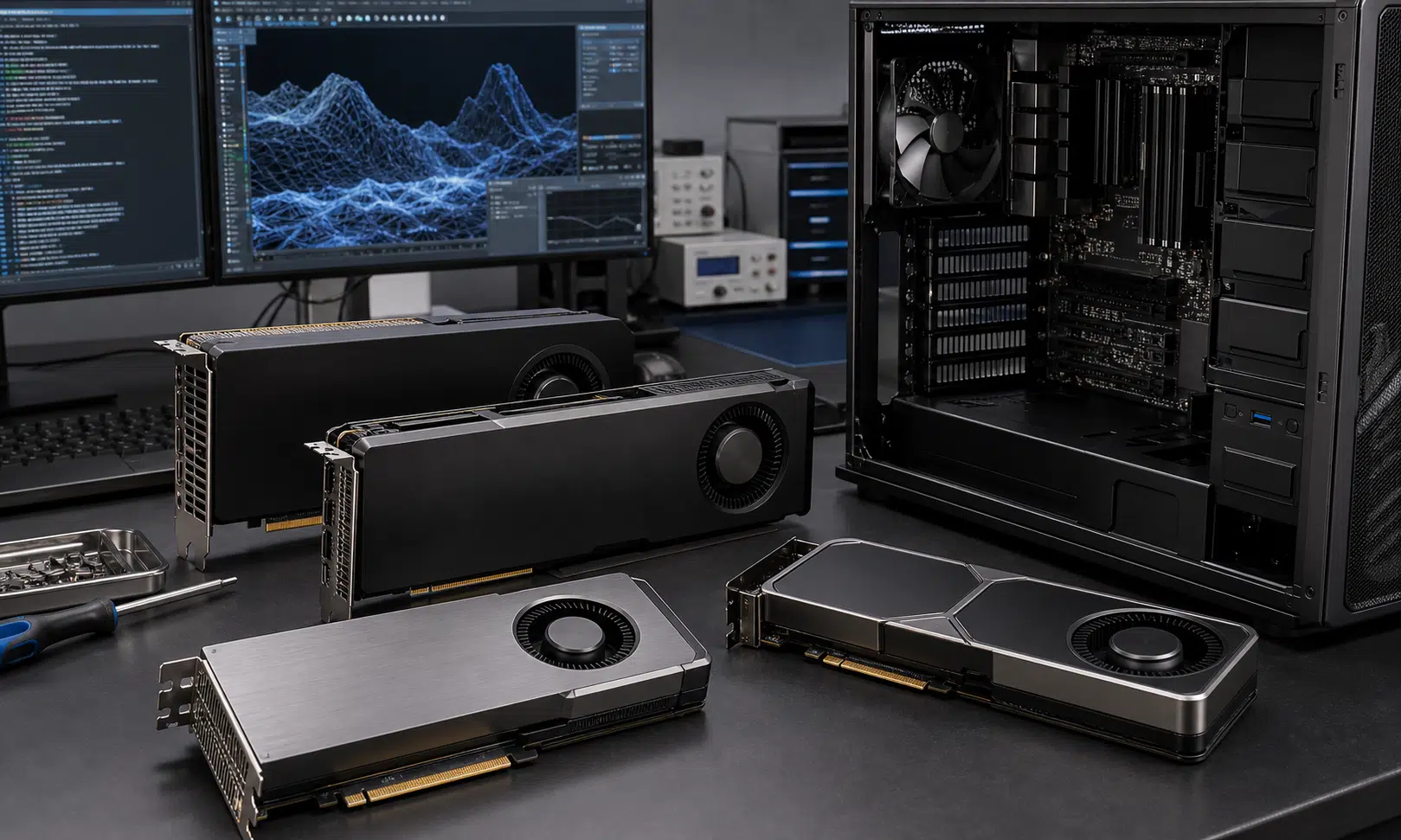

NVIDIA RTX PRO Blackwell Arrives as a Serious Linux Workstation Upgrade
NVIDIA’s RTX PRO Blackwell workstation cards are aimed at buyers who care less about gaming frame rates and more about local AI, rendering, visualization, simulation, and GPU compute. In this Linux-focused review set, the new lineup was tested against prior NVIDIA RTX Ada workstation cards as well as current professional or workstation-adjacent options from AMD and Intel.
The practical takeaway is straightforward: across the workloads tested, RTX PRO Blackwell looked like the strongest choice for high-end Linux workstation users who are willing to run NVIDIA’s packaged driver stack. The new cards did not just improve on Ada in raw performance. They also showed strong power efficiency, which matters for buyers building dense workstations, long-running render nodes, or local AI systems that may stay loaded for hours at a time.
The lineup covered a wide spread of budgets and power envelopes, from the compact RTX PRO 2000 Blackwell up to the large RTX PRO 6000 Blackwell Workstation Edition. Pricing can vary by region, channel, vendor, and availability, but the range discussed in the source review ran from roughly the entry workstation tier around the RTX PRO 2000 class to very expensive flagship RTX PRO 6000 listings. Treat those prices as market snapshots rather than fixed launch pricing.
For Linux buyers, the more important point is that the tested cards were not narrow wins in one synthetic benchmark. The review found strong results in local LLM inference, CUDA-backed compute, Vulkan workloads, ray tracing, Blender rendering, V-Ray, OctaneBench, OpenCL-oriented tests, and workstation graphics benchmarks.
The Tested RTX PRO Blackwell Stack
The review covered five current NVIDIA RTX PRO Blackwell desktop workstation models: RTX PRO 2000, RTX PRO 4000, RTX PRO 4500, RTX PRO 5000, and RTX PRO 6000. The cards scale sharply in memory capacity, power draw, and intended use.
| GPU | Memory | CUDA cores | Memory interface | Power | Display outputs |
|---|---|---|---|---|---|
| NVIDIA RTX PRO 2000 Blackwell | 16GB GDDR7 ECC | 4,352 | 128-bit | 70W max power | 4x mini DisplayPort 2.1b |
| NVIDIA RTX PRO 4000 Blackwell | 24GB GDDR7 ECC | 8,960 | 192-bit | 145W board power | 4x DisplayPort 2.1b |
| NVIDIA RTX PRO 4500 Blackwell | 32GB GDDR7 ECC | 10,496 | 256-bit | 200W board power | 4x DisplayPort 2.1b |
| NVIDIA RTX PRO 5000 Blackwell | 48GB GDDR7 ECC | 14,080 | 384-bit | 300W board power | 4x DisplayPort 2.1b |
| NVIDIA RTX PRO 6000 Blackwell | 96GB GDDR7 ECC | 24,064 | 512-bit | 600W max power | 4x DisplayPort 2.1 |
That spread gives workstation buyers several distinct decision points. The RTX PRO 2000 Blackwell is the low-profile, low-power option for compact systems and lighter professional workloads. The RTX PRO 4000 Blackwell moves into a more capable single-slot class with 24GB of memory. The RTX PRO 4500 Blackwell is the more obvious middle step for users who need 32GB of ECC VRAM without jumping to the higher board power and cost of the RTX PRO 5000.
The RTX PRO 5000 Blackwell is the point where the lineup becomes especially interesting for heavy local AI and rendering buyers: 48GB of ECC memory is large enough for many serious workstation workloads, while 300W is still easier to integrate than a 600W flagship. The RTX PRO 6000 Blackwell, meanwhile, is the no-compromise option in this group, with 96GB of GDDR7 ECC memory and the highest power requirement.
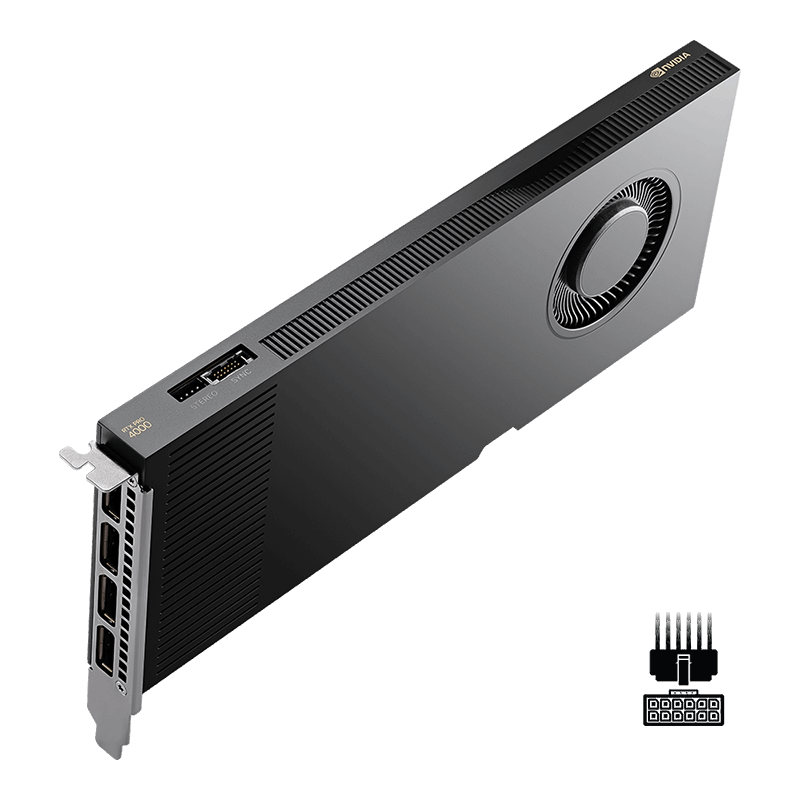
NVIDIA RTX PRO 4000 Blackwell 24GB Workstation GPU
The RTX PRO 4000 Blackwell class is the practical middle ground for Linux workstations that need ECC VRAM, CUDA support, and a lower-power single-slot design. It is best suited to professional graphics, moderate local AI, and creator workloads that do not require 48GB or 96GB of VRAM.
As an Amazon Associate I earn from qualifying purchases.
Test Platform and Linux Driver Context
The tests were run on an Ubuntu 26.04 LTS system using an AMD Ryzen Threadripper 9980X workstation. NVIDIA cards used the NVIDIA 595.58.03 driver stack, including NVIDIA’s open-source DKMS kernel driver module. Intel Arc and Arc Pro cards were tested with an upstream Linux 7.0 kernel, Mesa 26.0, and Intel Compute Runtime 26.14.37833.4. AMD Radeon and Radeon PRO cards were tested with Linux 7.0, Mesa 26.0, and ROCm 7.4.2.
The comparison group included prior NVIDIA RTX Ada cards, the new RTX PRO Blackwell cards, Intel Arc Pro models, a consumer Arc B580 used in place of an unavailable Arc Pro B60 sample, and AMD Radeon PRO or Radeon AI PRO cards.
- NVIDIA RTX 2000 Ada, RTX 4000 Ada, and RTX 6000 Ada
- NVIDIA RTX PRO 2000, 4000, 4500, 5000, and 6000 Blackwell
- Intel Arc Pro B50, Arc B580, and Arc Pro B70
- AMD Radeon PRO W7600, W7700, W7900, and Radeon AI PRO R9700
The source review reported no major Linux bring-up problems across the NVIDIA RTX PRO Blackwell cards during the tested graphics, AI, and compute workloads. That matters because workstation GPU buyers are often not only buying peak speed. They are buying predictable behavior under Linux, driver support, and compatibility with production applications.
AI and Llama.cpp Performance
The most commercially important part of the review is local AI performance. Llama.cpp was tested using each vendor’s native GPU path: CUDA for NVIDIA, oneAPI for Intel, and ROCm HIP for AMD. The source also included Vulkan-based Llama.cpp testing as a common cross-vendor path.
In the native backend tests, RTX PRO Blackwell performed extremely well. The new cards delivered large gains over the prior RTX Ada workstation generation and also pulled ahead of the tested AMD and Intel alternatives. The RTX PRO 5000 Blackwell was reported as outpacing the previous RTX 6000 Ada flagship in some Llama.cpp results, while the RTX PRO 4500 Blackwell came close to RTX 6000 Ada performance in parts of the AI test set.
That is the kind of generational movement workstation buyers notice. A buyer who previously needed a top-end Ada card may now be able to reach similar or better performance with a lower-tier Blackwell card, depending on the workload and memory requirement. That does not automatically make the cheaper card the right purchase, because VRAM capacity still controls what models and context sizes are practical. But it changes the value discussion.
The AMD Radeon AI PRO R9700 was described as competing closer to the RTX PRO 4000 Blackwell in the Llama.cpp results rather than the higher-end Blackwell cards. Intel’s Arc Pro B70 also trailed the RTX PRO 2000 Blackwell in the source’s Llama.cpp testing. Those results make NVIDIA’s advantage especially clear for buyers whose software stack already favors CUDA.
The Vulkan Llama.cpp results were also favorable to NVIDIA. That is notable because Vulkan removes some of the native-stack advantage and gives a broader cross-vendor comparison point. Even there, RTX PRO Blackwell remained ahead in the source review’s results.
Rendering, Creator, and Visualization Workloads
The review did not limit testing to AI. Blender, V-Ray, OctaneBench, Open Image Denoise, Vulkan graphics tests, Vulkan ray tracing, and SPECViewPerf 2020 were also part of the picture. Across those workstation and creator workloads, RTX PRO Blackwell continued to show substantial generation-over-generation gains.
For Blender users on Linux, the new cards looked particularly strong. The review characterized the results as a clear NVIDIA win, with the Blackwell lineup pushing far beyond the tested AMD and Intel cards. That is not surprising given NVIDIA’s long-standing strength in CUDA and OptiX-based rendering workflows, but the size of the Blackwell uplift is what makes the result useful for upgrade planning.
V-Ray’s RTX backend and OctaneBench also showed solid performance from the RTX PRO Blackwell cards. These are the kinds of workloads where buying the right GPU can directly affect project turnaround time. Faster rendering is not just a benchmark win; for studios, freelancers, engineering teams, and visualization groups, it can mean more iterations per day or fewer machines needed for the same output.
Intel’s Open Image Denoise was also tested and ran well on the NVIDIA RTX PRO Blackwell cards. That is a useful reminder that professional workflows are often mixed. A workstation may rely on NVIDIA CUDA for one application, Vulkan for another, OpenCL for a utility, and vendor-neutral libraries elsewhere. The RTX PRO Blackwell cards were not only strong where NVIDIA’s own software ecosystem is expected to shine.
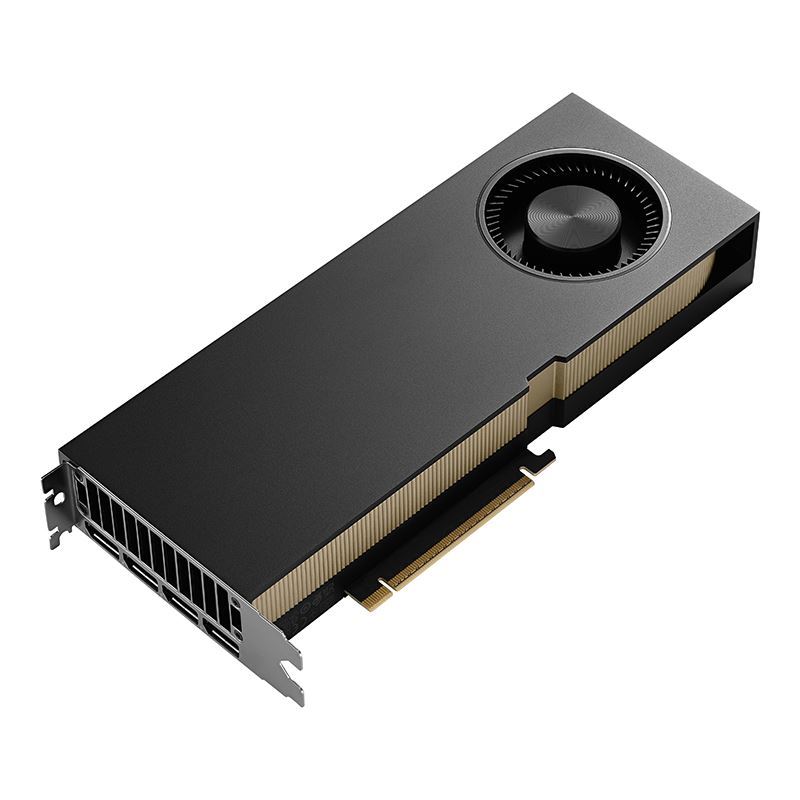
NVIDIA RTX PRO 5000 Blackwell 48GB Workstation GPU
The RTX PRO 5000 Blackwell class is the card to consider when 48GB of ECC VRAM matters for Blender, CUDA rendering, larger local models, or multi-application workstation use. It keeps power requirements below the flagship RTX PRO 6000 while still moving into serious high-end workstation territory.
As an Amazon Associate I earn from qualifying purchases.
Compute, OpenCL, Vulkan, and Ray Tracing
Hashcat and synthetic OpenCL tests gave another view of GPU compute behavior. The RTX PRO Blackwell lineup again landed strongly in the source review, with leading performance and strong performance per watt. That combination is important for users who run sustained compute jobs, because a card that is fast but inefficient can become harder to justify once power, cooling, noise, and chassis constraints are included.
Vulkan graphics performance was also strong, including in demanding GravityMark testing. The more decisive result came from Vulkan ray tracing, where NVIDIA remained well ahead of the tested AMD and Intel cards. For Linux workstation users working with ray-traced previews, visualization, or real-time design review, that gap may matter as much as traditional raster performance.
SPECViewPerf 2020 was used as the workstation graphics benchmark, since a newer native Linux SPECViewPerf 15 was not available in the review context. While SPECViewPerf is only one view of professional graphics behavior, it is still a useful reference point for CAD, DCC, and visualization-adjacent buyers comparing workstation-class GPUs.
Power Efficiency May Be the Most Important Upgrade
Raw performance is the obvious headline, but performance per watt may be the more practical result. The source review found RTX PRO Blackwell extending NVIDIA’s existing efficiency lead from the Ada generation. That matters across the whole stack.
At the low end, a 70W RTX PRO 2000 Blackwell can fit into systems where larger GPUs are not practical. In the middle, the 145W, 200W, and 300W cards offer meaningful workstation performance without requiring a flagship-class power and cooling plan. At the top, the RTX PRO 6000 Blackwell’s 600W power requirement is substantial, but the review still found strong efficiency relative to the work being completed.
For buyers, power efficiency affects several decisions:
- Whether the card fits in an existing workstation power budget
- How much cooling headroom the chassis needs
- Whether multi-GPU configurations are realistic
- How much long-running AI or render work will cost to operate
- Whether a lower-tier Blackwell card can replace a higher-tier older card
This is where RTX PRO Blackwell becomes more than a simple “new generation is faster” story. The source review suggests that buyers can get large performance gains without giving up efficiency, and in some cases may improve both at the same time.
Who Should Consider RTX PRO Blackwell on Linux?
The strongest fit is a Linux workstation buyer who already depends on NVIDIA-friendly software. That includes CUDA-based AI workflows, local LLM inference, Blender and OptiX rendering, V-Ray RTX, OctaneRender, GPU compute, visualization, and ray-traced professional graphics.
The RTX PRO 2000 Blackwell is the most relevant option for compact workstations, lower-power professional desktops, and users who need ECC VRAM and professional driver support without moving to a large card. It is not the choice for the largest local AI models, but it gives the lineup a credible entry point.
The RTX PRO 4000 and RTX PRO 4500 Blackwell cards are likely the more balanced options for many workstation buyers. The RTX PRO 4000 brings 24GB of ECC memory in a lower-power design, while the RTX PRO 4500’s 32GB capacity gives more room for larger scenes, heavier local models, and multi-application workflows.
The RTX PRO 5000 Blackwell is the high-end sweet spot if 48GB of VRAM is enough. It sits well below the RTX PRO 6000 in power draw, while still offering a major step up in memory and compute resources. For many AI developers, creators, and technical users, this may be the card that deserves the closest look.
The RTX PRO 6000 Blackwell is for users who know exactly why they need 96GB of ECC VRAM. That includes large local AI workflows, heavy visualization scenes, demanding simulation work, advanced content creation, and other jobs where the memory ceiling matters as much as throughput. It is expensive, power-hungry, and not a casual purchase, but it was also the fastest and most capable card in the tested group.
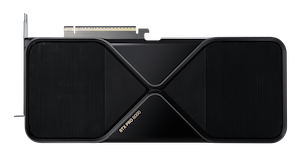
NVIDIA RTX PRO 6000 Blackwell 96GB Workstation GPU
The RTX PRO 6000 Blackwell Workstation Edition is the relevant choice when the workload is constrained by GPU memory as much as throughput. Its 96GB ECC VRAM target is large local AI, heavy visualization, simulation, and production rendering rather than casual workstation upgrades.
As an Amazon Associate I earn from qualifying purchases.
Verdict: The Linux Workstation Lead Gets Wider
Based on the tested workloads, NVIDIA RTX PRO Blackwell is an easy recommendation for Linux professionals who need top-tier GPU performance and are comfortable with NVIDIA’s R595 driver stack. The new cards performed well across AI, rendering, compute, Vulkan, ray tracing, and workstation graphics tests, while also improving performance per watt over the prior Ada generation.
The biggest caveat is ecosystem preference. Buyers who require a fully open graphics driver stack, or who are committed to AMD ROCm or Intel oneAPI for organizational reasons, will weigh the decision differently. Pricing is also a serious factor, especially at the RTX PRO 5000 and RTX PRO 6000 levels. These are professional tools, not casual upgrades.
Still, for the buyer evaluating a Linux workstation around practical output, the review points in one direction. RTX PRO Blackwell gives NVIDIA a larger lead in the workloads that matter most to many professional Linux users: local AI, accelerated rendering, GPU compute, and ray-traced visualization. The lower-tier Blackwell cards are much more capable than their placement in the stack might suggest, and the flagship RTX PRO 6000 Blackwell sits in a class the tested AMD and Intel cards did not reach.