

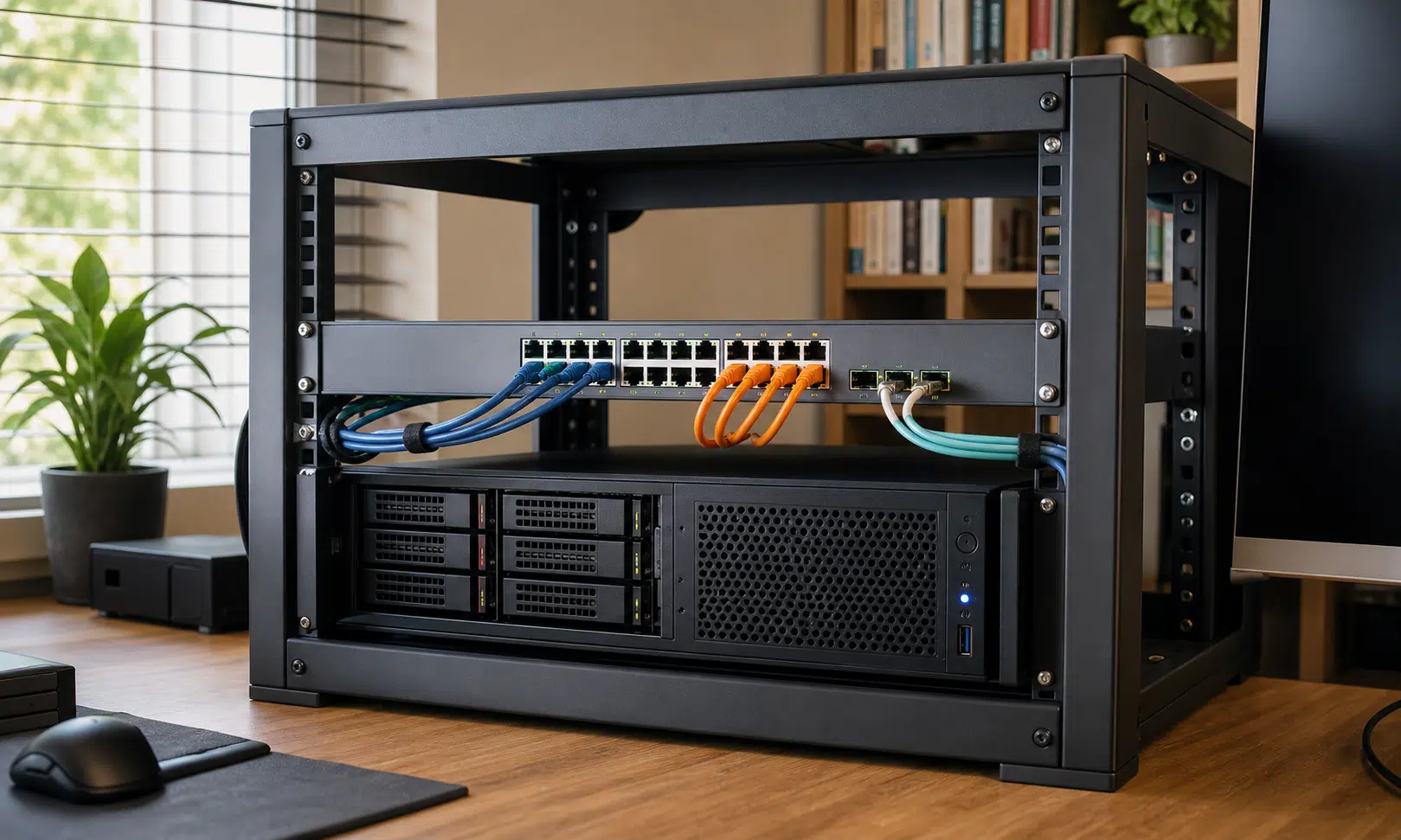

As a home lab grows, the network around it usually has to grow too. Faster links are part of that, but speed is only one piece of the problem. A better home server setup also needs room for management access, storage traffic, recovery paths, and experiments that will not take the whole network down when something is misconfigured.
That is why adding a second network port to a home server can be more useful than it first sounds. It may start as a way to move files faster, especially in a rack where some devices can use 10 GbE or faster links, but the bigger benefit is the extra choice it gives you later.
In this kind of setup, relying only on onboard networking can feel limiting. A motherboard may include one or more ports, but that does not mean those ports are the best place to put every important network role. A PCIe network card gives the server another path onto the network, and that extra path can be used for much more than raw throughput.
The speed upgrade was only the obvious part
The first reason to add another NIC is usually simple: faster networking. If the rest of the rack is moving toward 10 GbE or better, a server with limited onboard networking can become an awkward fit. A PCIe card can add faster ports without replacing the whole machine.
Older enterprise network cards are often attractive for home labs because they can be inexpensive on the used market and may support higher link speeds than a typical consumer board. Cards in the Mellanox ConnectX family, for example, are commonly used in home lab circles for SFP-based 10 GbE and faster networking. Exact support depends on the model, firmware, driver, and transceiver or DAC cable being used, so it is worth checking compatibility before buying.
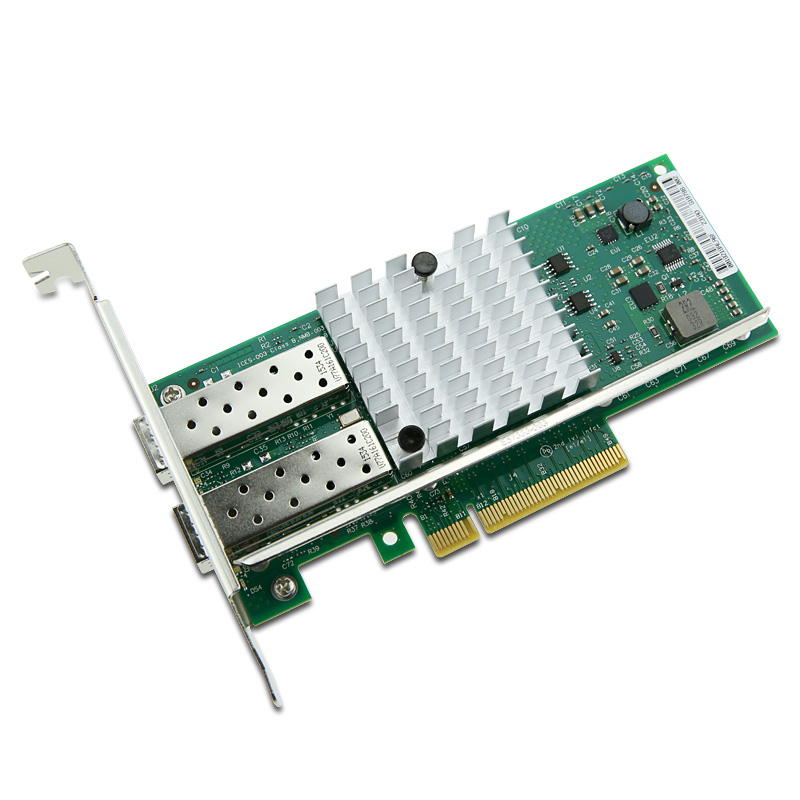
Intel X520-DA2 Dual-Port 10GbE SFP+ PCIe Network Adapter
A dual-port 10GbE SFP+ PCIe adapter can give a home server separate physical paths for storage, management, or lab traffic. Check operating system support, PCIe slot compatibility, airflow, and whether your switch uses DAC cables, fiber modules, or RJ45 before buying.
As an Amazon Associate I earn from qualifying purchases.
The more important lesson is not tied to one brand or one speed. Network plans change. A setup built around 2.5 GbE can later end up with several 10 GbE clients. A NAS with multiple gigabit ports can look like an easy expansion path until the limits of that approach become clear. Buying a card with more headroom than you need today can prevent another round of upgrades when the rest of the network catches up.
That does not mean every home server needs 25 GbE. It means the network card should match the role the server is expected to play. If the machine is just serving media to a few clients, one decent port may be enough. If it is handling storage, virtual machines, lab services, backups, and management access, a second port starts to look less like an upgrade and more like useful infrastructure.
A second port gives the server another way home
The most practical reason to add another network port is resilience. If one connection, driver, cable, switch port, or configuration breaks, a second interface can give you another route back into the machine. That matters most when the server is running services you depend on or when you are changing network settings remotely.
Consumer and prosumer motherboard networking can vary in behavior depending on the chipset, drivers, firmware, cooling, and operating system. Some onboard ports work perfectly for years. Others can be fussy under certain loads or operating systems. A dedicated PCIe card does not magically remove every possible problem, but it gives you another option when the onboard interface is not the one you want to trust with every role.
A second port can also be reserved for management. Instead of mixing admin access with normal client traffic, the server can keep a dedicated interface on a management VLAN or management network. That makes it easier to recover from mistakes on the main LAN because the management path is not being changed every time the rest of the network is adjusted.
That is especially useful in a home lab, where the point is often to learn by changing things. VLAN rules, firewall policies, bridges, virtual switches, and routing experiments can all lock you out if they are applied in the wrong order. A separate management interface gives you a quieter place to fix the mistake.
Extra ports are useful even when they do not make one transfer faster
Another common use is link aggregation. In the right setup, combining links can increase total available bandwidth across multiple clients or sessions. It usually does not turn one ordinary file copy into a magically faster transfer, because many aggregation methods keep a single flow on one physical link. Still, for a busy home server with several clients connecting at once, aggregate bandwidth can be valuable.
The same extra port can be used in other ways:
- A dedicated interface for virtual machines or containers.
- A separate storage network for NAS traffic.
- A failover path if the primary connection drops.
- A management network that stays reachable during LAN changes.
- A lab interface for testing routing, VLANs, firewall rules, or bridges.
Those options are the real upgrade. More ports do not force one design. They let the server take on separate roles without every packet sharing the same physical path.
Storage traffic is a strong reason to separate connections
Network storage is where the second port becomes especially easy to justify. If storage lives on a NAS or another server, compute machines can be wiped, rebuilt, or replaced without putting the data itself at the same risk. That design works better when storage traffic has a predictable path.
SMB, NFS, and iSCSI can all be sensitive to congestion in different ways. For normal desktop use, Quality of Service can help keep browsing, calls, and interactive traffic feeling consistent. Storage traffic is different. If an iSCSI workload or a busy file share is sharing the same interface as everything else, latency spikes and congestion can become more noticeable.
Using the second network port as a dedicated storage path keeps that traffic away from the ordinary LAN interface. VLANs can separate traffic logically, and they are often the right tool, but separate physical interfaces reduce how much those workloads compete at the NIC level. For a server that moves a lot of storage traffic, that can make the design easier to reason about.
It also helps with troubleshooting. If storage performance drops, there is a narrower set of things to inspect: the storage interface, its switch path, the NAS or storage server, and the protocol configuration. When storage, client traffic, management, and lab experiments all share one interface, it is harder to tell which part of the network is responsible.
The best use depends on what the server does
There is no single correct way to use a second network port. For one server, it may make sense as a management VLAN. For another, it may be better as a storage-only path. In a virtualization host, dedicating an interface to VM traffic may be the cleanest choice. In a high-availability setup, redundancy may matter most.
The point is that the extra port gives the server room to be designed instead of merely connected. It can isolate traffic that should not compete, provide a recovery path when the main network is being changed, or support future upgrades without rebuilding the machine.
In this case, the most useful role is a dedicated management connection. Keeping that interface reserved means it does not get borrowed for storage, virtual machines, or general LAN traffic. If the rest of the server network is misconfigured, there is still a planned way back in.
The faster link is still nice. But the more valuable upgrade is trust: knowing the server has another path, another role it can separate, and another way to recover when the network design changes.