

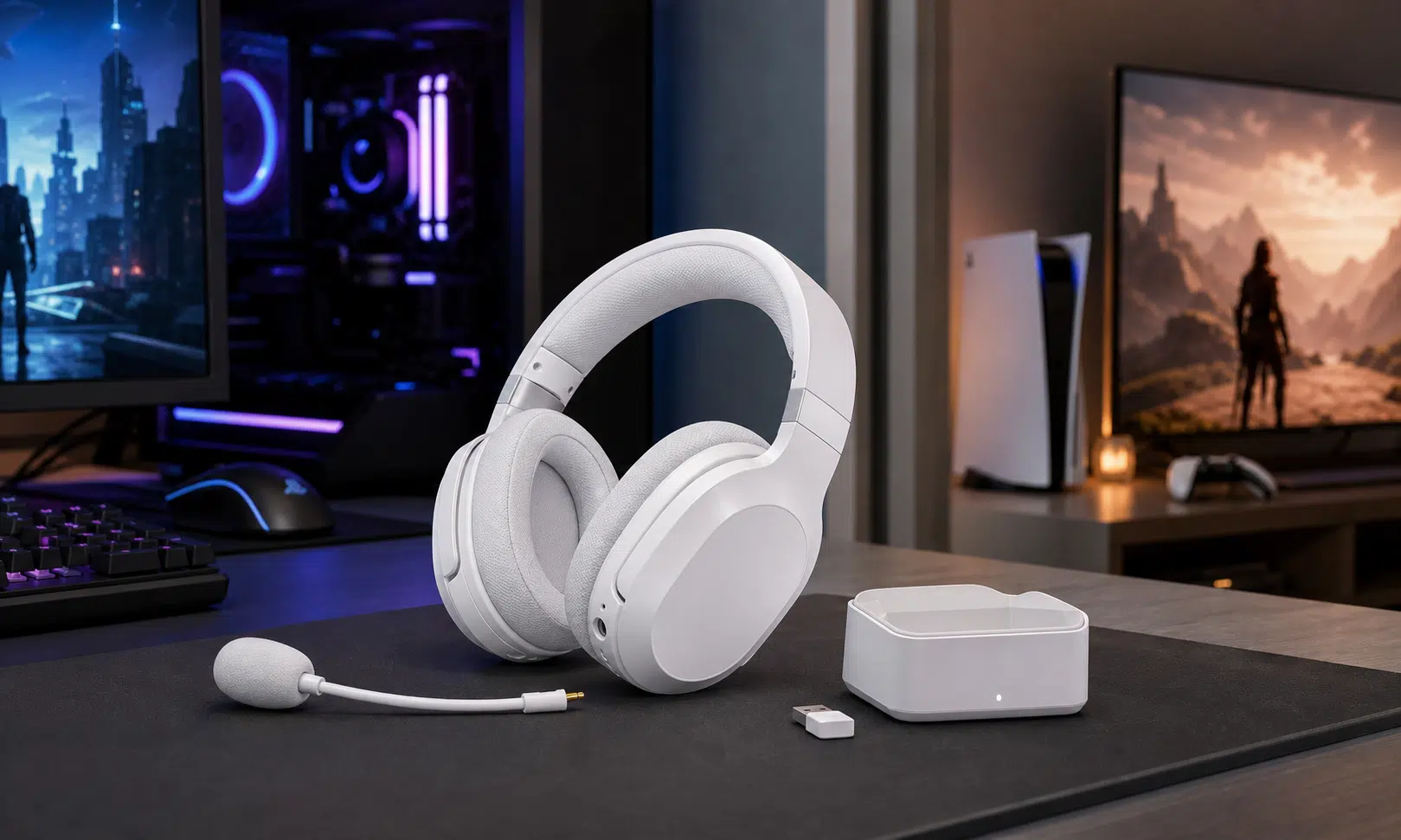

Verdict: Best for players whose devices are not all in one place
The Turtle Beach Stealth Pro II is aimed at a very specific problem: many players now use a gaming PC, console, handheld, phone, or tablet, but those devices are not always sitting on the same desk. Plenty of premium headsets handle multiple systems through a base station, but that usually still assumes everything can be plugged into the same box.
The Stealth Pro II takes a different approach. It uses Turtle Beach’s CrossPlay wireless system with a charging dock that also works as a transmitter, plus a separate USB wireless transmitter in the box. The headset can switch between wireless sources without requiring every device to be cabled into one shared base station. Turtle Beach also says the headset can pair with up to four transmitters, though buyers should note that only two wireless connection points are included in the package.
That makes the Stealth Pro II most compelling for people who have, for example, a PC in one room and a console in another. It is less about being the absolute best-sounding headset at its price and more about solving a real layout problem cleanly.
- Best fit: players who regularly move between PC and console, especially when those systems are not side by side.
- Main strength: flexible wireless source switching without routing every device into one base station.
- Main concern: extra transmitters add cost, and the software experience described during testing was not smooth.

Turtle Beach Stealth Pro II Wireless Gaming Headset
The Stealth Pro II is the most natural fit if your PC and console are not sitting next to the same base station. Its CrossPlay transmitter setup, Bluetooth support, ANC, boom mic, and swappable batteries are the main reasons to consider it over a simpler one-platform headset.
As an Amazon Associate I earn from qualifying purchases.
Design and comfort
The Stealth Pro II is a premium over-ear wireless gaming headset with a detachable boom microphone, simultaneous Bluetooth support, active noise cancellation, and a redesigned look compared with the original Stealth Pro. The review unit discussed here was the white version, and the headset is also being offered in black.
The design is cleaner and less bulky-looking than the previous generation. Turtle Beach uses a mix of plastic, metal, fabric, and soft-touch surfaces, with aluminum yokes connecting the headband to the earcups. The outer plates carry Turtle Beach branding, while the left earcup can be removed to reach the swappable battery compartment.
The headband uses a suspended mesh section rather than a thick traditional cushion. That helps keep the rigid part of the headband from sitting directly on the head, though the feel may not suit everyone. Compared with a softer suspension strap, this design can feel firmer because the mesh has a more direct contact point.
The earcups have memory foam padding with fabric covers, and the closed-back fit provides a useful amount of passive isolation before active noise cancellation is even considered. The headset is not especially light, so buyers who prioritize a barely-there feel may still prefer something more airy. For a full-size wireless headset with ANC and swappable batteries, though, the comfort balance is sensible.
The controls are spread across both earcups. The left side includes the power button, USB-C charging port, volume wheel, chatmix or monitoring control depending on version, a mode button, and the connection point for the detachable boom mic. The right side carries the Bluetooth controls, a separate Bluetooth volume wheel, and the CrossPlay button used for switching between wireless sources.
That split control layout is busy, but it has a practical advantage: Bluetooth audio gets its own volume wheel. If you use Discord, a phone call, or music over Bluetooth while gaming over the low-latency wireless connection, separate control matters.
The headset package includes a carrying case, one USB wireless transmitter, a charging dock that also functions as a transmitter, an extra battery, a detachable boom mic, and a USB cable. For buyers planning to connect three or four systems, the missing piece is additional transmitters.
Specs and included hardware
The Stealth Pro II is easier to understand when its hardware is separated from its software and ecosystem. The headset itself is a high-end wireless model with large drivers, ANC, Bluetooth, and hot-swappable batteries. The more unusual part is the transmitter setup.
| Feature | Details from the review sample |
|---|---|
| Headset type | Over-ear wireless gaming headset |
| Wireless support | 2.4GHz wireless through CrossPlay transmitters, plus Bluetooth 5.3 |
| Drivers | 60mm Turtle Beach Eclipse dual drivers |
| Microphone | Detachable flip-to-mute boom mic, with built-in beam-forming mics also referenced |
| Noise cancellation | Active noise cancellation plus passive isolation from the earcups |
| Battery system | Two swappable batteries, each rated by Turtle Beach for up to 40 hours |
| Included transmitters | Charging dock/transmitter plus one USB wireless transmitter |
| Color options | Black and white versions listed for this model |
Turtle Beach rates the combined battery setup at more than 80 hours when both batteries are used. That figure depends on the company’s stated rating and may vary with volume, Bluetooth use, ANC, and other settings. The practical benefit is not just total runtime, though. The benefit is that one battery can charge while the other is in the headset.
For a desk-based gaming headset, that is a strong setup. Instead of plugging the headset in after every long session, you swap batteries when one runs low. It is less elegant for travel, because the battery dock becomes another part of the system, but the Stealth Pro II is clearly built around a home gaming setup first.
Wireless switching is the main reason to care
Most premium multi-device gaming headsets assume that the devices are near the base station. That works well for a console and PC on the same desk or media unit, but it becomes awkward when the PC is across the room, the console is near the TV, or a second system is in another space entirely.
The Stealth Pro II’s advantage is that each compatible wireless transmitter can live with a different device. You can leave one transmitter connected to a PC and another connected to a console, then switch from the headset instead of moving cables or re-pairing every time.
That does not mean every buyer needs this headset. If all of your systems sit in one place, a base-station headset such as the Astro A50 X or a SteelSeries Arctis Nova model may already fit your setup. But if your systems are physically separated, the Stealth Pro II’s transmitter-based approach is more flexible.
There is one important cost note: the included hardware covers two wireless source points. Turtle Beach says additional transmitters are sold separately, and the source material lists them at $35 each. Buyers who want a three- or four-device setup should factor that into the real price of ownership.

Turtle Beach Stealth Pro II USB Wireless Transmitter
If you want the Stealth Pro II connected to more than the two included wireless source points, an extra compatible transmitter is the accessory to budget for. Match the transmitter version carefully to your headset model and platform setup before buying.
As an Amazon Associate I earn from qualifying purchases.
Audio performance
The Stealth Pro II uses Turtle Beach’s 60mm Eclipse dual dynamic drivers. Turtle Beach lists a 10Hz to 40kHz frequency response, which is wider than the standard 20Hz to 20kHz range often seen on gaming headset spec sheets. As always with headset specs, the numbers are less important than how the headset behaves with real games, chat, music, and noise cancellation enabled.
In the original testing, the headset delivered detailed, energetic audio with a wider-than-expected presentation for a closed-back gaming headset. Atmospheric games benefited from that sense of space, and music playback was described as bright, punchy, and clear. Bass came through with enough weight, but the treble could be aggressive out of the box.
That matters for gaming. Emphasized highs can make footsteps, reloads, and gunshots easier to notice, but they can also make sharp effects fatiguing. If you are sensitive to bright tuning, the Stealth Pro II may need EQ adjustment. If you like a more forward competitive-gaming sound, the default tuning may be closer to your preference.
Active noise cancellation worked well against steady background noise such as computer fan hum. The passive isolation from the earpads was also strong enough that ANC may feel like a bonus rather than a necessity in some rooms. With music, ANC was more noticeable in its effect on sound quality, which is common for gaming headsets with noise cancellation.
The better takeaway is that the Stealth Pro II is not just a connectivity gimmick. Its audio performance is strong enough to support the premium positioning, provided you are comfortable with a brighter default sound or willing to adjust EQ when the software allows it.
Microphone performance
The detachable boom mic is one of the more important pieces of the Stealth Pro II package because this is not only a solo gaming headset. It is built for voice chat, calls, cross-platform play, and the kind of mixed-use setup where you may be moving between a console party, PC voice app, and Bluetooth device.
The boom mic uses a flip-to-mute design, which remains one of the clearest mute systems on any headset. Raise the mic to mute, lower it to talk. There is no mystery about whether a small button has been pressed, no hunting for an inline switch, and no need to check software just to confirm the basic state.
Voice quality was described as full and warm for a headset mic, though still recognizable as headset audio rather than a dedicated broadcast microphone. That is a fair result for the category. Many modern headset microphones are good enough for voice chat, meetings, and casual streaming, but they do not replace a standalone USB or XLR mic for people who care about production quality.
The headset also includes built-in beam-forming microphones, but the review process did not produce a clear account of those working reliably. For practical buying purposes, the detachable boom should be treated as the main microphone.
Software and setup concerns
The Stealth Pro II works with Turtle Beach’s Swarm II software, which is where users should be able to adjust EQ, microphone settings, noise gate, monitoring, programmable controls, and firmware updates. In theory, that gives the headset a useful amount of customization.
In practice, the software experience described during the review was frustrating. The app allowed an initial firmware or software update, then continued to show an update prompt while also reporting that the device was already current. Because that prompt blocked access to other parts of the app, key customization options were not available during the review window.
That does not make the headset unusable. The Stealth Pro II works well enough out of the box that buyers can still use its core functions without immediately tuning every setting. But it does matter at this price. A premium headset should not depend on unreliable software for basic access to EQ and control remapping.
This is also the one area where buyers should look for updated owner feedback once the headset is widely available. Firmware and companion apps can improve, but they can also remain a long-term annoyance. The hardware concept is strong; the software needs to keep up with it.
Battery life and daily use
The Stealth Pro II uses two removable batteries, with Turtle Beach rating each one for up to 40 hours. Together, that gives the headset an advertised total of more than 80 hours when the swap system is used as intended.
The daily-use benefit is simple: one battery can live in the headset while the other charges in the dock. When the headset battery runs low, you swap them and keep playing. There is no long charging break and no need to run a cable to the headset unless you want to.
This approach makes the most sense for a headset that stays near a gaming desk or media setup. For travel, a single internal battery with USB-C charging may be simpler. At home, swappable batteries are still one of the better answers to wireless headset downtime.
Compared with the earlier Stealth Pro, the claimed per-battery runtime is a meaningful improvement. The exact runtime any buyer sees will depend on listening volume, Bluetooth, ANC, and connection behavior, but the system itself is easy to understand and useful.
How it compares with other premium headsets
The Stealth Pro II sits in the same broad premium category as the Astro A50 X and SteelSeries Arctis Nova Pro-style multi-device headsets. The difference is not just price or sound. It is the connection philosophy.
A traditional premium base station is excellent when all of your devices are nearby. It can make switching feel polished and organized, and it reduces the number of loose dongles in your setup. The Stealth Pro II is better suited to separated devices because each transmitter can stay with a different system.
| Buyer situation | Better fit | Why |
|---|---|---|
| PC, Xbox, and PlayStation are all on one desk or TV unit | Traditional base-station headset may be enough | All devices can be wired into one switching hub |
| PC is in one room and console is in another | Stealth Pro II | Wireless transmitters can stay attached to different devices |
| You mainly use one platform | Less expensive wireless headset | The CrossPlay system may be more capability than you need |
| You need long sessions without charging breaks | Stealth Pro II | Swappable batteries reduce downtime |
| You rely heavily on software tuning | Wait for stronger software feedback | The review experience with Swarm II was unreliable |
The Stealth Pro II is not the cheapest way to get wireless gaming audio, and it is not trying to be. Its value depends on how much you need its specific wireless-switching setup. For the right room layout, that feature can be more useful than a small sound-quality advantage elsewhere.
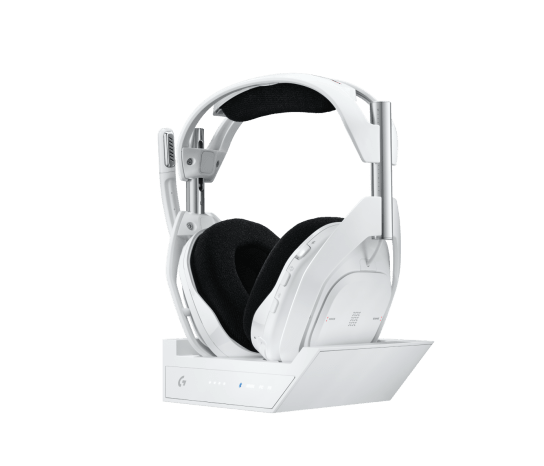
Astro A50 X LIGHTSPEED Wireless Headset
The Astro A50 X makes more sense when your Xbox, PlayStation, and PC can all connect through one base station. It is less suited to separated rooms than the Stealth Pro II, but it can be cleaner for a single entertainment center or desk.
As an Amazon Associate I earn from qualifying purchases.
Should you buy the Turtle Beach Stealth Pro II?
You should consider the Turtle Beach Stealth Pro II if your gaming life is spread across multiple devices and those devices are not all within cable reach of one base station. That is the headset’s clearest reason to exist, and it is a practical one.
It also makes sense if you want a premium feature set: simultaneous Bluetooth, ANC, a detachable boom mic, separate Bluetooth volume, a carrying case, a charging dock, and swappable batteries. The headset feels like a complete package, even if buyers who want more than two wireless source points will need to budget for additional transmitters.
You should be more cautious if software reliability is a major concern, if you prefer very lightweight headsets, or if you only play on one system. In those cases, the Stealth Pro II’s best trick may not justify the price.
For buyers with a split PC-and-console setup, though, the Stealth Pro II is one of the more interesting premium gaming headsets because it solves a physical setup problem that many competitors still treat as an edge case.