

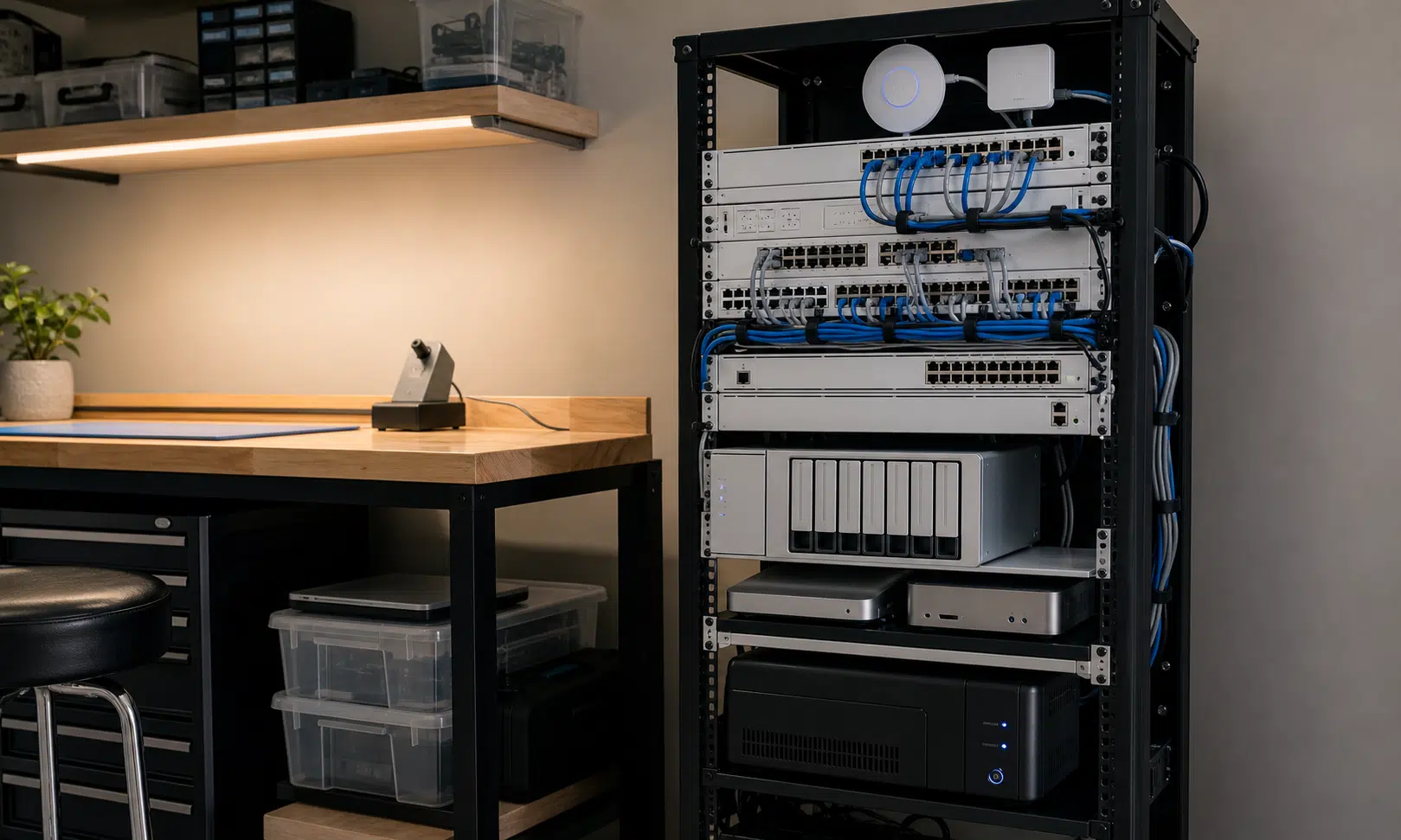

A lot of people look at Ubiquiti gear in a home lab and see excess. That reaction is understandable. If your home network is just phones, laptops, streaming boxes, and a router from your ISP, a rack full of managed switches, access points, cameras, storage, and backup power looks like a small business setup that wandered into a spare room.
But that view misses why many home lab builders end up looking at UniFi in the first place. The point is not always maximum performance for every dollar. It is often about making the network easier to live with once the lab has already grown past the casual stage.
Home labs tend to start with whatever is available: an old PC, a used switch, a cheap NAS, a spare router, or a bargain found secondhand. That can work well for a while. It is also part of the fun. Over time, though, the pile of good-enough parts can become harder to manage than the services running on it.
At that point, Ubiquiti starts to look less like a luxury purchase and more like a way to put boundaries around the mess.
Overkill Depends on the Lab You Are Actually Running
Calling something overkill only makes sense if everyone has the same needs, and home labs do not work that way. One person may only want a NAS for backups and Plex. Another may run virtual machines, security cameras, local DNS, multiple VLANs, self-hosted apps, lab clusters, remote access, and separate networks for guests or smart home devices.
For the first person, a full UniFi stack may be hard to justify. For the second, it may solve a real management problem.
That is the better way to think about it. Ubiquiti is not automatically the right answer for every home lab, and it is not automatically wasteful either. It depends on whether the equipment is replacing a set of small annoyances that have started costing you time.
Those annoyances are familiar to anyone who has built a lab in stages. A switch may have the right number of ports but too little PoE capacity. A NAS may be fine for file storage until it is asked to run too many services. A compact switch with a few faster ports may look sensible at the time, then feel cramped once more devices need 2.5GbE, 10GbE, or faster uplinks.
None of those choices are wrong in isolation. The problem is that each one can become a future constraint.
The Real Appeal Is Fewer Compromises
The strongest case for Ubiquiti in a home lab is not that every component is the cheapest or fastest option. It is that the system can reduce the number of mismatched pieces you have to babysit.
A mixed home lab often grows into a collection of separate admin panels, separate mobile apps, separate firmware habits, and separate assumptions about how networking should be configured. One box handles routing. Another handles switching. Another handles Wi-Fi. Cameras, doorbells, storage, and backup power may each bring their own management layer.
That approach can be flexible, and plenty of experienced users prefer it. It can also turn small changes into chores. A firewall rule, VLAN change, wireless tweak, or port adjustment may require jumping between tools and remembering how each vendor labels the same basic concept.
UniFi’s appeal is that it brings much of that under one management surface. For a lab owner who wants to spend more time running services and less time maintaining the physical network, that matters.
- Network switching can be managed from the same place as routing and Wi-Fi.
- PoE planning is easier when switches, access points, and cameras are designed to work together.
- Device visibility is cleaner when the controller understands more of the stack.
- Rack wiring can be neater when power and network hardware are planned as a system.
That does not make UniFi perfect. It does mean the buying decision is about more than raw specs.

Ubiquiti UniFi Dream Machine Pro
The UniFi Dream Machine Pro makes the most sense when the lab already needs centralized routing, UniFi Network control, and room for camera or storage-related expansion. It is a stronger fit for rack builds than for simple home networks.
As an Amazon Associate I earn from qualifying purchases.
Future Capacity Is Easy to Undervalue
One of the most common home lab mistakes is buying only for the devices you own today. That can keep the initial price down, but it often leads to another purchase sooner than expected.
A switch with a couple of fast uplinks may be enough when only one desktop and one NAS need extra bandwidth. Add a faster workstation, a second server, a backup target, or a few mini PCs, and the layout starts to feel tight. The same thing happens with PoE. A switch that powers one access point comfortably may not have the budget for multiple APs, cameras, or other powered devices later.
This is where “overkill” becomes more complicated. Buying extra capacity can be wasteful if the lab never grows into it. Buying too little can also be wasteful if it forces another round of upgrades, resale, rewiring, and reconfiguration.
A buyer considering UniFi should look at practical growth areas rather than chasing the biggest possible rack:
- How many wired devices are likely to need more than gigabit speeds?
- How many PoE devices could be added over the next few years?
- Will the NAS only store files, or will it also run containers and virtual machines?
- Do you want one control plane, or do you prefer mixing specialist hardware?
- Is rack space already available, or would the network upgrade force a larger physical setup?
Those questions matter more than whether the hardware looks excessive from the outside.
One Vendor Can Be Worth It, but Not for Everyone
The buyer-aware argument for Ubiquiti is straightforward: it can trade some flexibility for consistency. That is valuable if you are tired of stitching together equipment from several vendors and keeping track of each device’s quirks.
It is less compelling if you enjoy that kind of control. A DIY router running OPNsense or pfSense, a used enterprise switch, and separate access points may offer more tuning freedom or better value in specific areas. Some home lab users also prefer not to depend too heavily on one vendor’s ecosystem.
That is the central tradeoff. UniFi is attractive when the network itself has become a distraction. It is less attractive when the network is the project.
| Approach | Best fit | Main tradeoff |
|---|---|---|
| Mixed-vendor lab gear | Users who want maximum control, bargains, or specialist hardware | More management surfaces and more integration work |
| Mostly UniFi stack | Users who want cleaner management and easier day-to-day oversight | Less freedom to pick the best individual product in every category |
| Basic consumer router setup | Homes with simple networking needs | Limited growth path for advanced lab use |
That table is also why blanket advice is not useful. A UniFi rack can be unnecessary for one home and completely sensible for another.
The Cleaner Rack Argument Is Practical, Not Cosmetic
Cable management sounds superficial until you have lived with a lab that has outgrown its first home. Many home labs begin in a cabinet, on a shelf, or under a desk. That works until heat, noise, power bricks, short patch cables, and awkward access make every change more annoying than it should be.
A rack does not automatically make a lab better. A badly planned rack is still a mess. But once you have decided to use a rack or cabinet, matching network gear can make the whole system easier to maintain.
Power is part of that. Network equipment, NAS units, mini PCs, access points, and cameras all need reliable power, and separate UPS units or power strips can turn into their own wiring problem. A more integrated rack power setup can reduce the number of cables leaving the rack and make it clearer what stays online during a short outage.
Again, this is not about showing off. It is about making the lab less fragile and less irritating to work on.

Ubiquiti UniFi Switch Lite 16 PoE
The UniFi Switch Lite 16 PoE is a sensible option for smaller labs that need managed switching and PoE for access points or cameras. Confirm the PoE budget against your planned devices before building around it.
As an Amazon Associate I earn from qualifying purchases.
Verdict: Ubiquiti Makes Sense When It Buys Back Time
Ubiquiti gear can absolutely be overkill for a home lab. If your current router, switch, and access point already meet your needs, replacing them with a UniFi stack may be unnecessary. The same is true if you are still experimenting and do not yet know what your long-term network will look like.
But for a home lab that already has a rack, multiple wired systems, PoE devices, storage, cameras, and growing bandwidth needs, the “overkill” label is too simple. At that stage, the network is no longer a background utility. It is part of the lab’s foundation.
UniFi is most compelling for buyers who want central management, cleaner expansion, easier PoE planning, and fewer vendor-specific tools to check when something changes. It is less compelling for buyers who want the cheapest possible build, the most open routing stack, or the freedom to mix enterprise hardware without caring whether everything matches.
The practical question is not whether Ubiquiti looks excessive. It is whether your current setup is still helping you, or whether it has become another system you have to manage around. If UniFi reduces that friction, the cost can be easier to justify. If it only adds polish to a network that already works, the money is probably better spent somewhere else.

Ubiquiti UniFi U7 Pro
The UniFi U7 Pro fits readers who want Wi-Fi managed from the same UniFi interface as the rest of the network. It is most relevant when you already have PoE switching or plan to add it.
As an Amazon Associate I earn from qualifying purchases.